Lighting / Fixtures
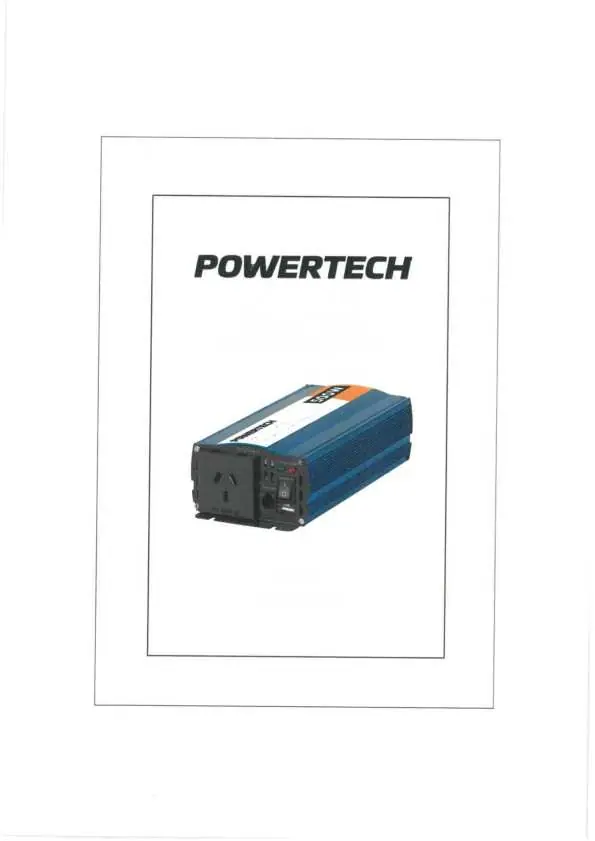
User Manual for Powertech 12VDC to 240VAC Pure Sine Wave Inverter (Mi5734)
Quick guide for the Powertech 12VDC to 240VAC Pure Sine Wave Inverter (Mi5734). Includes installation tips, safety precautions, technical specifications, and usage guidelines.
Table of contents
Manual images
Click an image to enlargeQuick guide from the manual
This manual provides instructions for the Powertech 12VDC to 240VAC Pure Sine Wave Inverter (Model Mi5734). This device converts 12V DC power into 240V AC power. It is designed for sensitive electronics that require a clean, pure sine wave output. Always ensure the total power consumption of connected devices does not exceed the inverter's continuous power rating of 500W.
Safety Precautions
- High Voltage: The inverter contains high voltages. Do not open the case while power is connected.
- Ventilation: Maintain at least 2 inches of clearance on all sides of the inverter to ensure proper heat dissipation.
- Environment: Keep the inverter dry and away from moisture. Do not operate in dusty environments.
- Temperature: Ideal operating temperature is between 10°C and 30°C. Do not expose to temperatures exceeding 40°C.
- Placement: Install on a reasonably flat surface, either horizontally or vertically. Keep away from heat sources like radiators or heating vents.
- Flammables: Do not use near flammable materials.
Types of Inverters
The manual distinguishes between two types of inverters:
- Pure Sine Wave Inverters: Produce a wave form identical to normal AC mains. These are suitable for all applications, especially motorized devices, computers, and sensitive electronics. They run quieter and extend the product's lifetime.
- Modified Sine Wave Inverters: A cheaper alternative that provides a rough approximation of a sine wave. These may cause electrical noise (buzzing) in fans, fluorescent lights, and audio amplifiers. They are generally not recommended for sensitive electronics.
Installation
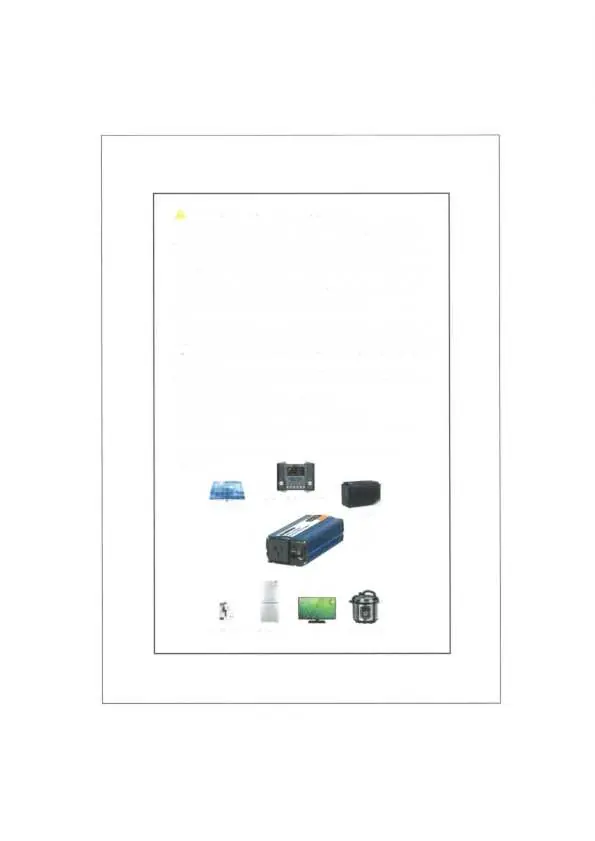
The inverter should be connected in a system that typically includes a solar panel, a solar charge controller, and a battery. Ensure the inverter is installed in a dry, cool, and well-ventilated location. Do not install in unvented battery compartments. Ensure all connections are secure and the input voltage is within the specified range (10V-15V).
Specifications
- AC Output Power: 500W (Continuous), 1000W (Surge)
- Output Waveform: Pure Sine Wave (THD < 3%)
- Output Frequency: 50Hz ± 0.1%
- AC Output Voltage: 240V AC
- DC Input Voltage: 12V DC (Range: 10V-15V)
- Low Voltage Alarm: 10.5V ± 0.5V
- Low Voltage Shutdown: 10V ± 0.5V
- Over Voltage Shutdown: 15.5V ± 0.5V
- USB Output: 5V DC, 2A Max
- Dimensions: 240(W) x 60(H) x 100(D) mm
Practical help
Common problems
Inverter not turning on or shutting down
Check if the input voltage is within the 10V-15V range. Ensure the battery is charged and connections are secure. Check for reverse polarity.
Overheating
Ensure the inverter has at least 2 inches of clearance on all sides for ventilation and is not placed near heat sources.
Before use
- Verify the battery voltage is 12V DC.
- Ensure the total load of connected appliances does not exceed 500W.
- Check that the installation area is dry, cool, and well-ventilated.
- Confirm the inverter is placed on a flat surface.
- Ensure the device is kept away from flammable materials and heat sources.
Specs in practice
- Pure Sine Wave
- Provides clean power identical to mains electricity, essential for sensitive electronics like computers and medical equipment.
- Surge Power (1000W)
- The maximum power the inverter can handle for a short duration, typically during the startup of appliances like motors.
- Low Voltage Alarm
- An audible or visual alert triggered when the battery voltage drops to 10.5V, indicating the battery needs recharging.
Images and diagrams
- The connection diagram illustrates the power flow: Solar Panel -> Solar Charge Controller -> Battery -> Inverter -> Appliances (Mobile phone, Refrigerator, TV, Electric Cooler).
Model compatibility
- Suitable for sensitive electronics such as computers, monitors, and audio amplifiers.
- Not suitable for devices exceeding 500W continuous power consumption.

Manual page author
Michael Turner
Technical manual editor
Reviews PDF manuals for structure, safety notes, and practical product details so readers can find the right information quickly.