Electronics / Speakers & Soundbars
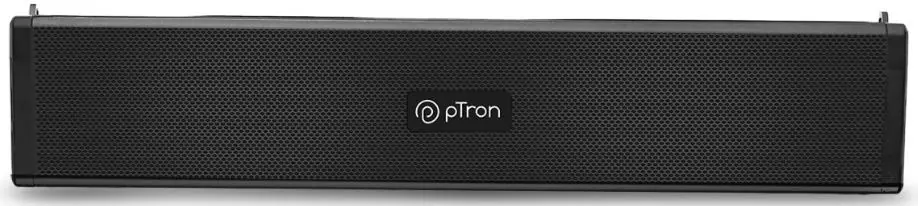
User Guide for pTron Fusion Wave Speaker
Quick guide for the pTron Fusion Wave speaker. Learn how to pair via Bluetooth, use TWS mode, connect via AUX, charge the device, and understand basic controls and safety precautions.
Quick answers from the manual
Quick answer
- The pTron Fusion Wave is a Bluetooth speaker that supports TWS pairing, wired AUX connections, and media playback via TF card or USB drive. It requires a 5V-1A power source for charging. p. 1, 2
Key actions
- Pairing via Bluetooth p. 1
- Charging the speaker p. 1
First start
- Charge the speakers fully before initial use for the best battery performance. p. 1
Show 3 more answers Show less
Problems and fixes
Speaker turns off
If no device is connected within 5 minutes after turning on the speaker, the Speaker will automatically turn off.
p. 1Technical specifications
| Parameter | Value | Meaning | Pages |
|---|---|---|---|
| Wireless Range | 10 meters | Maximum distance from the connected device. | p. 2 |
| Charging Input | 5V-1A | Recommended charger specification. | p. 2 |
Where to find it in the PDF
- Getting Started, Bluetooth, Basic Operation, Wired Connection p. 1
- TWS, Safety, Warranty, Support p. 2
Table of contents
Quick guide from the manual
The pTron Fusion Wave is a portable speaker featuring Bluetooth connectivity, TWS (True Wireless Stereo) functionality, and wired AUX input. Before using the device for the first time, it is recommended to charge it fully. The speaker automatically turns off if no device is connected within 5 minutes.
Getting Started & Charging
To prepare the speaker for use:
- Unbox the speaker and remove all packaging materials.
- Place the speaker on a flat surface.
- Connect the provided Micro USB cable to the charging port on the back of the speaker.
- Connect the USB end to a power source with a 5V output (e.g., USB charger).
- Charge fully before initial use for optimal battery performance.
Bluetooth Pairing
- Turn on the speaker by long-pressing the power button.
- The speaker will enter pairing mode automatically.
- Enable Bluetooth on your smartphone or tablet and search for nearby devices.
- Select "pTron BT speaker" from the list of available devices.
- The speaker will respond with a voice prompt "Connected" once paired.
Basic Operation
- Power on/off: Long press the power button.
- Volume control: Long press the "+" button to increase volume; long press the "-" button to decrease volume.
- Play/Pause: Press the play/pause button.
- Track navigation: Single press "+" or "-" buttons to move to the next or previous track.
- Mode change: Use the single press of the power button (M button) to change the speaker mode.
The speaker automatically detects TF cards, USB drives, or auxiliary cables when inserted.
Wired Connection
To use a wired connection:
- Connect one end of a 3.5mm audio cable to the AUX IN port on the back of the speaker.
- Connect the other end to the headphone jack of your audio source (phone, tablet, computer, etc.).
TWS Function
The speaker features auto-detecting TWS technology. When two speakers are turned on within a proximal range, they will automatically connect to each other.
Safety Precautions
- Keep the device away from extreme heat, liquids, humidity, or corrosive environments.
- Do not over-charge the product.
- Use a good quality DC 5V-1A charger and the included USB cable.
- Do not use the Bluetooth function while charging.
- Do not jam the ports (charger port, LED port, etc.).
- Use the product below maximum volume to protect your hearing.
- Do not open or tamper with the product or battery.
- Keep out of reach of children.
Warranty and Support
The warranty covers manufacturing defects in materials and workmanship under normal conditions. Product registration is mandatory at https://ptron.in/apps/product-registration. For complete warranty details, visit https://ptron.in/pages/repair-service-warranty. For customer care, email [email protected] or call 040-67138888.
Official resources from the manual
Practical help
Common problems
Speaker turns off automatically
If no device is connected within 5 minutes after turning on, the speaker will automatically shut down.
Bluetooth pairing fails
Ensure the speaker is turned on and in pairing mode. Check that your smartphone or tablet has Bluetooth enabled and is searching for devices.
Charging issues or damage
Use a 5V-1A charger and the included cable. Avoid high-voltage chargers or incompatible cables, which can damage the product and void the warranty.
Before use
- Remove all packaging materials
- Place on a flat surface
- Charge fully before initial use
- Ensure power source is 5V output
Show more Show less
Specs in practice
- Wireless Range
- The speaker should be used within 10 meters of the connected device.
Model compatibility
- Supports TF card, USB drive, and auxiliary cable playback.
- Compatible with Bluetooth-enabled smartphones, tablets, and computers.
- Wireless range is 10 meters.

Manual page author
Emily Carter
User documentation editor