Home Appliances / Dehumidifiers
User Manual for PureMate PM 420 Dehumidifier
Quick guide for the PureMate PM 420 20L Dehumidifier. Learn about setup, control panel modes, water tank maintenance, and safety instructions.
Quick answers from the manual
Quick answer
- The PureMate PM 420 is a 20L dehumidifier. It features multiple modes (Normal, Continuous, High-power, Dryer), a 6.5L water tank, and humidity indicator lights. p. 1, 6
Key actions
- Emptying the water tank p. 8
- Cleaning the filters p. 9
Problems and fixes
Unit does not operate
Ensure the water tank is not full and is set properly.
p. 8Technical specifications
| Parameter | Value | Meaning | Pages |
|---|---|---|---|
| Power Supply | 220-240V~50Hz | Standard mains voltage | p. 10 |
| Weight | 14.5 kg | Net weight of the unit | p. 10 |
Where to find it in the PDF
- Safety Guidelines p. 3, 4
- Placement and Components p. 5
- Control Panel p. 6, 7
- Maintenance p. 8, 9
- Specifications p. 10
Table of contents
Manual images
Click an image to enlargeQuick guide from the manual
The PureMate PM 420 is a 20L dehumidifier designed for indoor use. Key operations include setting the desired humidity level, selecting between Normal, Continuous, High-power, and Dryer modes, and maintaining the water tank and filters. Ensure the unit is placed on a level surface with adequate clearance for airflow.
Safety Guidelines
- Always use the appliance only on the voltage specified.
- Do not immerse the product or power cable in water or other liquids.
- Do not use around heated surfaces, open flames, or flammable substances.
- Do not operate if there are signs of damage to the cord, plug, or appliance.
- This dehumidifier is for indoor use only.
- Do not use extension cables to prevent risk of overheating and fire.
- Do not use at temperatures below 5°C to prevent heavy ice buildup on the coil.
Placement
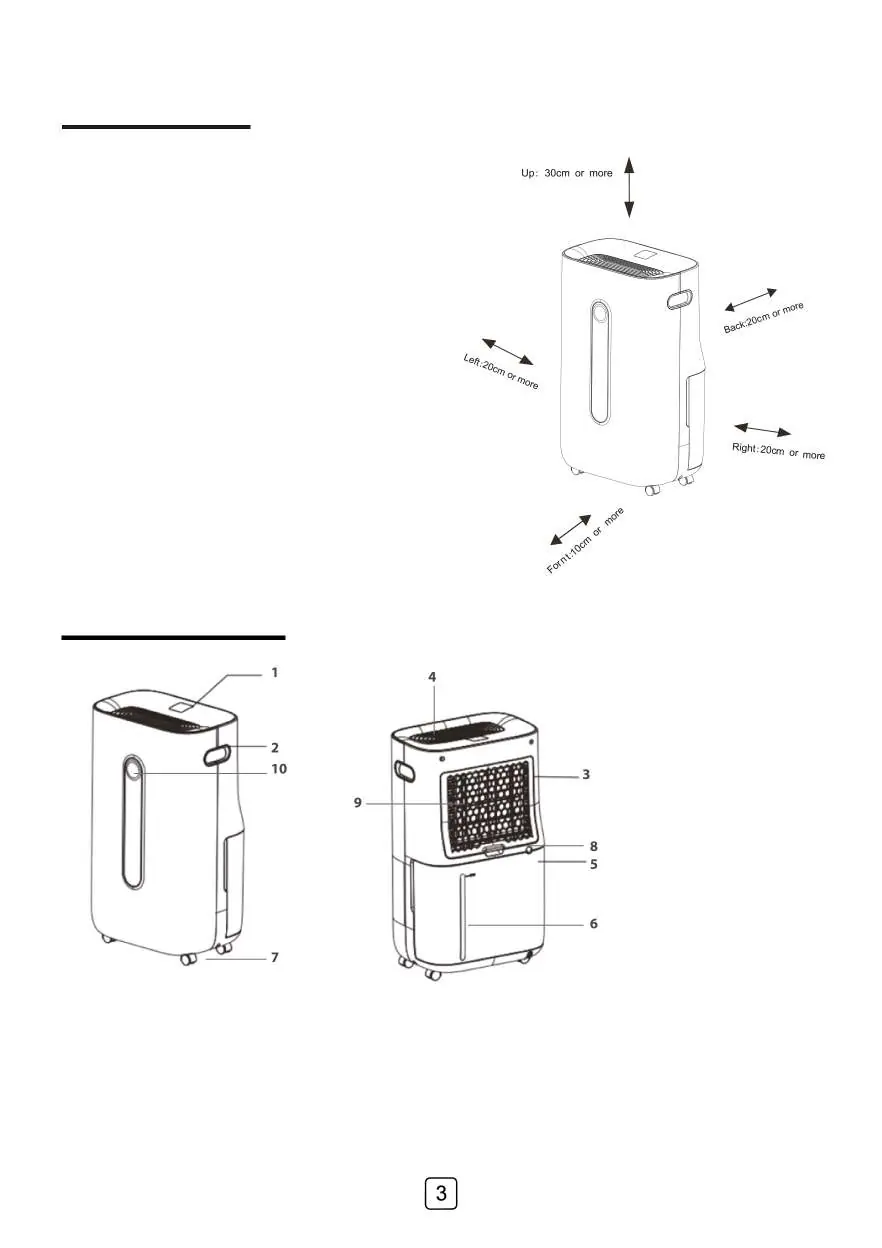
For efficient airflow, ensure the unit is placed on a level surface with a minimum of 20 cm of space on the sides and behind the unit. Ensure the unit is turned off and the water tank is emptied before moving.
Components
- Control Panel & Digital Display
- Handle
- Air Inlet / Air Outlet
- Water Tank
- Castor Wheels
- Continuous Draining Hose Connection
- Filter
- Humidity Indicator Light
Control Panel and Modes
The control panel allows you to manage the following settings:
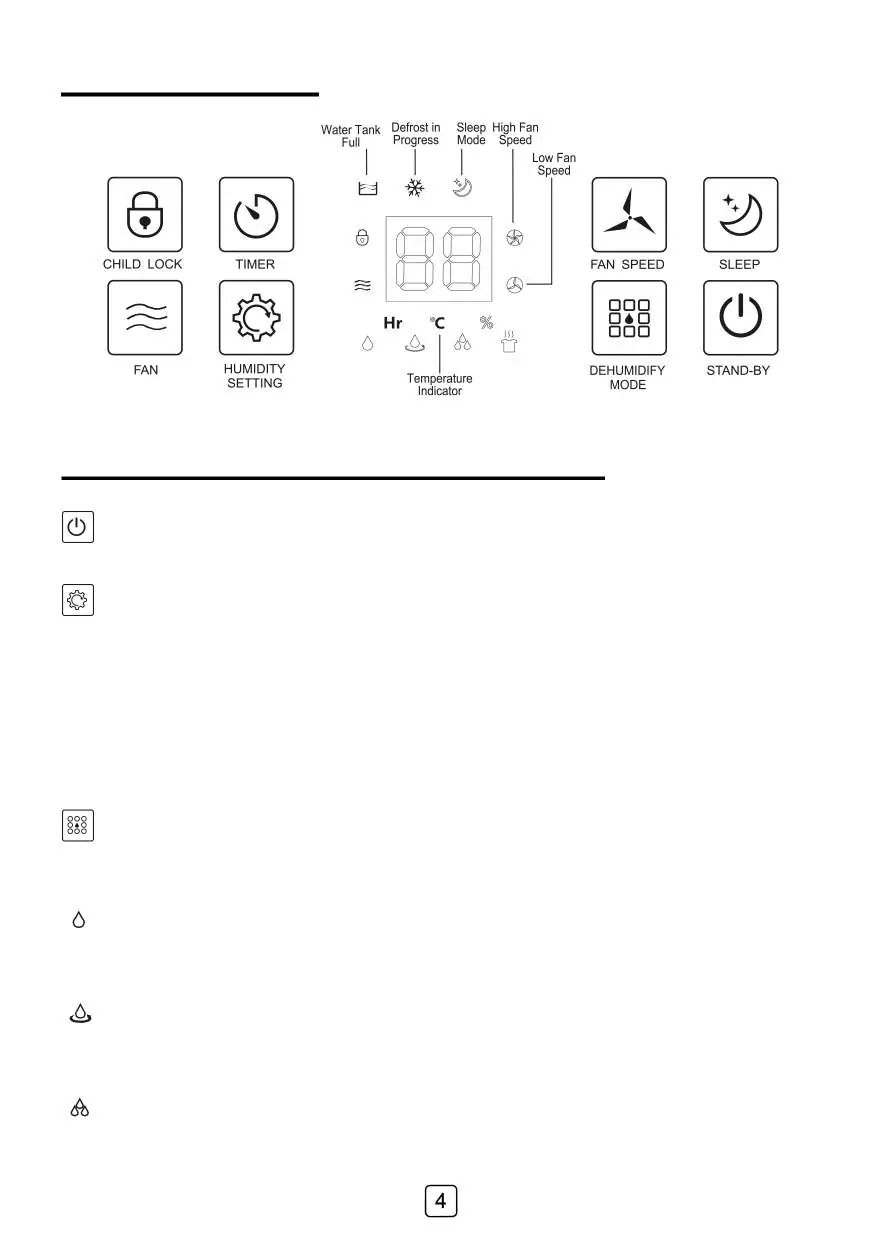
- Humidity Setting: Set desired relative humidity between 30%-80%. The unit turns off when the target is reached.
- Dehumidify Modes: Select between Normal (manual fan/humidity), Continuous (low fan, continuous run), High-power (high fan, continuous run), and Dryer (for clothing/upholstery).
- Fan Speed: Choose between Low and High fan speed in Normal and Fan modes.
- Timer: Set the unit to turn on or off between 1-24 hours.
- Child Lock: Press and hold for 3 seconds to lock/unlock controls.
- Sleep: Turns off display lights while the unit continues to work.
Humidity Indicator Light: Red (>70%), Green (50%-70%), Blue (<50%).
Water Tank and Draining
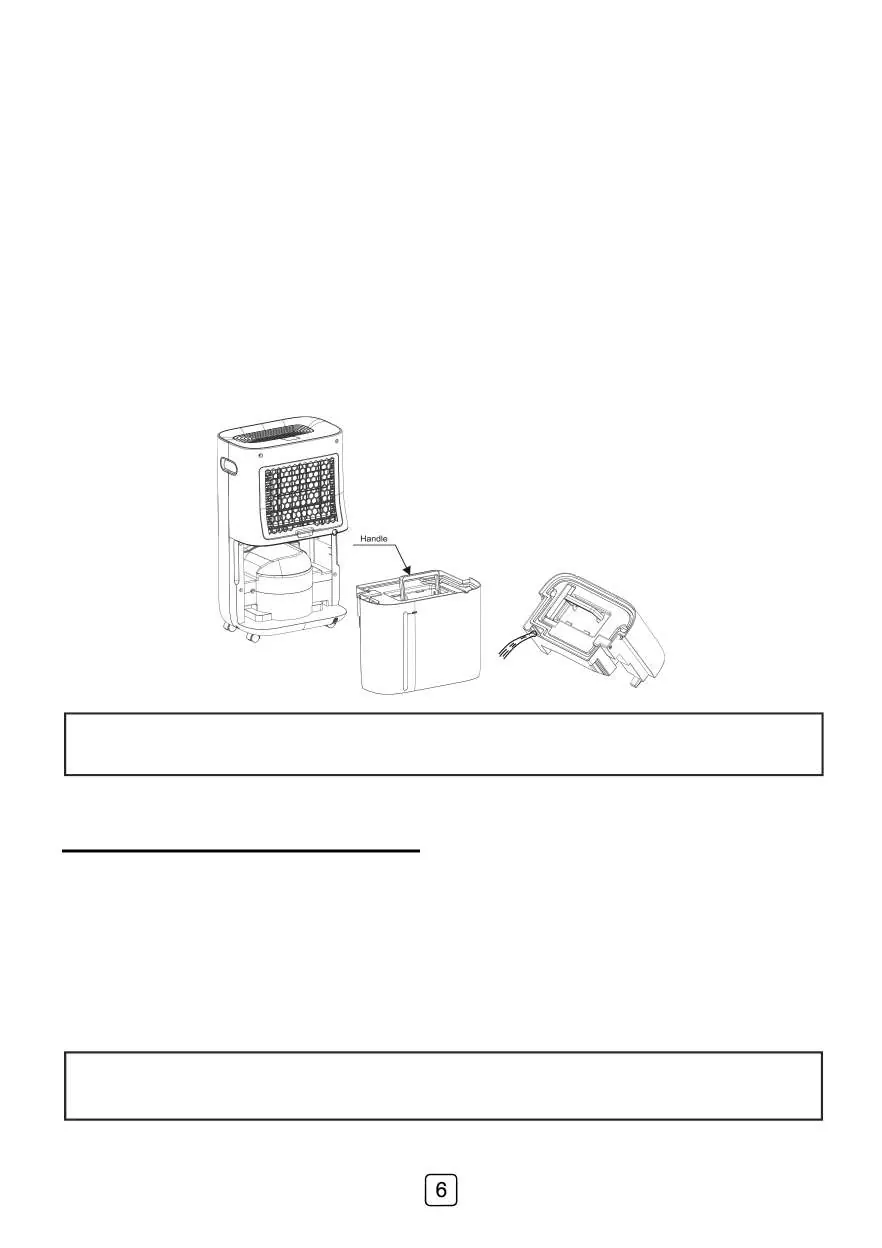
When the water tank is full, the indicator illuminates, the unit beeps, and operation stops. To empty: pull the tank out from the back, use the handle to lift and empty, then reinsert. For continuous draining, connect a hose to the drain hole and ensure it leads to a suitable drainage outlet.
Cleaning and Maintenance
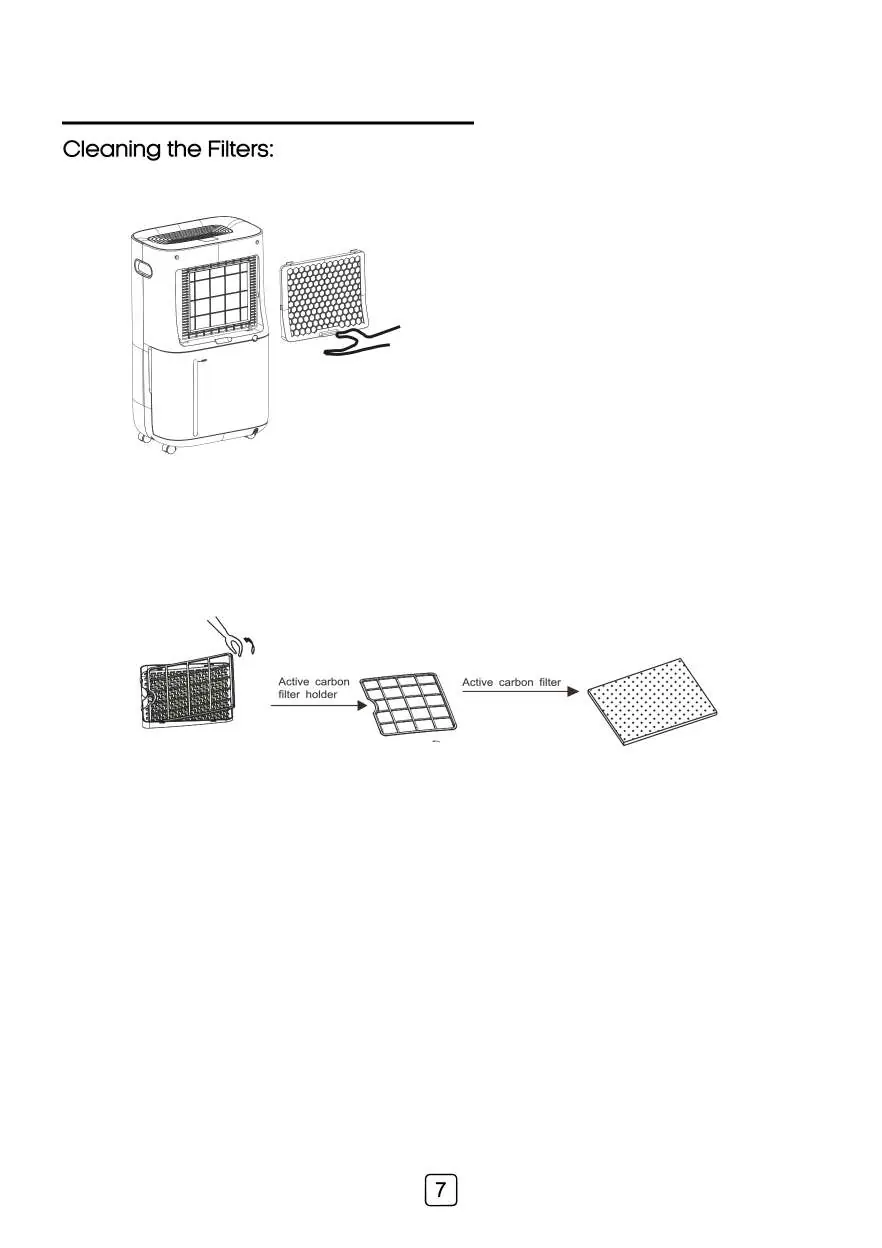
Remove the back cover to access the filters. Remove excess dust by patting lightly or vacuuming with a brush. If excessively dirty, remove the carbon filter and wash the back grid and filter cover with warm soapy water.
Specifications
- Power supply: 220 to 240V~50Hz
- Power Consumption: 420W (High Setting)
- Water Tank Capacity: 6.5 L
- Operating Temperature: 5°C - 32°C
- Net Weight: 14.5 kg
Practical help
Common problems
Unit does not operate
Check if the water tank is full or not installed properly.
Heavy ice on coil
Do not use in temperatures below 5°C.
Continuous drainage hose freezing
Do not place the hose outside in temperatures below 1°C.
Before use
- Ensure the unit is on a level surface.
- Maintain 20cm clearance on sides and back.
- Check that the water tank is empty and correctly inserted.
- Verify voltage matches the specification.
Specs in practice
- Power Consumption
- 420W on High Setting.
- Water Tank Capacity
- 6.5 Liters.
- Operating Temperature
- 5°C to 32°C.
Images and diagrams
- The placement diagram shows required clearances: 30cm above, 20cm sides/back, 10cm front.
- The components diagram identifies the control panel, air inlet/outlet, and water tank location.
Model compatibility
- Indoor use only.
- Not suitable for outdoor use.

Manual page author
Emily Carter
User documentation editor
Prepares concise manual descriptions and highlights the most useful setup, operation, and maintenance information for readers.