Power / USB Chargers
Satechi 145W Multi-Port GaN Fast Charging Adapter User Manual
Quick guide for the Satechi 145W Multi-Port GaN Fast Charging Adapter. Learn how to use, troubleshoot, and understand safety specifications for your charger.
Table of contents
Quick guide from the manual
The Satechi 145W Multi-Port GaN Fast Charging Adapter is a high-power, compact charger utilizing Gallium Nitride (GaN) technology. It features two USB-C ports and one USB-A port, capable of charging multiple devices simultaneously, including laptops, tablets, and smartphones.
Product Specifications
Input: AC 100-240V~50/60Hz 1.8A
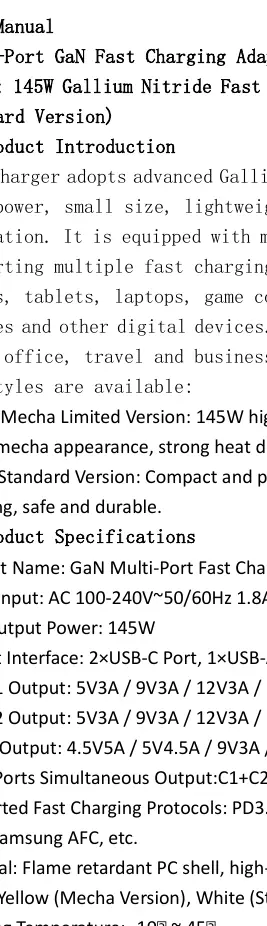
Max Output Power: 145W
- USB-C1 Output: 5V3A / 9V3A / 12V3A / 15V3A / 20V5A (100W Max)
- USB-C2 Output: 5V3A / 9V3A / 12V3A / 15V3A / 20V3.25A (65W Max)
- USB-A Output: 4.5V5A / 5V4.5A / 9V3A / 12V2.5A (30W Max)
- Triple Ports Simultaneous Output: 140W Max (65W + 45W + 30W)
How to Use
- Connect the charger to a standard AC power socket (100-240V).
- Connect your device to the appropriate USB-C or USB-A port using a certified data cable.
- The charger automatically identifies the device and matches the optimal charging current and voltage.
- Unplug the cable and charger after the device is fully charged.
Safety Instructions
- For indoor use only; avoid damp, high-temperature, or flammable environments.
- Do not disassemble, burn, or immerse the charger in liquid.
- Do not touch the plug with wet hands.
- Ensure good ventilation during use; slight heat generation is normal.
- If the charger shows signs of damage, odor, or deformation, stop using it immediately.
Protection System
The device includes built-in intelligent protection against:
- Over Voltage (OVP)
- Over Current (OCP)
- Over Power (OPP)
- Over Temperature (OTP)
- Short Circuit (SCP)
- Overcharge, Leakage, and Lightning Surge Protection
Troubleshooting
If you experience issues, follow these steps:
- Cannot charge: Check power socket, ensure cables are firmly connected, or try a different cable.
- Slow charging: Ensure the device supports fast charging protocols and use a high-power data cable. Reduce the number of devices connected to increase single-port power.
- Abnormal heat: Stop charging, check for socket overload, and move the charger to a well-ventilated area.
Manufacturer information
Satechi
Practical help
Common problems
Device not charging
Check if the power socket is active, ensure the data cable and charging interface are firmly connected, or try a different data cable.
Slow charging speed
Confirm the device supports fast charging, use a high-power data cable, and reduce the number of devices charging simultaneously.
Abnormal heat
Stop charging, check for socket overload, and move the charger to a well-ventilated area.
Before use
- Ensure the power socket is 100-240V.
- Use certified data cables for optimal performance.
- Ensure the environment is dry and well-ventilated.
- Do not use if the charger shows signs of damage or deformation.
Specs in practice
- Total Output
- Maximum combined output of 140W when using all ports simultaneously.
Model compatibility
- Supports PD3.0, QC3.0, QC2.0, SCP, FCP, AFC, PPS, Apple 2.4A, and Samsung AFC protocols.

Manual page author
Michael Turner
Technical manual editor
Reviews PDF manuals for structure, safety notes, and practical product details so readers can find the right information quickly.