Electronics / Cables & Adapters
User Manual for Sealevel SeaLINK+485 USB to Serial Adapter
Quick guide for the Sealevel SeaLINK+485 (Model 2102) USB to RS-530/422/485 serial adapter. Includes installation steps, DIP-switch configuration, pin assignments, and troubleshooting.
Table of contents
Manual images
Click an image to enlargeQuick guide from the manual
The Sealevel SeaLINK+485 (Model 2102) is a USB to RS-530/422/485 asynchronous serial port adapter. It allows for serial communication without requiring internal PC resources like I/O ports or IRQs. The device is hot-pluggable and requires a system with USB support.
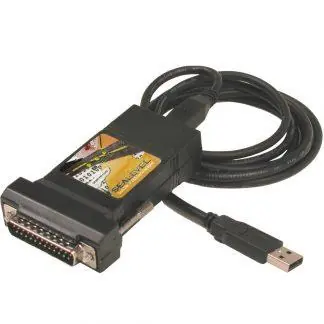
Software Installation
Important: Do not connect the adapter to your computer until the software drivers have been fully installed.
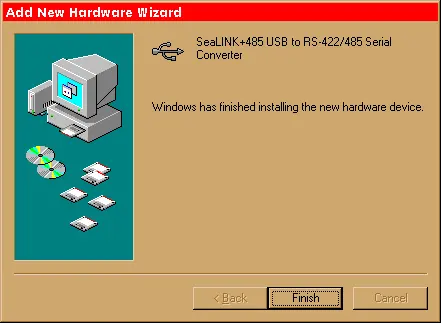
- Windows: Download the SeaCOM driver from the Sealevel website. Select part number #2102. Follow the on-screen prompts. If a warning about the publisher appears, select 'Yes' to proceed.
- Linux: Root privileges are required. Download the driver from the Sealevel website. Use 7-Zip to extract the tar.gz file and refer to the README and Serial-HOWTO files included in the download.
Hardware Installation
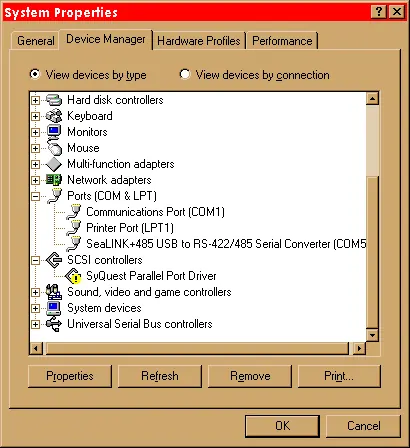
Once the software is installed, connect the SeaLINK+485 to an available USB Type-A port on your host or hub. The device is hot-pluggable, so you do not need to power down the computer. Windows will detect the new hardware and configure the port automatically. You can verify the installation in the Windows Device Manager, where a new COM port will appear.
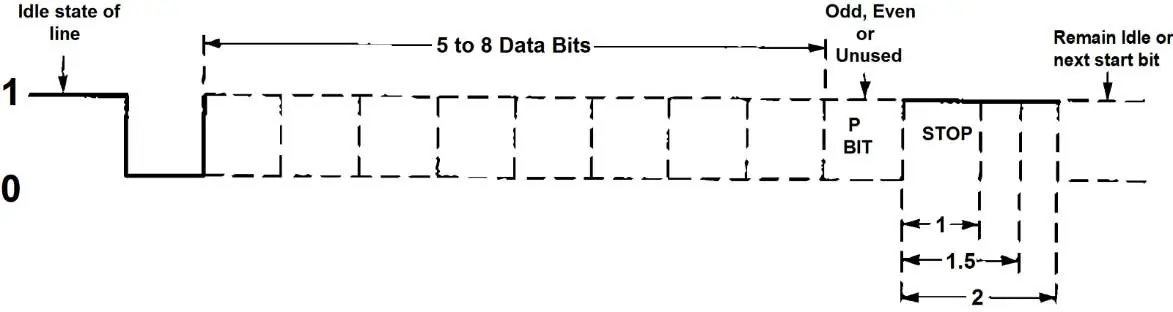
Configuration
The adapter features a DIP-switch (SW1) to select the electrical interface mode. Switch positions ON enable/connect, while OFF disable/disconnect.
- SW1-1: RS-485 Two Wire Auto Enable/Disable.
- SW1-2: Echo Enable/Disable.
- SW1-3: 120-ohm termination.
- SW1-4/5: Pull-up/Pull-down resistors for RS-422/RS-485 receiver circuit.
- SW1-6/7: Connects TX/RX for RS-485 two-wire operation.
Technical Description
The adapter utilizes a USB UART with a 128-byte TX buffer and 384-byte RX buffer, supporting data rates up to 921.6K baud. The DB25 male connector complies with EIA-530 pinout standards, supporting signals including GND, RX+, RX-, CTS+, CTS-, DSR+, DSR-, DCD+, DCD-, TX+, TX-, RTS+, RTS-, DTR+, and DTR-.
Troubleshooting
If the adapter is not functioning:
- Ensure USB support is enabled in the system BIOS.
- Verify that the Sealevel software is correctly installed.
- Use the Sealevel WinSSD utility to perform a loopback test. Connect TD to RD using a loopback plug. If the test transmits and receives data (55AA pattern), the hardware is functioning.
- Note: Loopback tests are not possible if the device is configured for 2-wire RS-485 without echo. Test in RS-422 mode first if necessary.
Official resources from the manual
Practical help
Common problems
Adapter not detected or not working
Verify USB support is enabled in the system BIOS and check the Device Manager to ensure the driver is installed correctly.
Loopback test fails
Ensure the adapter is configured for RS-422 mode during testing. Loopback tests cannot be performed in 2-wire RS-485 mode without echo.
Before use
- Install software drivers before connecting the adapter to the USB port.
- Verify your operating system is Windows 7 or newer (Windows NT is not supported).
- Check the DIP-switch settings on the device to match your required interface (RS-485/422/530).
- Have a loopback plug available for diagnostic testing if needed.
Specs in practice
- Operating Temperature
- 0°C to 50°C (32°F to 122°F).
- Power Consumption
- +5 VDC at 50 mA.
Images and diagrams
- The DIP-switch settings allow configuration for RS-530/422 (default), RS-485 2-wire with echo, and RS-485 2-wire no echo.
- The DB25 pinout provides specific assignments for RS-530 signals, including transmit, receive, and modem control lines.
Model compatibility
- Windows NT is not USB aware and does not support this device.
- Requires a system with USB hardware and operating system support.

Manual page author
Emily Carter
User documentation editor
Prepares concise manual descriptions and highlights the most useful setup, operation, and maintenance information for readers.