Computers / Storage
User Manual for Sony SF Series SD Memory Card
Quick guide for the Sony SF Series SD/SDHC/SDXC memory cards. Learn about the write-protect switch, operating conditions, safety warnings, and technical specifications.
Table of contents
Quick Guide
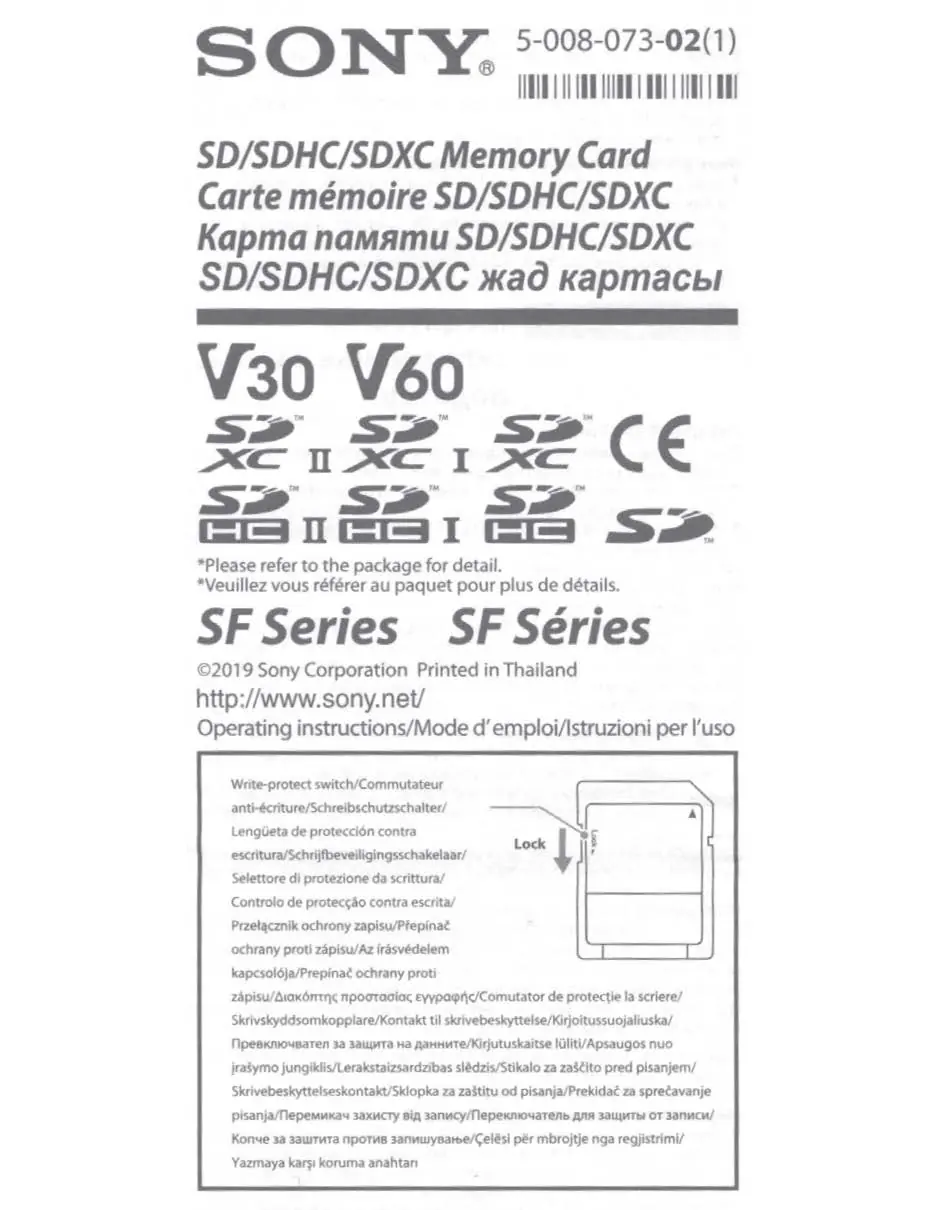
The Sony SF Series SD memory card features a physical write-protect switch located on the side of the card. To prevent data from being overwritten or deleted, slide the switch down to the Lock position. Ensure the switch is in the unlocked position when you need to write or save data to the card.
Safety Warnings
- Choking Hazard: Keep the memory card out of the reach of children.
- Compatibility: Do not insert this card into any memory card slot for which it was not intended.
- Moisture: To reduce the risk of fire or electric shock, do not expose the unit to rain or moisture.
- Data Loss: Sony is not responsible for any damage to or loss of recorded data. Always ensure data is backed up.
Operating Environment and Specifications
To ensure proper functionality and longevity of your memory card, please adhere to the following specifications:
- Operating Voltage: 2.7 V to 3.6 V (1.7 V to 1.95 V for UHS-II).
- Operating Temperature: -25 °C to +85 °C (non-condensing).
- Dimensions: Approx. 24 mm x 32 mm x 2.1 mm.
- Mass: Approx. 2 g.
Disposal and Warranty
This product should not be treated as household waste. Please dispose of it at an appropriate collection point for the recycling of electrical and electronic equipment. The product comes with a limited warranty; please retain your original sales receipt as proof of purchase. For detailed warranty terms or service center locations, visit the official Sony support website.
Manufacturer information
Sony Group Corporation
Practical help
Common problems
Card not recognized by device
Ensure the card is fully inserted into a compatible SD/SDHC/SDXC slot and that the write-protect switch is not in the 'Lock' position.
Cannot save or delete data
Check the write-protect switch on the side of the card. If it is in the 'Lock' position, slide it to the unlocked position.
Before use
- Verify that the memory card slot on your device supports SD/SDHC/SDXC cards.
- Check the write-protect switch position before inserting the card.
- Ensure the operating environment temperature is within the -25 °C to +85 °C range.
- Back up important data regularly to prevent loss.
Specs in practice
- Operating Voltage
- Standard operation requires 2.7 V to 3.6 V; UHS-II mode requires 1.7 V to 1.95 V.
- Operating Environment
- The card is designed to function between -25 °C and +85 °C in non-condensing conditions.
- Write-Protect Switch
- A physical slider on the card that prevents data modification when set to 'Lock'.
Images and diagrams
- The write-protect switch is located on the side of the card. Sliding it down towards the 'Lock' label prevents data from being written to or erased from the card.
Model compatibility
- Compatible with devices supporting SD, SDHC, and SDXC memory card standards.
- Always refer to the instruction manual of your compatible host device for specific card requirements.

Manual page author
Michael Turner
Technical manual editor
Reviews PDF manuals for structure, safety notes, and practical product details so readers can find the right information quickly.