Power / Power Banks
User Manual for UGREEN 25683 20000mAh Power Bank
Quick guide for the UGREEN 25683 20000mAh Power Bank. Learn how to charge your devices, use the trickle charging mode, and maintain your power bank for optimal performance.
Quick answers from the manual
Quick answer
- The UGREEN 25683 is a 20000mAh power bank. To use it, charge it fully before first use. Connect your device to start charging; if it doesn't start, press the power button. Use trickle charging mode for small devices like earbuds by holding the power button for 3 seconds. p. 4, 5
Key actions
- Enable Trickle Charging p. 5
- Stop Charging Manually p. 4
First start
- Fully charge the device before first use using a 20W or higher charger. p. 4
Problems and fixes
Device not charging
Press the power button to activate the output.
p. 4Maintenance and reset
- Fully charge and discharge the product at least once every 3 months. p. 5
Technical specifications
| Parameter | Value | Meaning | Pages |
|---|---|---|---|
| Capacity | 20000mAh | Total battery capacity | p. 6 |
Where to find it in the PDF
- First-time Use p. 4
- Trickle Charging Mode p. 5
- Specifications p. 6
Table of contents
Manual images
Click an image to enlargeQuick guide from the manual
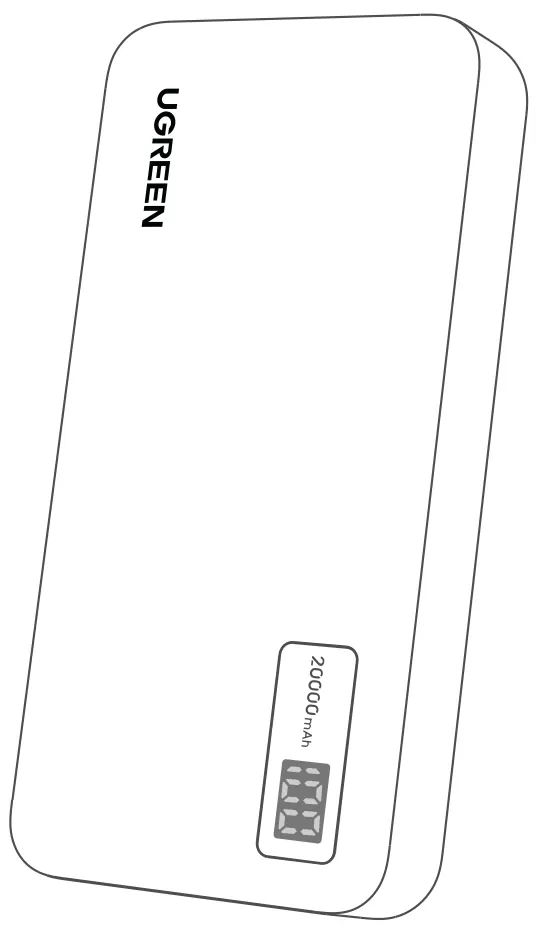
The UGREEN 25683 is a 20000mAh power bank designed for portable charging. Before first use, it is highly recommended to fully charge the device using a 20W or higher power charger to ensure optimal performance and battery longevity.
First-time use
To prepare your power bank for its first use, connect it to a power source using a 20W or higher power delivery charger. This initial step is crucial for reliable and long-lasting operation.
Wired fast charging
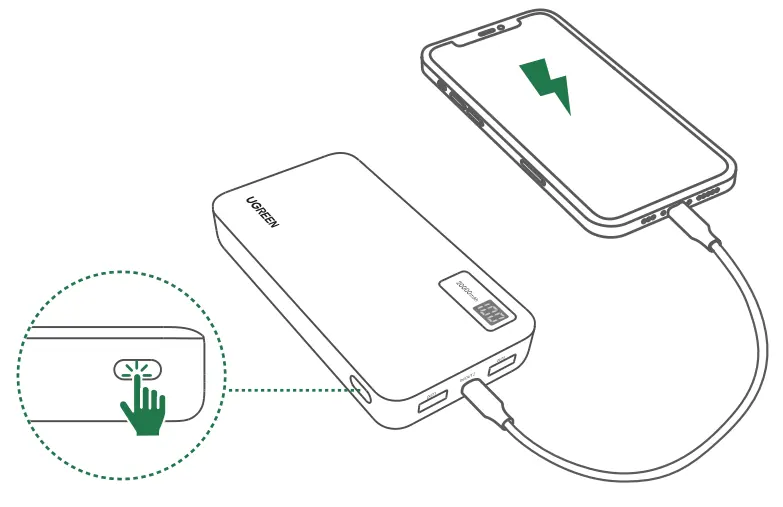
The power bank supports fast charging when connected via a cable. If your device does not start charging automatically, press the power button to activate the output. To stop charging manually, double-click the power button.
Trickle charging mode
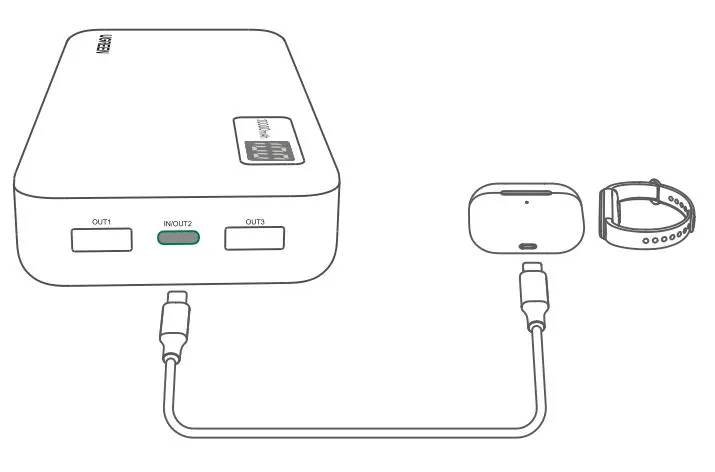
This mode is designed for low-power devices such as smartwatches and wireless earbuds. To enable this mode, press and hold the power button for about 3 seconds until the indicator changes. The power bank will automatically exit this mode after 2 hours, or you can deactivate it manually by pressing and holding the power button for 3 seconds.
Maintenance and storage
- Avoid using multi-in-one data cables to charge multiple devices simultaneously, as this can reduce efficiency and damage the product.
- Use only recommended UGREEN charging cables and adapters for best performance.
- If the power bank will not be used for an extended period, store it in a cool and dry location.
- Fully charge and discharge the product at least once every 3 months to maintain battery health.
Safety guidelines
- High Temperatures: Do not expose the product to excessive heat, such as vehicles in the sun, heaters, or microwave ovens.
- Low Air Pressure: Avoid storage in environments with extremely low air pressure.
- Accessories: Use only certified or compatible power adapters and cables.
- Ventilation: Do not store in non-ventilated spaces like closed handbags.
- Battery Safety: Do not disassemble, crush, hit, or throw the product into fire. Discontinue use immediately if the battery becomes swollen.
- Water: Never submerge the device in water or any liquid.
- Child Safety: Keep out of reach of children.
Technical specifications
- Dimensions: 147 x 72 x 27 mm
- Battery Type: Polymer Lithium-ion Battery
- Rated Capacity: 12500 mAh (Typical 5V 3A)
- Charging Time: About 6 hours (with a 20W Power Delivery charger)
- Operating Temperature: 0°C to 40°C
Manufacturer information
UGREEN
Practical help
Common problems
Device does not start charging automatically
Press the power button to activate the output.
Trickle charging mode remains active
Press and hold the power button for 3 seconds to deactivate, or wait 2 hours for automatic shutdown.
Reduced charging efficiency
Avoid using multi-in-one data cables; use the recommended UGREEN charging cable.
Before use
- Fully charge the power bank before first use.
- Use a 20W or higher power charger.
- Ensure you are using a high-quality charging cable.
- Check that the storage environment is cool and dry.
Specs in practice
- Rated Capacity
- 12500 mAh (Typical 5V 3A) - the actual usable capacity at 5V.
- Charging Time
- Approximately 6 hours when using a 20W Power Delivery charger.
- Operating Temperature
- The device should be used within the 0°C to 40°C range.
Images and diagrams
- The power bank features a power button, USB-C input/output port, and USB-A output ports.
- The LED display indicates the remaining battery level.
Model compatibility
- Trickle charging mode is specifically for low-power devices like smartwatches and wireless earbuds.

Manual page author
Emily Carter
User documentation editor
Prepares concise manual descriptions and highlights the most useful setup, operation, and maintenance information for readers.