Power / Power Banks
User Manual for Vention 20000mAh Power Bank VWS-H35
Quick guide for the Vention 20000mAh Power Bank (VWS-H35). Learn how to charge devices, maintain battery health, and understand technical specifications.
Quick answers from the manual
Quick answer
- The Vention 20000mAh Power Bank (VWS-H35) is a portable charger with a built-in USB-C cable, supporting up to 100W output. It features a TFT display and supports simultaneous charging of up to three devices. p. 1, 5
Key actions
- Charge the power bank before first use. p. 2
- Perform a full charge cycle every 2-3 months. p. 2
First start
- Fully charge the power bank before first use. p. 2
Problems and fixes
Device becomes hot, swells, or smells
Stop using immediately and keep away from fire.
p. 2Maintenance and reset
- Perform a full charge cycle (0% to 100%) every 2-3 months. p. 2
Technical specifications
| Parameter | Value | Meaning | Pages |
|---|---|---|---|
| Model | FKC | Product model identifier | p. 6 |
| Capacity | 20000mAh | Total battery capacity | p. 6 |
| Max Output | 100W | Maximum output power via USB-C | p. 6 |
Where to find it in the PDF
- Notes and Safety p. 2
- Instructions and Warranty p. 3
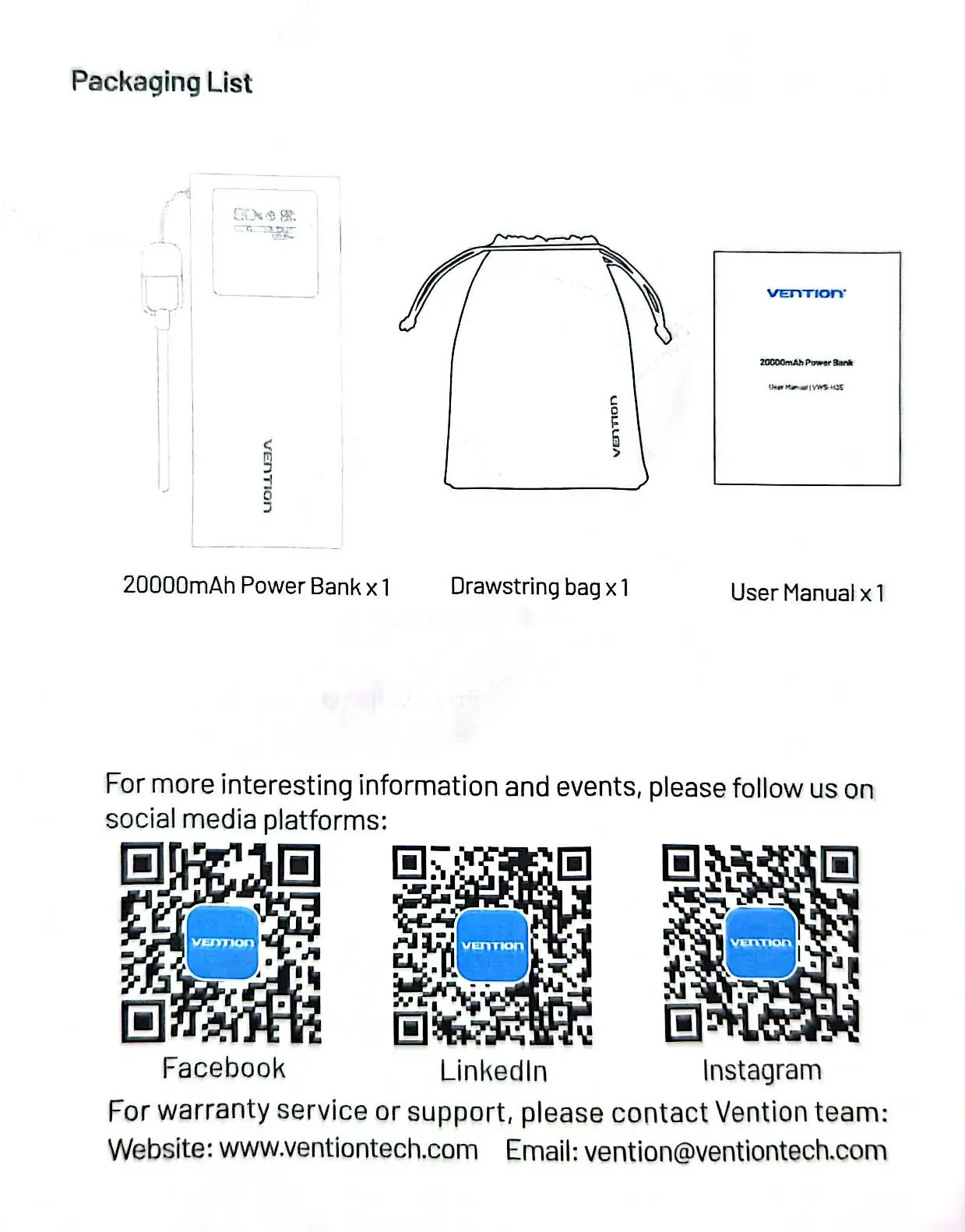
- Packaging List p. 4
- Product Overview p. 5
- Specifications p. 6
Table of contents
Manual images
Click an image to enlargeQuick guide from the manual
Before using your Vention 20000mAh Power Bank for the first time, ensure it is fully charged to optimize performance. For long-term maintenance, perform a full charge cycle (0% to 100%) every 2-3 months to ensure accurate battery level readings. Avoid storing the device in temperatures above 45°C or in direct sunlight.
Product Overview
The power bank features the following components:
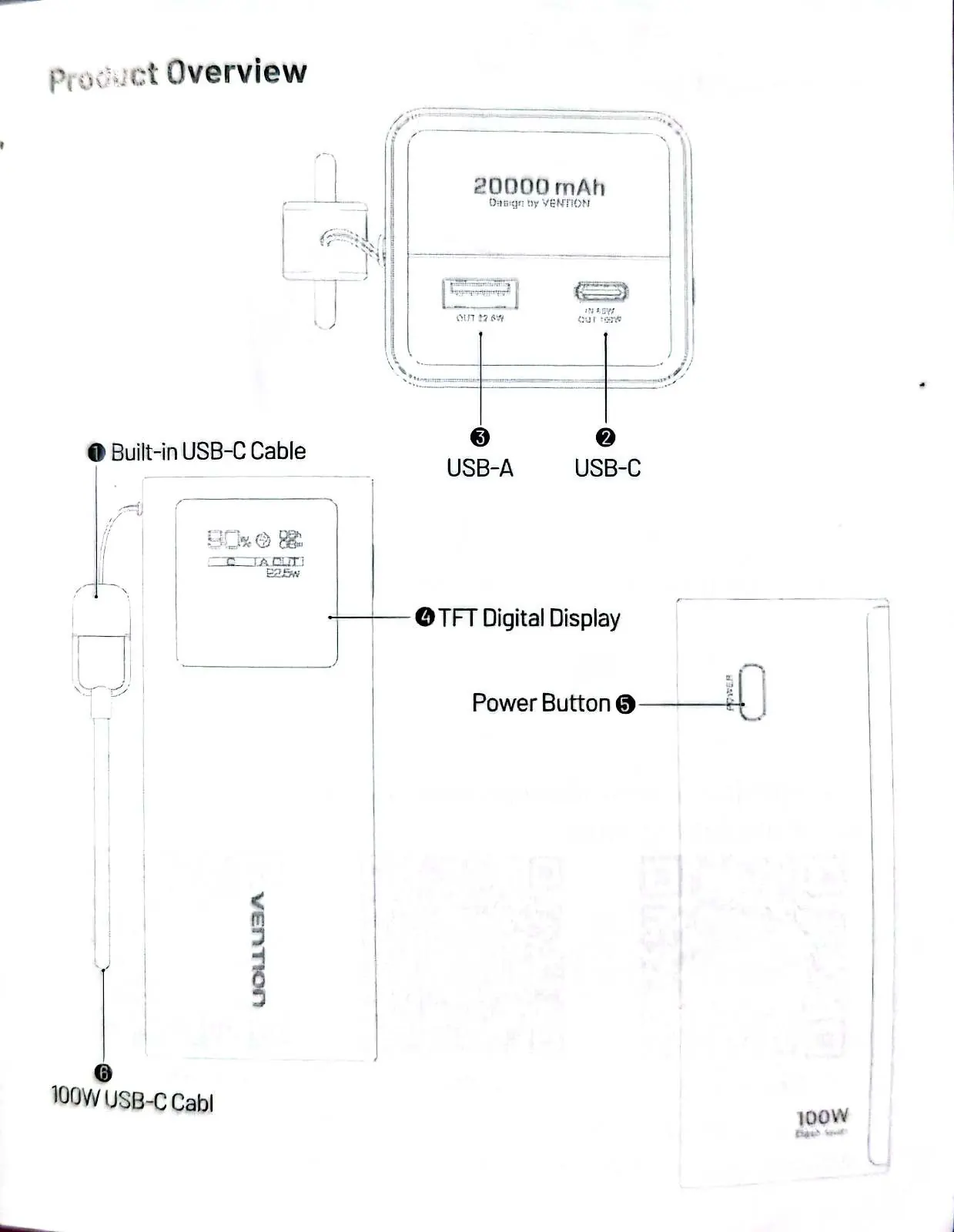
- Built-in USB-C cable: Used for charging devices and recharging the power bank.
- USB-C port: Input/Output port.
- USB-A port: Output port.
- TFT Digital Display: Shows battery status and charging information.
- Power Button: Used to activate the device.
Instructions for Use
- The built-in USB-C cable allows both charging other devices and recharging the power bank itself.
- Connect the built-in USB-C cable to a laptop, tablet, or phone. You can also connect additional cables to charge up to three devices simultaneously.
- To recharge the power bank, use a USB-C charger with the built-in cable and plug it into a power outlet. Alternatively, use another compatible USB-C charging kit.
- Disconnect the power bank once charging is complete.
Safety and Maintenance
Follow these guidelines to ensure safe operation and longevity of your device:
- Storage: Maintain a charge level between 40-80% for long-term storage to prevent degradation.
- Temperature: Do not store above 45°C. Keep away from fire and hot environments.
- Handling: Do not disassemble, repair, or modify the unit. Do not pierce or hit with tools.
- Moisture: Do not immerse in water or expose to moisture.
- Usage: If the power bank becomes unusually hot, swells, or emits a smell, stop using it immediately.
- Cleaning: Clean gently with a dry, soft cloth. Do not use corrosive cleaners.
Warranty and After-Sales Service
This product includes a 1-year warranty covering non-human damage during normal use. The warranty does not cover damages caused by human factors, improper use, or failure to operate in accordance with the provided instructions.
Manufacturer information
Vention
Practical help
Common problems
Power bank becomes unusually hot, swells, or emits a smell
Stop using the device immediately and keep it away from fire.
Inaccurate battery level readings
Perform a full charge cycle (0% to 100%) every 2-3 months.
Short circuit prevention
Carry the power bank in a shockproof, moisture-proof bag and keep it away from metal objects like keys or coins.
Before use
- Fully charge the power bank before first use.
- Ensure you have a compatible USB-C charger for recharging.
- Check that charging cables are not damaged to avoid safety risks.
- Verify the storage environment is not above 45°C.
Specs in practice
- Battery Capacity
- 20000mAh (5000mAh x 4 cells)
- Max Output (USB-C)
- 100W maximum power delivery
Images and diagrams
- 1. Built-in USB-C cable
- 2. USB-C port
- 3. USB-A port
- 4. TFT Digital Display
- 5. Power Button
Model compatibility
- Supports simultaneous charging of up to three devices.
- Compatible with USB-C charging kits.

Manual page author
Emily Carter
User documentation editor
Prepares concise manual descriptions and highlights the most useful setup, operation, and maintenance information for readers.