HVAC / Heat Pumps
User Manual for Viessmann Vitocal 150-A / 151-A Heat Pump
Comprehensive user manual for the Viessmann Vitocal 150-A and 151-A heat pumps. Includes safety instructions, operation via touch display and ViCare App, energy settings, maintenance, and troubleshooting.
Table of contents
Manual images
Click an image to enlargeQuick Guide from the Manual
This manual provides essential information for operating the Viessmann Vitocal 150-A and 151-A heat pumps. The system is controlled via a 7-inch color touch display or the ViCare App. Always ensure the system is installed and maintained by authorized specialists.
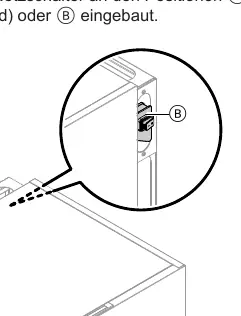
Safety Instructions
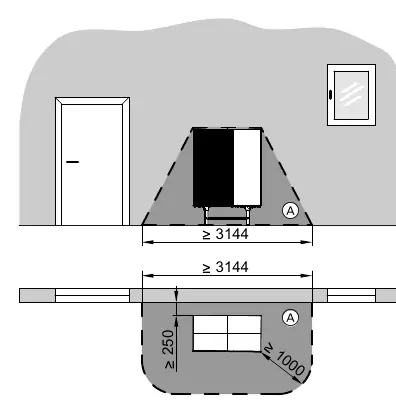
- Refrigerant R290: The outdoor unit contains flammable R290 (propane) refrigerant. A safety zone is defined around the outdoor unit where ignition sources (open flames, sparks, non-explosion-proof electrical equipment) are strictly prohibited.
- Maintenance: Do not open the device or remove panels. Only authorized specialists should perform maintenance or repairs.
- Hot Surfaces: Avoid touching uninsulated pipes and fittings to prevent burns.
Operation and Display
The system is operated via a 7-inch touch display. The Lightguide (light strip) provides status information:
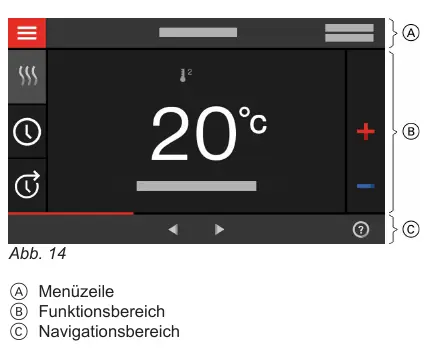
- Steady light: Display is active.
- Fast flashing: Fault present.
- Slow pulsing: Standby mode.
You can also control the system remotely using the ViCare App, provided the system is connected to a WLAN router.
Heating and Cooling Settings
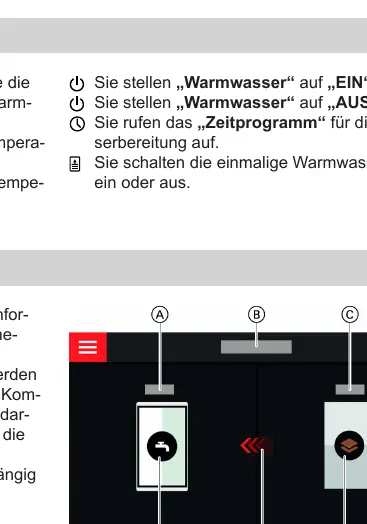
You can set operating programs for heating, cooling, and hot water separately. The Energy Cockpit provides a visual overview of the system's energy status, including heat generation and consumption data.
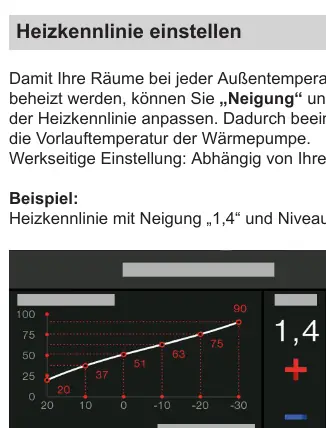
- Heating Curve: Adjust the slope and level to optimize heating based on outdoor temperature.
- Schedules: Set time phases for heating, cooling, and hot water to match your daily routine.
- Holiday Programs: Use the "Holiday Program" or "Holiday at Home" functions to save energy during absences or extended stays.
Maintenance and Troubleshooting
Regular maintenance is required to ensure efficient operation. Clean the display with a microfiber cloth. Do not use abrasive cleaners on the outer casing.
If the system displays a warning or fault, check the error code on the display and contact your specialist. Common issues like "Rooms too cold" or "No hot water" can often be resolved by checking power supply, fuel levels (if an external heat source is connected), or verifying that the system is not in "Shutdown" mode.
Manufacturer information
Viessmann Climate Solutions
Practical help
Common problems
Rooms are too cold
Check if the heat pump is switched on, verify heating settings, check the heating schedule, or ensure fuel is available if an external heat source is used.
No hot water
Check if the heat pump is switched on, verify hot water settings, or check the hot water schedule.
Error message displayed
Note the error code, acknowledge the fault if possible, and contact your authorized specialist.
Before use
- Ensure the main power switch is on.
- Check the display for any active warnings or faults.
- Verify that the desired operating mode (Heating/Cooling/Hot Water) is selected.
- Ensure the outdoor unit's safety zone is clear of ignition sources.
Images and diagrams
- Safety zone diagrams for outdoor unit placement (ground, wall, corner).
- Touch display interface layout and menu navigation.
- Energy Cockpit component overview.
- Heating curve graph for adjusting flow temperature.
Model compatibility
- Compatible with ViCare App for remote control.
- Requires authorized specialist for installation and maintenance.
- Supports integration with external heat sources (Hybrid mode).

Manual page author
David Miller
Documentation analyst
Organizes user manual content into clear summaries, with attention to model details, product context, and everyday usability.