Power / Batteries & Chargers
Williams AV CHG 004 and CHG 005 Battery Charger User Guide
Quick guide for the Williams AV CHG 004 and CHG 005 drop-in battery chargers. Includes setup instructions, troubleshooting, safety guidelines, and technical specifications.
Quick answers from the manual
Quick answer
- This manual provides setup instructions, troubleshooting steps, safety guidelines, and technical specifications for the Williams AV CHG 004 (6-bay) and CHG 005 (12-bay) drop-in battery chargers. p. 1, 2
Key actions
- Setup the charger by connecting the DC power cable to the unit and plugging the power supply into an AC wall outlet. p. 1
- Insert the BA R1 receiver into the charging slot, ensuring it faces forward to make contact. p. 1
- Observe LED indicators: Red indicates charging, Green indicates charging is complete. p. 1
- Adhere to temperature safety limits: Do not charge above 114°F (40°C) or below 41°F (5°C). p. 1
First start
- Connect the DC power connector to the rear of the charger. p. 1
- Plug the power supply into an AC wall outlet (use Y-Splitter for CHG 005). p. 1
- Insert the BA R1 receiver into the charging slot facing forward. p. 1
Show 4 more answers Show less
Problems and fixes
Charger LED is not illuminated
Verify power supply is plugged into wall outlet, wall outlet has power, and power supply cord is fully plugged into the back of the charger.
p. 1
Receiver LED is Blue or Off
Verify receiver is facing forward, properly placed in the slot, and charge contacts are clean.
p. 1Maintenance and reset
- Keep charge contacts clean and free of debris. p. 1
- Store receivers at around 50% charge level if not in regular use. p. 1
Technical specifications
| Parameter | Value | Meaning | Pages |
|---|---|---|---|
| CHG 004 Dimensions | 10.0" x 3.55" x 1.56" (254 x 90.2 x 39.5 mm) | Physical size of the 6-bay charger | p. 2 |
| CHG 004 Weight | 11.3 oz (320 g) | Item weight | p. 2 |
| CHG 004 Power | Input: 5 VDC, 3.0 A; Output: 5VDC, 0.5A per bay | Electrical power requirements and output | p. 2 |
| CHG 004 Charging Time | 4 hours nominal | Typical time to charge | p. 2 |
| CHG 004 Capacity | 6 Units | Number of receivers supported | p. 2 |
| CHG 005 Dimensions | 20.0" x 7.1" x 1.56" (508 x 180.4 x 39.5 mm) | Physical size of the 12-bay charger | p. 2 |
| CHG 005 Weight | 22.6 oz (640 g) | Item weight | p. 2 |
| CHG 005 Power | Input: 5 VDC, 3.0 A; Output: 5VDC, 0.5A per bay | Electrical power requirements and output | p. 2 |
| CHG 005 Charging Time | 4 hours nominal | Typical time to charge | p. 2 |
| CHG 005 Capacity | 12 Units | Number of receivers supported | p. 2 |
Where to find it in the PDF
- Setup Instructions p. 1
- Troubleshooting p. 1
- Battery Safety p. 1
- Specifications p. 2
- Warranty p. 2
Table of contents
Manual images
Click an image to enlargeQuick Guide
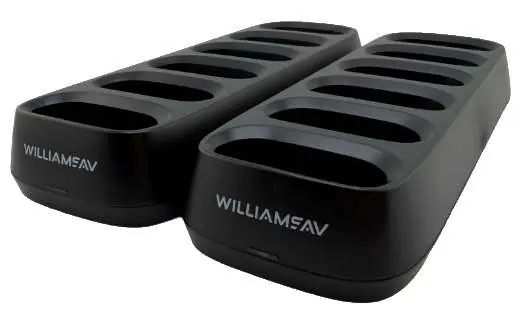
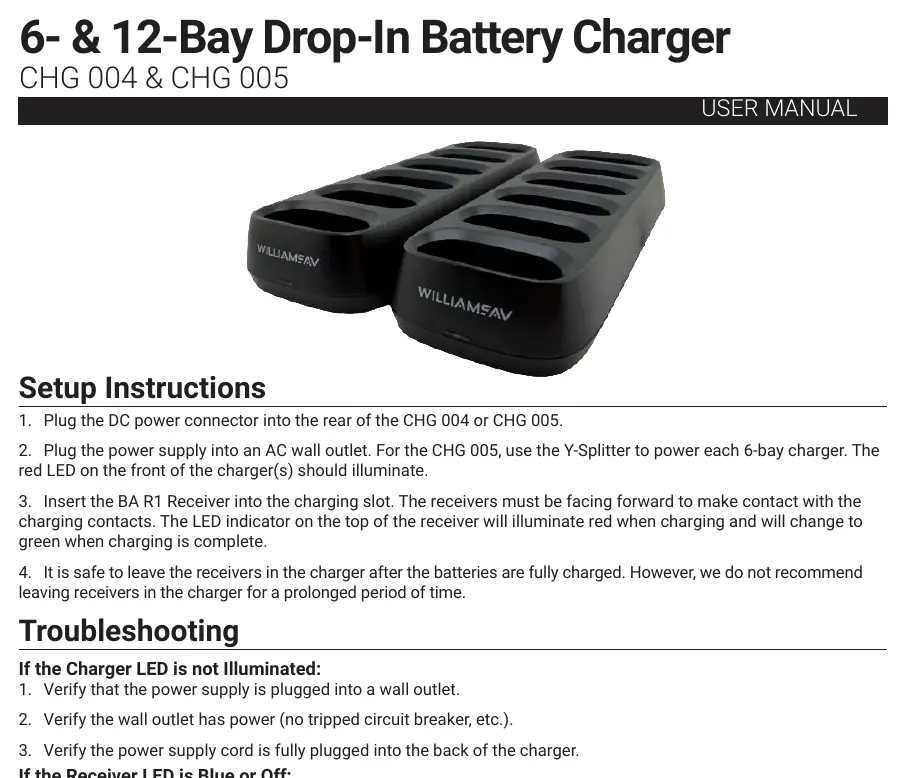
The Williams AV CHG 004 and CHG 005 are drop-in battery chargers designed for BA R1 receivers. The CHG 004 supports 6 units, while the CHG 005 supports 12 units. Both models require a 5VDC power supply and have a nominal charging time of 4 hours.
Setup Instructions
- Plug the DC power connector into the rear of the CHG 004 or CHG 005 charger.
- Connect the power supply to an AC wall outlet. For the CHG 005 model, use the provided Y-Splitter to power each 6-bay charger section. The red LED on the front of the charger should illuminate.
- Insert the BA R1 Receiver into the charging slot. Ensure the receiver is facing forward to make contact with the charging pins.
- The LED indicator on the top of the receiver will turn red during charging and change to green when the charging process is complete.
- It is safe to leave receivers in the charger after they are fully charged, though it is not recommended to leave them for prolonged periods.
Troubleshooting
If the Charger LED is not illuminated:
- Verify that the power supply is securely plugged into a wall outlet.
- Check that the wall outlet has power (e.g., check for tripped circuit breakers).
- Ensure the power supply cord is fully plugged into the back of the charger.
If the Receiver LED is blue or off:
- Verify that the receiver is facing forward in the charging slot.
- Ensure the receiver is properly seated in the slot.
- Check that the charge contacts at the bottom of the receiver are clean and free from debris like pocket lint.
Battery Safety
CAUTION: Do not attempt to open, disassemble, or service the battery pack. Do not crush, puncture, short-circuit, or dispose of the battery in fire or water. Do not incinerate or expose the battery to temperatures above 140°F (60°C). Do not charge the battery in temperatures above 114°F (40°C) or below 41°F (5°C). If the receiver or battery swells, discontinue use immediately. Replace only with the battery pack designated for this product.
Technical Specifications
CHG 004:
- Capacity: 6 Units
- Dimensions: 10.0" x 3.55" x 1.56"
- Charging Time: 4 hours nominal
- Power Input: 100-240 VAC, 50-60Hz
CHG 005:
- Capacity: 12 Units
- Dimensions: 20.0" x 7.1" x 1.56"
- Charging Time: 4 hours nominal
- Power Input: 100-240 VAC, 50-60Hz
Warranty and Support
The chargers are covered by a 2-Year factory warranty (excludes accessories like power supplies, which have a 90-day warranty). Damage due to battery corrosion from non-rechargeable batteries will void the warranty. For customer assistance, call 1-800-843-3544 (U.S.A.) or +1-952-943-2252 (International). For repairs, send the unit to: Williams AV Attn: Repair Dept. 10300 Valley View Road Eden Prairie, MN 55344 USA.
Practical help
Common problems
Charger LED is not illuminated
Verify power supply is plugged into a wall outlet, check if the outlet has power, and ensure the power cord is fully connected to the charger.
Receiver LED is blue or off
Ensure the receiver is facing forward, properly placed in the slot, and that the charging contacts are clean and free of debris.
Before use
- Ensure you are using the Williams AV approved power supply (TFP 066).
- Verify the ambient temperature is between 41°F (5°C) and 114°F (40°C) for charging.
- Check that the receiver is compatible (BA R1).
- Ensure the charger is placed on a stable surface.
Show more Show less
Specs in practice
- Charging Time
- 4 hours nominal for a full charge.
- Unit Capacity
- 6 units for CHG 004; 12 units for CHG 005.
Model compatibility
- Compatible with BA R1 receivers.
- Use only Williams AV approved chargers (CHG 003, CHG 004, or CHG 005).

Manual page author
Emily Carter
User documentation editor