Power / Batteries & Chargers
User Guide for Xantrex 125Ah Lithium-ion Battery
Quickstart guide for the Xantrex 125Ah Lithium-ion Battery. Includes installation steps, wiring instructions, charging procedures, LED status indicators, and technical specifications.
Table of contents
Manual images
Click an image to enlargeQuick guide from the manual
This document provides essential instructions for the Xantrex 125Ah Lithium-ion Battery. Key takeaways include:
- Safety: Only qualified personnel should install or service the battery. Do not connect batteries in series.
- Installation: Requires M8 1.25x12mm bolts, lock washers, and flat washers. Terminal torque must be 106 in-lb (12 Nm).
- Charging: Perform a weekly full charge cycle to maintain accuracy. Do not charge in sub-freezing temperatures.
- Monitoring: The battery features integrated Bluetooth for real-time data via the Xantrex Battery app.
Safety Information
DANGER: Risk of fire, electric shock, explosion, or arc flash. Always use appropriate Personal Protective Equipment (PPE) and follow safe electrical work practices. Do not short-circuit, open, or dismantle the battery. If the battery is damaged, do not touch the electrolyte. Do not install in environments exceeding 113°F (45°C).
WARNING: Do not connect other battery types to the system DC load. The battery is heavy; use proper lifting techniques. Do not replace fuses yourself. Ensure ventilation openings are not obstructed.
Installation
NOTICE: Do not connect multiple batteries in series. Parallel connection is permitted. The battery must be installed upright.
- Check the battery for visible damage. Ensure the top surface and terminals are clean, dry, and free of corrosion.
- Ensure the battery is turned off (LED off).
- Prepare terminal bolts (M8 1.25x12mm), lock washers, flat washers, and cable ring lugs (do not use stainless steel lugs).
- Install a Class T DC fuse (100A, 32V) on the positive cable as close to the battery terminal as possible.
- Attach the negative cable to the negative terminal.
- Attach the fused positive cable to the positive terminal.
- Torque all terminal bolts to 106 in-lb (12 Nm).
Battery Charging
You may charge the battery when the State of Charge (SoC) is greater than 10%. If the reserve shutdown event has occurred (SoC < 10%), press the Power button to engage power before charging. Avoid using heavy loads during charging to prevent thermal protection mode. Do not turn off the unit to disconnect the battery while charging.
Power Button and LED Indicator
The Power button integrates an LED indicator:
- Steady on: Battery is discharging.
- Slowly blinking: Battery is being charged.
- Off: Battery power is disabled.
- Short flash: Low battery condition.
- Rapid flashing: Alarm condition.
Specifications
Electrical: Nominal Voltage 12.8VDC, Nominal Capacity 125Ah.
Charging: Recommended charge voltage 14.4V (14.6V max). Recommended charge current ≤50A (100A max at 25°C).
Discharging: Recommended discharge current ≤80A (100A max continuous at 25°C). Discharge cut-off voltage 11.2 ±0.1V.
Storage: Recommended temperature 15 to 35°C (59 to 95°F), 45 to 75% RH.
Practical help
Common problems
Battery power is disabled
Ensure the battery is turned on. If the LED is off, press the Power button.
Battery not charging
Check if the battery is in sub-freezing temperatures (do not charge) or if heavy loads are connected, which may trigger thermal protection.
Reverse polarity damage
Always verify cable polarity before final connection. Positive must connect to positive, negative to negative.
Before use
- Inspect battery for cracks, dents, or deformations.
- Ensure terminals are clean, dry, and free of dirt/corrosion.
- Verify you have M8 1.25x12mm bolts, lock washers, and flat washers.
- Prepare a 100A, 32V Class T DC fuse.
- Ensure the battery is turned off before starting installation.
Specs in practice
- Nominal Voltage
- 12.8VDC
- Terminal Torque
- 106 in-lb (12 Nm) - essential to prevent overheating.
- Max Charge Current
- 100A (at 25°C starting temperature).
- Reserve Cut-off Voltage
- 12.0V ±0.05V.
Images and diagrams
- Terminal Stacking: Order is Bolt -> Lock Washer -> Flat Washer -> Cable Ring Lug -> Battery Terminal.
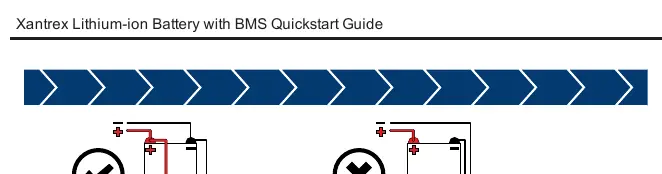
- Parallel Connection: Positive to positive, negative to negative is permitted.
- Series Connection: Prohibited; will damage the internal BMS.
Model compatibility
- Parallel connection is permitted.
- Series connection is prohibited.
- Use only approved chargers.
- Do not use stainless steel cable ring lugs.

Manual page author
Emily Carter
User documentation editor
Prepares concise manual descriptions and highlights the most useful setup, operation, and maintenance information for readers.