Electronics / Monitors
Yamaha 01X Digital Mixing Studio Owner's Manual
Comprehensive owner's manual for the Yamaha 01X Digital Mixing Studio. Learn about setup, mixer operation, DAW remote control, internal effects, and troubleshooting.
Table of contents
Quick guide from the manual
The Yamaha 01X is a versatile 3-in-1 device: a digital mixer, a computer audio recording interface, and a control surface for DAWs. Before using the device, ensure you have read the PRECAUTIONS section on pages 4-5. Always turn off the power to all components before making connections and set all volume levels to minimum to prevent damage.
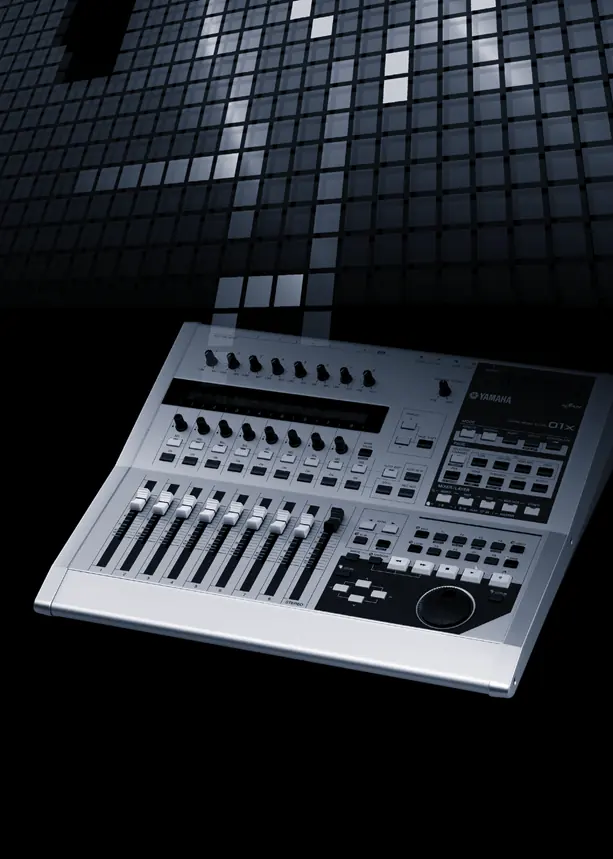
Device Overview
The 01X functions as a 28-channel digital mixer, a 24-bit/96kHz audio interface via mLAN (IEEE 1394), and a comprehensive control surface for major DAW software like Cubase, Nuendo, Logic, and SONAR. It features motorized faders, built-in dynamics, EQ, and two internal effects blocks.
Setup and Connections
Connect your microphones, instruments, and external devices to the rear panel. Use the MIC/LINE INPUT jacks for microphones or line-level instruments. For digital devices, use the DIGITAL STEREO IN/OUT jacks. Connect your computer via the mLAN (IEEE 1394) connector. Ensure all devices are synchronized using the correct wordclock settings (page 23).
Mixer Operation
The 01X uses layers to manage its 28 channels. Use the MIXER/LAYER buttons to switch between input layers. You can patch input signals to channels using the INPUT PATCH section and route output signals using the OUTPUT PATCH section. The SELECTED CHANNEL mode allows for detailed editing of parameters for a single channel, while the Multi Channel mode provides an overview of parameters for eight channels.
Remote Control
The 01X can control DAW software. Ensure your DAW is set up correctly in the REMOTE SELECT menu. Use the transport buttons for playback control and the faders/knobs for mixing. The bi-directional data flow ensures that changes made on the 01X are reflected in your DAW and vice versa.
Internal Effects
The 01X features two internal effect units. These can be used via Aux send or inserted into a channel. Use the EFFECT button to select and edit effect parameters. You can also patch in external effects using the STEREO/AUX OUT jacks.
Troubleshooting
If you encounter issues, check the following:
- No sound: Verify connections, monitor settings, and gain levels. Ensure the wordclock is correctly set.
- Distorted sound: Check gain levels and ensure the input signal is not clipping.
- Noise: Ensure cables are high-quality and away from noise sources. Check mLAN driver settings.
- Faders not moving: Check if the correct layer is selected or if automation is active.
Manufacturer information
Yamaha
Practical help
Common problems
No sound or sound is too faint
Check speaker/headphone connections, monitor A/B switch settings, gain levels, and ensure the channel is not muted or set to Solo Safe.
Sound is distorted
Check the GAIN control, ensure the input signal is not clipping, and verify that the EQ attenuator or gain is not set too high.
Noise is produced
Check mLAN cable quality, ensure the wordclock is synchronized, and disable unnecessary background applications on your computer.
Faders move on their own
This is likely due to recorded automation data. Check your DAW automation settings.
Before use
- Ensure the power switch is in the STANDBY position before connecting the power adapter.
- Turn down all volume levels to minimum before turning on the device.
- Verify that all microphones and instruments are connected to the correct inputs.
- Ensure the mLAN cable is connected if using the computer interface.
- Check that the wordclock settings are correct for your system.
Specs in practice
- Sampling Frequency
- Supports 44.1 kHz, 48 kHz, 88.2 kHz, and 96 kHz.
- Dynamic Range
- 103 dB for LINE IN to STEREO OUT.
- Internal Signal Processing
- 32-bit processing with a 58-bit accumulator.
Images and diagrams
- The block diagram illustrates the signal flow from inputs (MIC/LINE, mLAN, Digital) through the mixer (EQ, Dynamics, Effects) to the outputs (Stereo, Rec, Aux, mLAN).
- The rear panel diagram shows the location of all input/output jacks, including XLR, TRS, and mLAN connectors.
Model compatibility
- Compatible with major DAW software including Cubase, Nuendo, Logic, SONAR, and Digital Performer.
- Requires an IEEE 1394 (FireWire/i.Link) capable computer for mLAN functionality.
- Some features may be limited depending on the DAW version and operating system.

Manual page author
Michael Turner
Technical manual editor
Reviews PDF manuals for structure, safety notes, and practical product details so readers can find the right information quickly.