Power / Car Chargers
User Manual for Acefast D1 Wireless Car Charger
Quick guide for the Acefast D1 wireless car charger. Includes assembly instructions, usage steps, LED indicator meanings, and technical specifications.
Table of contents
Manual images
Click an image to enlargeQuick guide from the manual
The Acefast D1 is a wireless car charger and phone holder. To get started, assemble the holder by attaching the universal ball joint to the back clamp and tightening the knob. Choose a suitable location on your center console or air outlet. Connect the device to a car charger using the provided USB-C cable. For optimal charging efficiency, use a car charger that supports QC3.0 fast charging technology. To use, touch the sensing area to open the clip arms, place your phone in the holder, and the arms will automatically tighten to secure the phone for charging.
Product description
The device consists of the following key components:
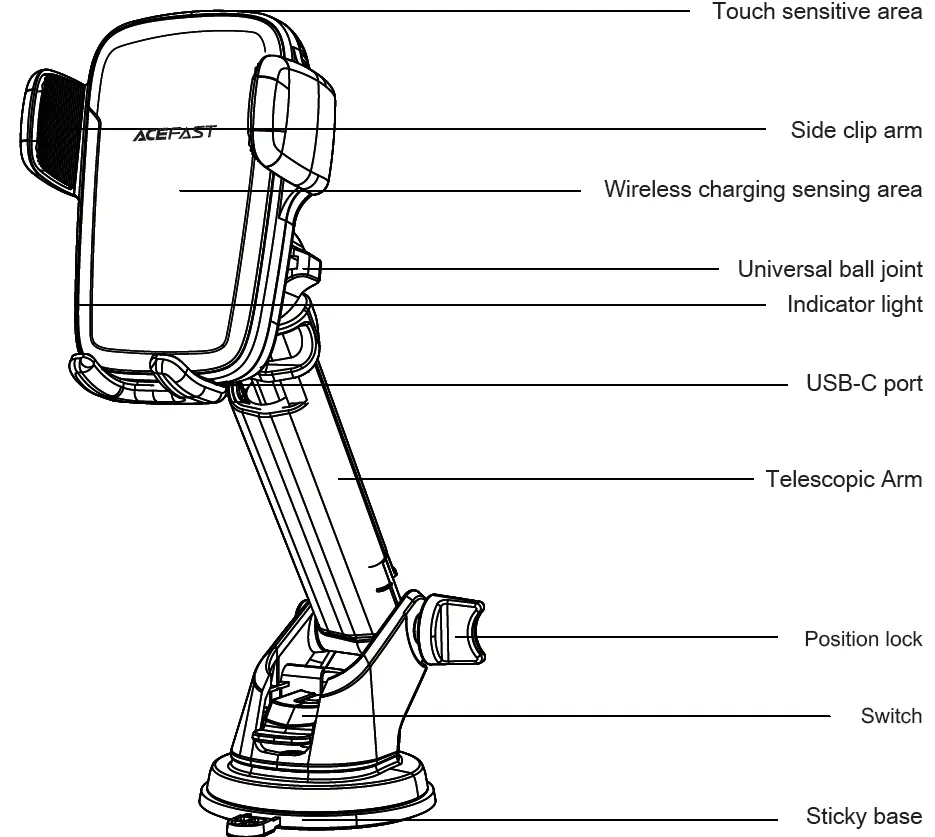
- Touch sensitive area
- Side clip arm
- Wireless charging sensing area
- Universal ball joint
- Indicator light
- USB-C port
- Telescopic Arm
- Position lock
- Switch
- Sticky base
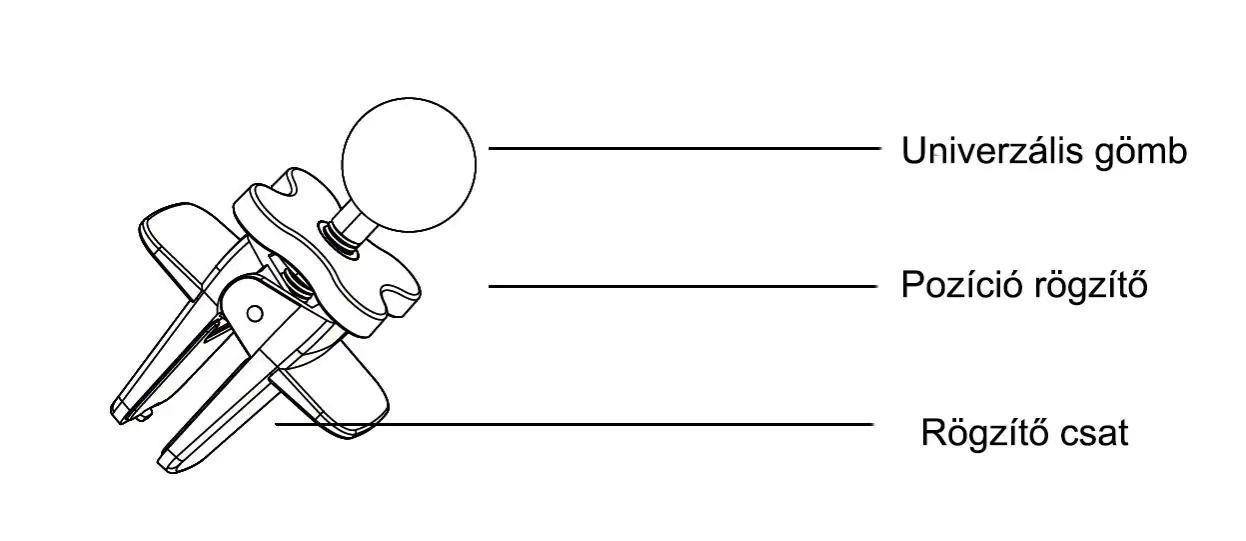
- Fixing clip
Component assembly
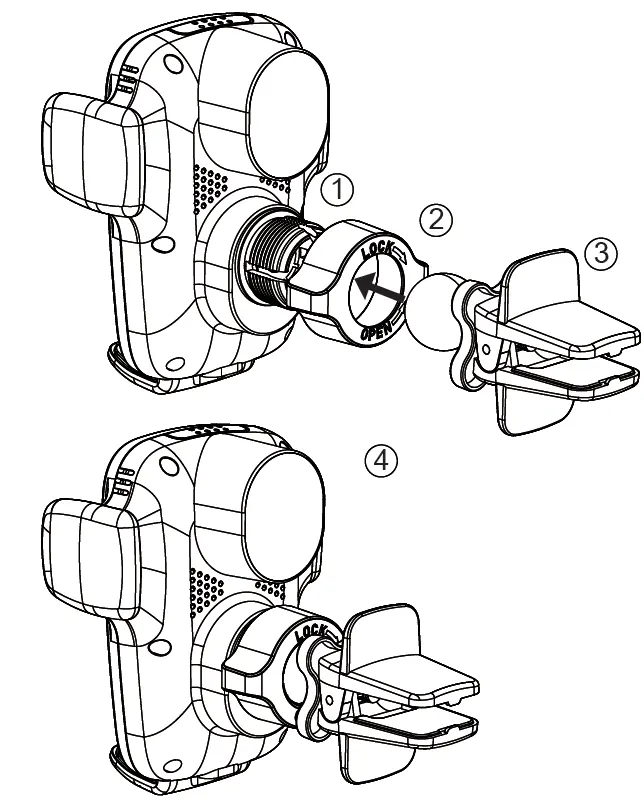
- Unscrew the knob behind the back clamp.
- Insert the bottom universal ball into the bolt and tighten the knob.
- Choose a suitable location and place the holder on the center console or the air outlet.
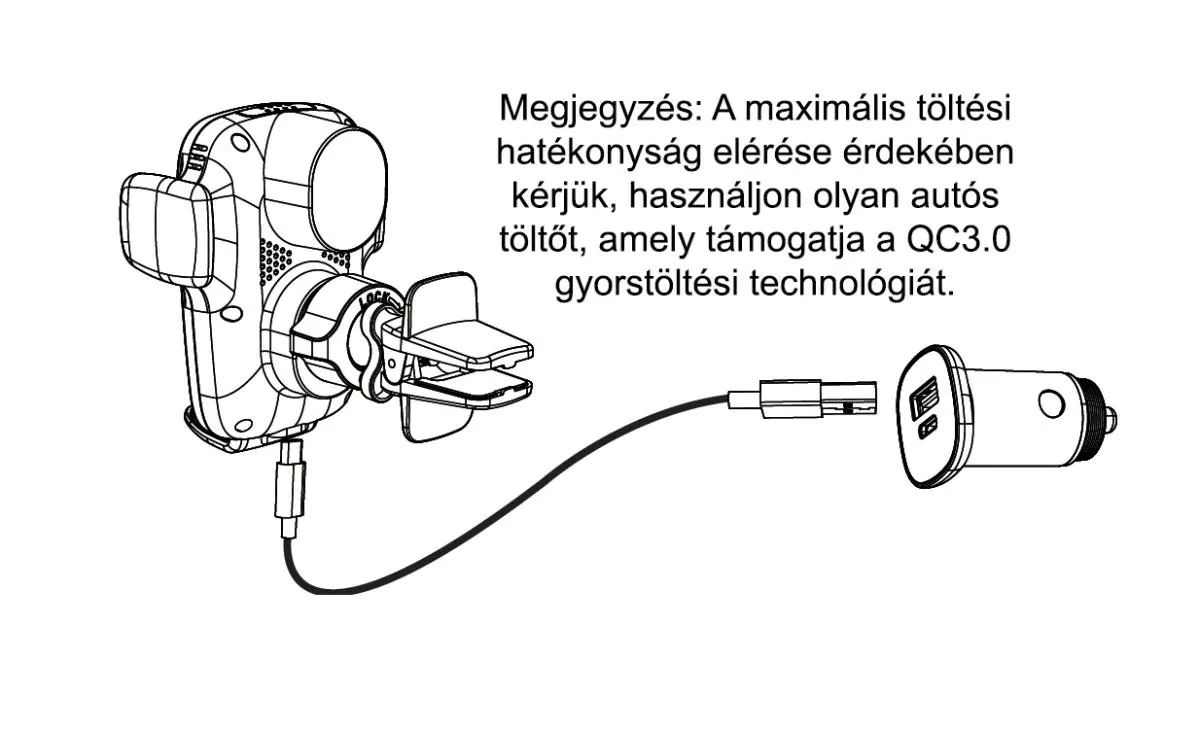
- Use the provided USB-C charging cable to connect the holder to your car charger.
- Clip the product into the air outlet inside the car.
Usage
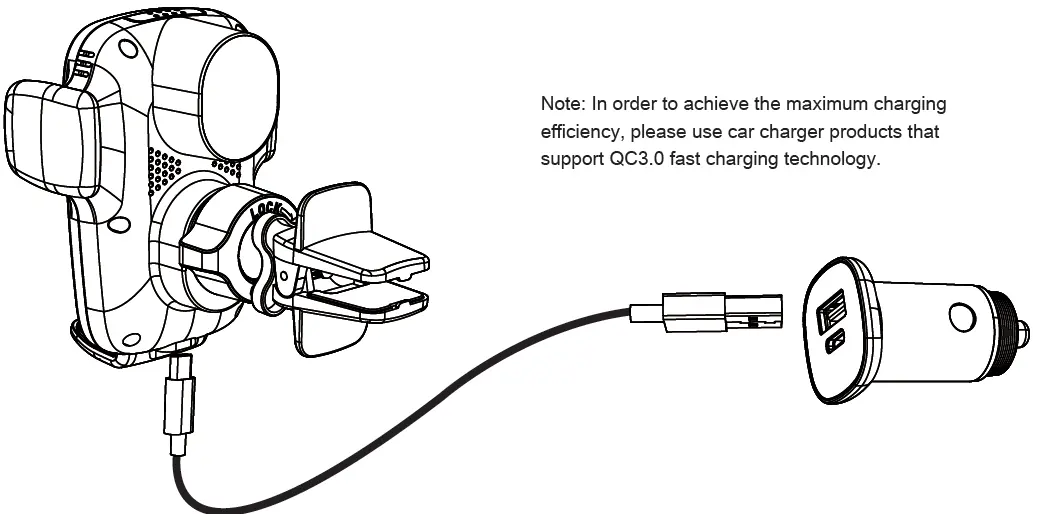
- Connect the holder to the car charger using the USB-C cable.
- Touch the sensing area to automatically open the clip arms.
- Place your mobile phone into the wireless charger.
- The base will automatically align the phone to the charging coil, and the clip arms will tighten to secure the device for charging.
LED Indicator
- Power on: Red and blue lights flash once, then blue light stays on.
- Charging: Blue light flashes.
- FOD (Foreign Object Detection): Red light flashes.
- Full charge: Blue light stays on.
Parameters
- Model: JR-ZS248
- Input: DC5V/2A, 9V/2A, 12V/1.5A
- Wireless Output: 5W/7.5W/10W/15W
- Applicable mobile phone size: 4.5 - 6.7 inches (width 58-84mm)
- Size: 95x72x62 mm
- Weight: About 252g
- Material: ABS+PC, silicone, aluminum alloy
Precautions
- Do not disassemble or modify the product.
- Avoid humid environments and heat sources.
- Do not allow water or liquids to enter the product.
- Do not install in areas where airbags are located.
- Remove metal or magnetic protective covers/cards (e.g., bank cards) before charging.
- If the phone or product overheats, disconnect the charging cable.
- The sticky base can be washed with water and reused after drying.
Warranty and Disposal
The product is covered by a 2-year warranty when purchased through the Alza.cz sales network. Please contact the seller directly for repairs. This product must not be disposed of as normal household waste in accordance with the WEEE Directive. Please return it to the place of purchase or a public collection point.
Official resources from the manual
Manufacturer information
ACEFAST
Practical help
Common problems
Overheating during charging
It is normal for the device to generate heat. If you feel the phone or product is overheating, disconnect the charging cable.
Charging not working
Ensure there are no metal or magnetic objects (like bank cards or metal cases) between the phone and the charger.
Red light flashing
This indicates Foreign Object Detection (FOD). Check for metal objects on the charging surface.
Before use
- Ensure your car charger supports QC3.0 for maximum efficiency.
- Check that the air outlet is suitable for the clip.
- Remove any metal or magnetic cases from your phone.
- Clean the mounting surface if using the sticky base.
Specs in practice
- Wireless Output
- Supports 5W, 7.5W, 10W, and 15W charging speeds depending on the device.
- Applicable phone size
- Compatible with phones between 4.5 and 6.7 inches (58-84mm width).
Images and diagrams
- The assembly diagram shows the universal ball joint being inserted into the back clamp and secured with the knob.
- The usage diagram illustrates touching the sensing area to open the arms and placing the phone into the charger.
Model compatibility
- Requires a car charger supporting QC3.0 technology for best performance.
- Not compatible with metal or magnetic phone cases.

Manual page author
Michael Turner
Technical manual editor
Reviews PDF manuals for structure, safety notes, and practical product details so readers can find the right information quickly.