Home Appliances / Refrigerators
User Manual for Ferrex 15W Glue Gun
Quick guide for the Ferrex 15W Glue Gun (Model PGG40G). Includes setup, operation, safety warnings, maintenance, and troubleshooting steps.
Table of contents
Manual images
Click an image to enlargeQuick guide from the manual
This manual provides instructions for the Ferrex 15W Glue Gun (Model PGG40G). This tool is intended for private domestic DIY use only and is not suitable for commercial or trade applications. Always read all safety warnings before use. The glue gun reaches temperatures of 200°C, so handle with care to avoid burns. Always place the gun on its stand when not in use and allow it to cool completely before storage.
Product description
The glue gun kit includes the following items:


- 1 x 15W Glue gun
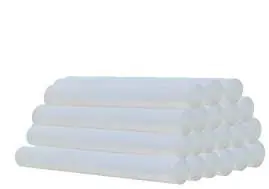
- 20 x 100mm glue sticks
- 1 x Stand / rest
- 1 x Carry case
Key components include the nozzle with heat guard, flow control trigger, support stand, and glue stick entry.
Assembly
To prepare the glue gun for use:

- Ensure the unit is disconnected from the power supply.
- Insert the provided glue stick into the glue stick entry at the rear of the gun.
- Squeeze the flow control trigger multiple times to push the glue stick down into the heating chamber.
Operation
Follow these steps for safe operation:
- Insert the power plug into the mains power supply.
- Press the flow control trigger.
- Place the gun on the support stand and allow it to heat up for approximately 3 minutes.
- Apply glue in dots around the edges of the workpiece surface. For flexible materials like textiles, apply the glue in a zig-zag line.
- After applying, press the surfaces together immediately for a stronger bond. Hold for approximately 30 seconds.
- To switch off, release the trigger and unplug the device.
Important: The glue gun can be used for a short time after unplugging due to heat storage. If the glue becomes thick, reconnect to power.
Maintenance and storage
- Cleaning: Never use water or chemical cleaners. Wipe with a dry, clean cloth.
- Storage: Store in a secure, dry place out of the reach of children.
- Safety: Do not disassemble the unit. If the supply cord is damaged, it must be replaced by a qualified person.
- Usage limit: Switch off and allow to cool after 12 hours of continuous use.
Troubleshooting
If you encounter issues:
- Glue gun stays cool: Check the power switch and socket. If the heater is broken, contact customer service.
- Not dispensing glue: Check if the gun is cool or if the nozzle is blocked. Contact customer service if the issue persists.
Technical specifications
- Rated voltage: 220-240V ~ 50Hz
- Rated power input: 15 W
- Melting point: 83°C (+/-2%)
- Glue stick size: 10.8-11.8 mm
- Glue stick length: 100 mm
- Weight: 0.20 kg
Practical help
Common problems
Glue gun stays cool after 5 minutes
Check the power switch and socket. If the heater is broken, contact customer service.
Glue gun is not dispensing glue
Check if the gun is cool or if the nozzle is blocked. Contact customer service if the issue persists.
Before use
- Check that no parts are damaged or missing.
- Ensure surfaces to be glued are clean, dry, and free of grease.
- Ensure ambient temperature is between +5°C and +50°C.
- Wear protective gloves and eyewear.
- Ensure the unit is switched off before connecting to mains.
Specs in practice
- Melting point
- 83°C (+/-2%) operating temperature.
- Glue stick size
- Compatible with 10.8-11.8 mm diameter sticks.
Images and diagrams
- The parts list diagram identifies the nozzle, trigger, stand, and glue stick entry.
- The assembly diagram illustrates inserting the glue stick into the rear entry.
Model compatibility
- Use only with 10.8-11.8 mm diameter glue sticks.
- Not for commercial or trade use.
- Do not use inflammable solvents for cleaning.

Manual page author
David Miller
Documentation analyst
Organizes user manual content into clear summaries, with attention to model details, product context, and everyday usability.