Power / Batteries & Chargers
User Manual for Anker PowerCore III 10K Wireless
Quick guide for the Anker PowerCore III 10K Wireless. Learn how to charge devices wirelessly and via cable, use trickle-charging mode, understand LED indicators, and follow safety guidelines.
Table of contents
Manual images
Click an image to enlargeQuick guide from the manual
The Anker PowerCore III 10K Wireless is a portable power bank that supports both wired and wireless charging. To charge your phone wirelessly, press the power button and align your device with the center of the charger. For wired charging, connect your device using a charging cable. The device also features a trickle-charging mode for low-power accessories like smartwatches and Bluetooth earphones.
Charging your devices
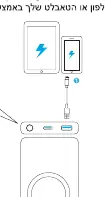
Charging via cable
Connect your phone or tablet to the USB-C or USB-A port on the power bank using a compatible charging cable. The power bank will automatically detect the device and begin charging.
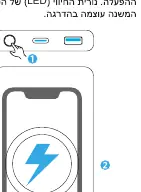
Wireless charging
To activate wireless charging, press the power button. The wireless charging indicator will breathe blue. Align your smartphone with the coil in the center of the charger. If the charging icon does not appear on your phone, adjust its position to ensure it is centered.
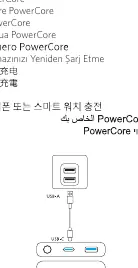
Charging devices wirelessly and via cable simultaneously
You can charge devices using both wireless and wired methods at the same time.
Trickle-charging mode
This mode is designed for low-power devices like smartwatches and Bluetooth earphones.
- Activate: Press the power button twice or press and hold for 2 seconds. The LED indicator will turn green.
- Deactivate: Press the power button once again.
Recharging the power bank
Use the USB-C port to recharge the power bank itself. Ensure you use a compatible power adapter.
LED indicator guide
Wireless Charging Indicator:
- Solid blue: Charging mobile device.
- Blinking blue: Metal or abnormal objects detected (error).
- Off: Power off.
Battery Level Indicator:
- Solid white: Working correctly.
- Off: Battery charging error.
Safety and limitations
- Do not use cases with magnetic or iron plates, pop sockets, or cases thicker than 5mm.
- Do not place foreign objects (metal pads, credit cards, keys, coins, NFC cards) between your device and the charger.
- Do not use an adapter with an output of 5V/1A (5W) or less.
- Operating temperature should be between 0°C and 40°C.
- If the power bank exceeds the temperature limit, the battery LED will turn off. Allow the device to cool down before use.
- If the product is not used for long periods, charge and discharge it once every three months.
Manufacturer information
Anker
Practical help
Common problems
Wireless charging not working
Remove magnetic/iron cases, pop sockets, or cases thicker than 5mm. Ensure no foreign objects (metal, NFC cards, coins) are between the device and the charger.
Slow charging speed
Ensure the device is centered on the charger. High temperatures reduce charging speed; charge in environments below 25°C.
Power bank shuts off
The device may have exceeded the temperature limit. Allow it to cool down before using it again.
Before use
- Ensure your phone case is not magnetic, metal, or thicker than 5mm.
- Check that no foreign objects are between the phone and the charger.
- Use a compatible power adapter (avoid 5V/1A or less).
- Charge the power bank fully before first use.
Specs in practice
- Cell Capacity
- 10,000mAh / 37Wh
- Wireless Output
- 10W Max
- Total Output
- 20W Max
Images and diagrams
- Wireless charging indicator: Shows status of wireless charging (breathing blue = standby/charging, flashing blue = error).
- Battery level indicator: Shows remaining battery capacity.
Model compatibility
- Not compatible with cases thicker than 5mm.
- Not compatible with magnetic or iron plates.
- Not compatible with pop sockets.

Manual page author
Michael Turner
Technical manual editor
Reviews PDF manuals for structure, safety notes, and practical product details so readers can find the right information quickly.