Power / Batteries & Chargers
Anko 20,000mAh Dual USB Power Bank 43220076
Quick guide for the Anko 20,000mAh Dual USB Power Bank (43220076). Learn how to charge your devices, recharge the power bank, and follow essential safety guidelines.
Table of contents
Quick guide from the manual
This power bank is designed to charge mobile devices via dual USB ports. To charge your device, connect it to the power bank and press the power button to begin charging. The power bank will automatically turn off 30 seconds after the device is unplugged. To recharge the power bank itself, connect it to a power adapter (not included) using the supplied cable. The LED indicators will show the charging status and will remain lit when fully charged.
Product Overview
The device features the following components:
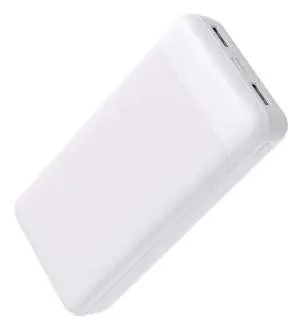
- USB-A Output port 2
- Type-C Input port
- Micro Input port
- USB-A Output port 1
- LED indicator
- Press button
Technical Specifications
- Capacity: 20,000mAh / 74Wh
- Battery Type: Li-ion polymer
- Input: Micro USB & Type-C: DC5V=2A Max
- Output: Single USB: DC5V=2A; Dual USB: DC5V=2A (combined output from 2 ports)
- Dimensions: 140 x 68.8 x 27.5mm
Safety and Maintenance
To ensure the longevity of the device and safe operation, follow these guidelines:
- Charge the device every 3 months if it is not in use for an extended period.
- Do not expose the device to extreme temperatures (below 0°C or above 45°C).
- Keep the device away from water, liquids, and wet hands.
- Do not drop, disassemble, crush, or puncture the power bank.
- Keep out of reach of children.
- If the product swells or bulges, discontinue use immediately and dispose of it properly.
- Do not dispose of the unit in fire or water.
Manufacturer information
Anko
Practical help
Common problems
Power bank does not charge the device
Ensure the device is connected properly and the power bank is turned on by pressing the power button.
Power bank turns off unexpectedly
The power bank automatically turns off 30 seconds after the device is unplugged or if no device is detected.
Before use
- Ensure the power bank is fully charged before first use.
- Use a compatible USB power adapter (not included) for recharging.
- Check that the charging cable is in good condition.
- Verify the device is compatible with 5V DC input.
Specs in practice
- Capacity (20,000mAh)
- Indicates the total energy storage available for charging devices.
- Input (DC5V=2A)
- Requires a charger capable of 2A output for optimal recharging speed.
- Output (DC5V=2A)
- The total current shared across both USB ports when charging multiple devices.
Model compatibility
- Compatible with devices requiring 5V DC charging via USB-A or Type-C cables.

Manual page author
David Miller
Documentation analyst
Organizes user manual content into clear summaries, with attention to model details, product context, and everyday usability.