Baby / Baby Monitors
User Manual for Arenti Alnanny 2-Cam Kit Smart Baby Monitor
Quick guide for the Arenti Alnanny 2-Cam Kit. Learn how to install, pair cameras, set up the app, and use features like motion detection, night vision, and feeding reminders.
Quick answers from the manual
Quick answer
- The Arenti Alnanny 2-Cam Kit is a smart baby monitor system. It connects to a monitor by default and can also be connected to the Arenti App via 2.4GHz Wi-Fi for remote viewing. p. 1, 6
Key actions
- Pairing camera and monitor p. 7
- Connecting to App p. 6
First start
- Power on the camera and monitor; they connect automatically. For App use, download the Arenti App and follow the setup guide. p. 6, 7
Problems and fixes
Failed to access Live video
Ensure camera is powered, check Wi-Fi, move closer to router, re-add in app.
p. 13Maintenance and reset
- Press and hold the reset button for 5 seconds to restore factory settings. p. 3
Technical specifications
| Parameter | Value | Meaning | Pages |
|---|---|---|---|
| Power | DC 5V, 1A | Power input requirements | p. 6 |
| Wi-Fi Frequency | 2412-2472 MHz | Operating frequency | p. 6 |
Where to find it in the PDF
- Product description p. 3
- Installation p. 5
- Basic Parameter p. 6
Table of contents
Manual images
Click an image to enlargeQuick guide from the manual
The Arenti Alnanny 2-Cam Kit is a smart baby monitor system designed for real-time monitoring. The system includes two cameras and a monitor, which connect automatically by default. You can also connect the cameras to the Arenti App via 2.4GHz Wi-Fi for remote access and advanced settings.
Product description
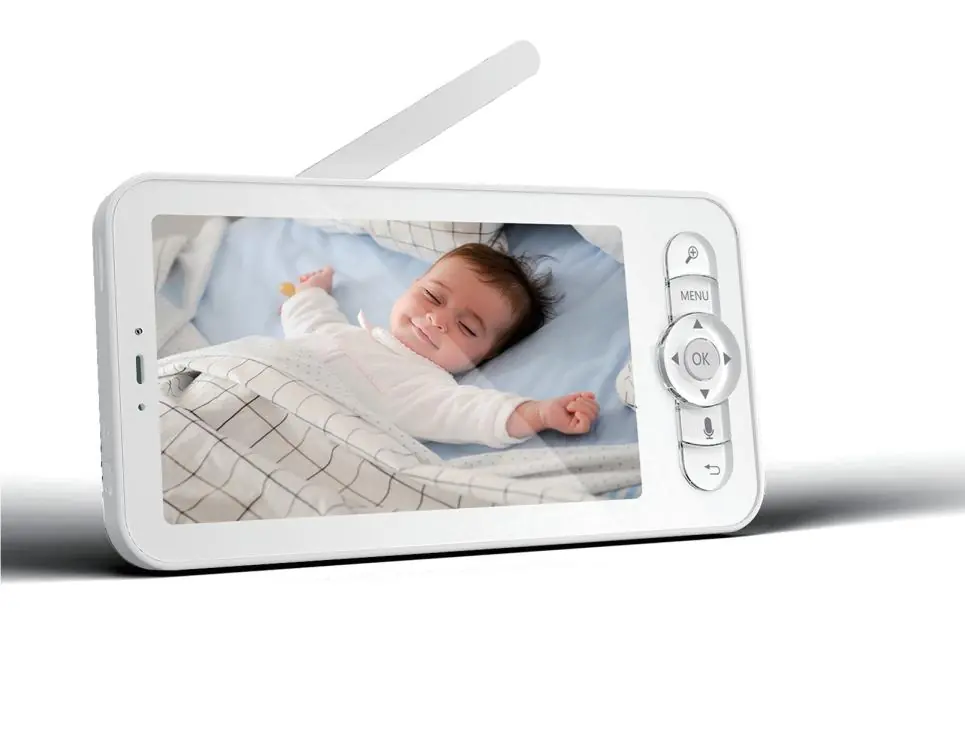
The kit includes two cameras, two headgears, two brackets, screws, a reset pin, three power cables, three power adapters, a monitor, and a quick guide. The camera features a status light, speaker, microphone, SD card slot, and a reset button. The monitor includes a screen, antenna, zoom controls, menu navigation, and power/reset buttons.
Installation
Find a position that provides the desired field of view. You can place the camera on a flat surface or mount it on the wall using the provided bracket. Ensure the wall can support at least three times the weight of the camera. Avoid pointing the camera directly at glass windows to prevent glare from infrared LEDs.
Connection
Monitor Connection: Power on the camera and the monitor; they will connect automatically. If the connection fails, use the pairing function in the monitor menu.
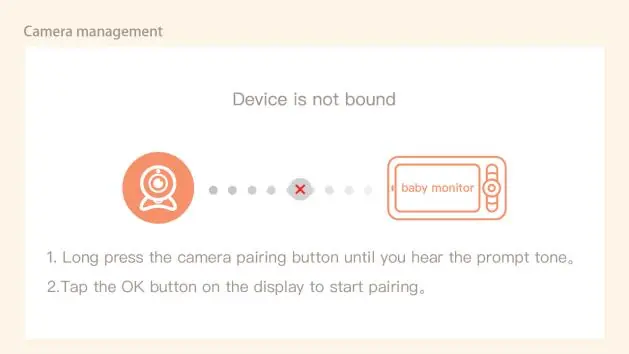
App Connection: Ensure your Wi-Fi is 2.4GHz (5GHz is not supported). Download the Arenti App, register an account, reset the camera using the pin until the status light flashes red, and follow the in-app instructions to add the device.
Features and Settings
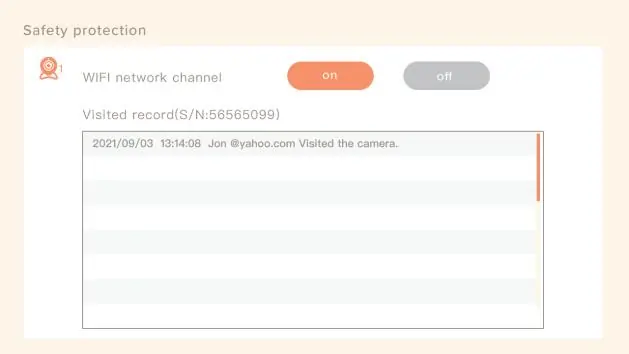
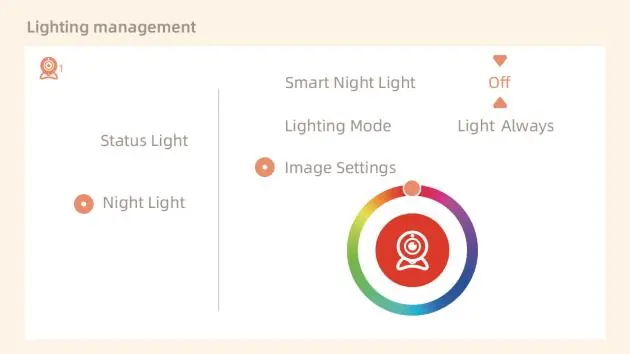
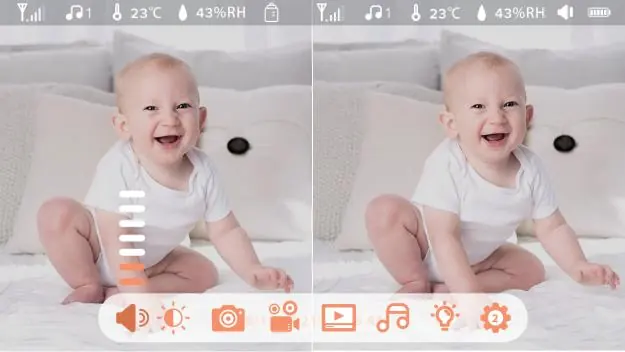
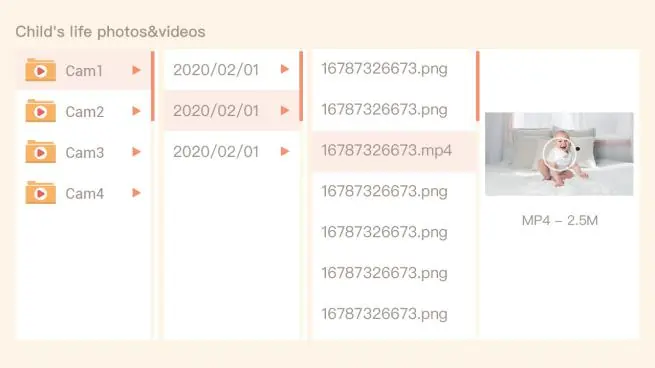
- Live Video: View real-time monitoring, capture images, record video, and use 2-way talk via the app.
- Night Vision: Automatically switches to black & white mode at night with a range of up to 10 meters.
- Smart Care: Configure motion, noise, and cry detection with adjustable sensitivity.
- Feeding Reminder: Set up to 10 feeding reminders per day.
- Temperature and Humidity: Monitor room conditions and set alerts for out-of-range values.
- Night Light: Adjust lighting mode and color via the monitor menu.
Troubleshooting
If the camera is offline, ensure it is powered on, check your Wi-Fi connection, move the camera closer to the router, or delete and re-add the camera in the app. Ensure both the app and camera firmware are updated to the latest versions.
Manufacturer information
Arenti
Practical help
Common problems
Camera offline
Ensure the camera is powered, check Wi-Fi network, move the camera closer to the router, or re-add the camera in the Arenti App.
Pairing fails
Ensure the distance between the camera and monitor is under 200m, reset the camera, and follow the pairing steps on the monitor.
Wi-Fi connection issues
The camera only supports 2.4GHz Wi-Fi networks. Ensure your router is not set to 5GHz only.
Before use
- Check that your Wi-Fi network is 2.4GHz.
- Download the Arenti App on your smartphone.
- Ensure the monitor is fully charged.
- Reset the camera if you are having trouble connecting.
Specs in practice
- Night vision distance
- Up to 10 meters in the dark.
- Working temperature
- 0°C to 40°C.
- Local storage
- Supports Micro SD cards up to 256GB.
Images and diagrams
- Camera ports: Status light, Speaker, Microphone, SD card slot, Reset button.
- Monitor buttons: Zoom, Menu, Direction, OK, Call, Back.
Model compatibility
- Supports iOS 9 / Android 5.0 and above.

Manual page author
Emily Carter
User documentation editor
Prepares concise manual descriptions and highlights the most useful setup, operation, and maintenance information for readers.