Lighting / Ceiling Fans
Artika Sunnyvale LED Fandelier 23FAN-SUVR Instruction Manual
Quick guide for the Artika Sunnyvale LED Fandelier (23FAN-SUVR). Includes installation steps, remote control pairing, battery replacement, and safety warnings.
Quick answers from the manual
Quick answer
- The Artika Sunnyvale LED Fandelier (23FAN-SUVR) is an indoor ceiling fan with integrated LED lighting. It requires professional installation by a certified electrician and must be mounted to a junction box suitable for fan support. p. 1, 6, 7
Key actions
- Pairing the remote control p. 30
- Replacing the battery p. 29
First start
- Ensure the mounting bracket is securely installed and the wiring is connected according to local codes before attaching the fan. p. 6, 19, 21
Show 4 more answers Show less
Problems and fixes
Unusual oscillating movement
Stop the fan immediately and contact the manufacturer or a qualified service agent.
p. 9Maintenance and reset
- Keep the fan clean and ensure all assembly screws are tightened periodically. p. 7, 8
Technical specifications
| Parameter | Value | Meaning | Pages |
|---|---|---|---|
| Fan Weight | 3.5 kg / 7.72 lbs | Total weight of the fan unit | p. 8, 32 |
| Mounting Bracket Limit | 15.9 kg / 35 lbs | Maximum weight capacity for the mounting bracket | p. 7, 8 |
| Battery Type | CR2032, 3V | Required battery for the remote control | p. 25, 29, 31 |
Where to find it in the PDF
- Hardware List p. 2, 3
- Installation Steps p. 5, 10, 11, 12
- Remote Control p. 30
Table of contents
Manual images
Click an image to enlargeQuick guide from the manual
The Artika Sunnyvale LED Fandelier is an indoor ceiling fan with integrated LED lighting. This document provides essential installation, operation, and safety information. The unit must be installed by a certified electrician in accordance with local electrical and building codes.
Safety and Warnings
- Indoor use only: Do not use this product outdoors.
- Electrical safety: Turn off power at the breaker panel before installation or maintenance.
- Weight limits: The mounting bracket is designed to support a maximum of 15.9 kg (35 lbs). The fan itself weighs 3.5 kg (7.72 lbs).
- Clearance: Mount the lowest part of the fan at least 2.1 m (82.6 in) above the floor.
- Compatibility: Do not use this fan with any solid-state speed control device.
- Battery safety: The remote uses a CR2032 3V button cell battery. Keep out of reach of children. Ingestion can cause severe internal chemical burns and death within 2 hours.
Installation Overview
The installation process involves several key steps:
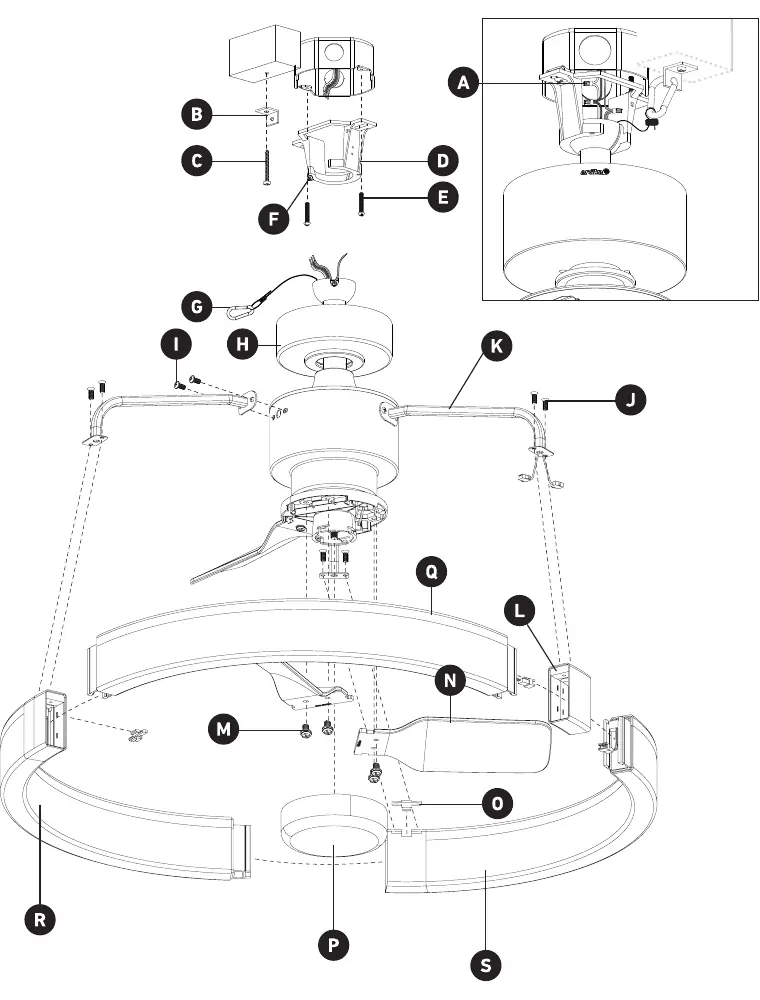
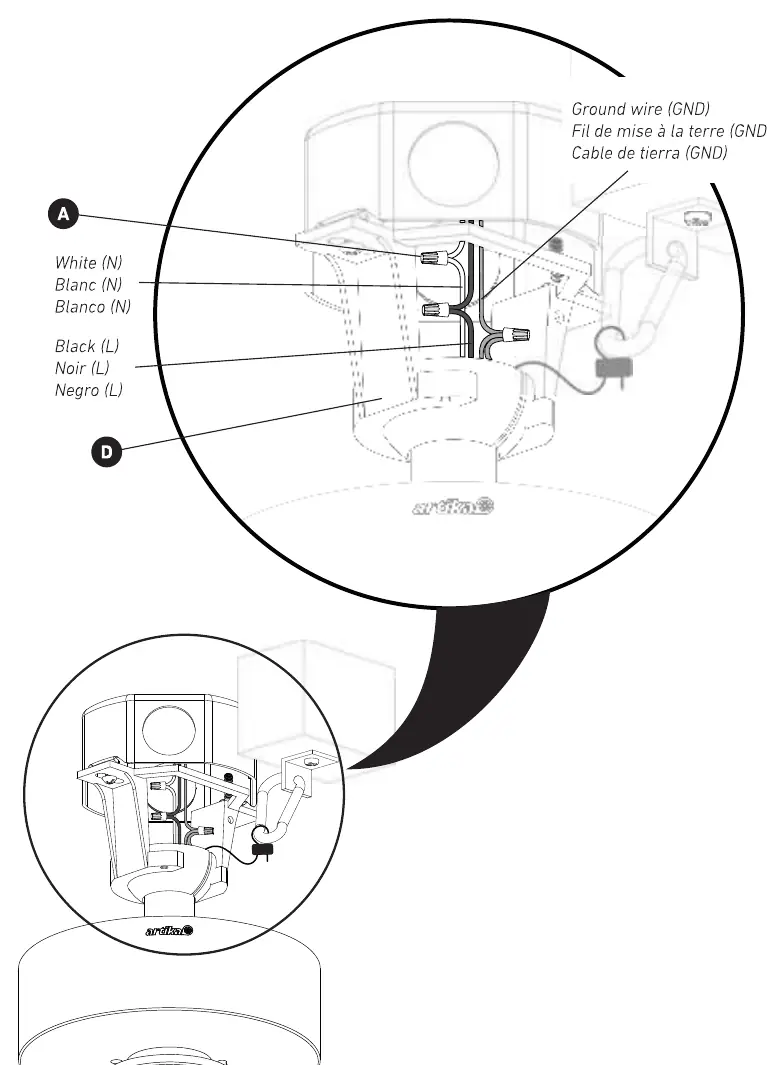
- Mounting Bracket: Secure the mounting bracket to the junction box using the provided screws. Ensure the box is marked as "suitable for fan support".
- Safety Hook: Attach the safety hook to the mounting bracket to support the fan during wiring.
- Wiring: Connect the fan wires to the house supply wires (White to Neutral, Black to Live, Ground to Ground).
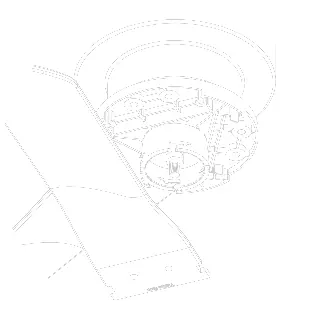
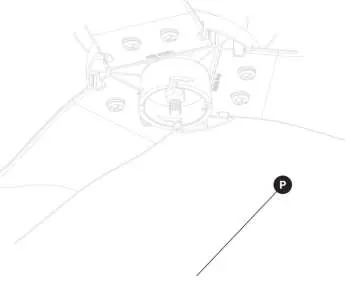
- Fan Assembly: Assemble the fan blades and arms onto the central motor housing.
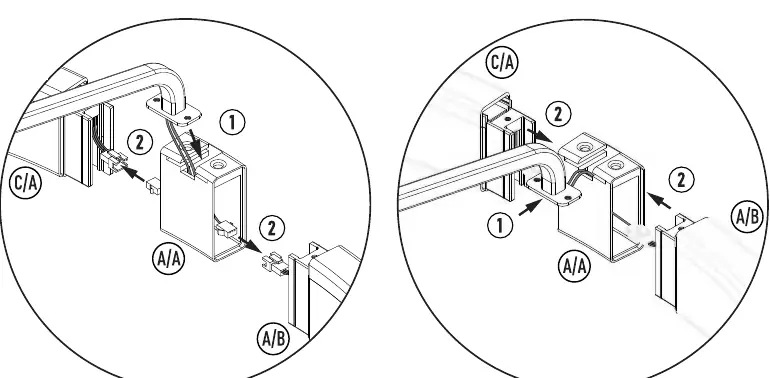
- Diffuser Installation: Assemble the diffuser frame and connect the wire connectors to the diffuser.
- Final Assembly: Secure the fan to the mounting bracket and install the final covers.
Remote Control
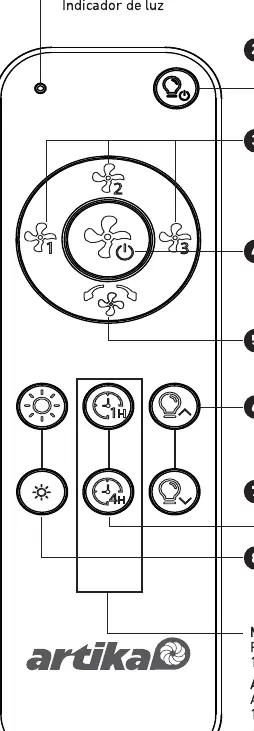
The remote control allows for fan speed adjustment, light control, and timer settings. To pair the remote: turn the fixture power off for at least 10 seconds, turn it back on, and press the FAN ON/OFF and LIGHT ON/OFF buttons simultaneously within 10 seconds. A beep confirms successful pairing.
Maintenance
Keep the fan clean and ensure all screws remain tightened. If the fan exhibits unusual oscillating movement, stop use immediately and contact the manufacturer or a qualified service agent.
Manufacturer information
Artika
Practical help
Common problems
Fan not pairing with remote
Turn power off for 10 seconds, turn on, and press the FAN ON/OFF and LIGHT ON/OFF buttons simultaneously within 10 seconds of powering on.
Unusual oscillating movement
Stop the fan immediately and contact the manufacturer or a qualified service agent.
Before use
- Ensure the ceiling junction box is marked as 'suitable for fan support'
- Verify the mounting bracket can support the total weight (15.9 kg limit)
- Ensure at least 2.1 m (82.6 in) clearance from the floor
- Turn off power at the circuit breaker before starting
- Have a screwdriver ready for installation
Show more Show less
Specs in practice
- Mounting Bracket Limit
- 15.9 kg / 35 lbs
- Battery Type
- CR2032, 3V
Images and diagrams
- Page 2-3: Hardware identification list
- Page 5: Exploded view of assembly components
- Page 14: Diffuser wiring and arm installation
- Page 21: Wiring connection diagram
- Page 30: Remote control button functions
Model compatibility
- Indoor use only
- Not compatible with solid-state speed control devices
- Must be installed by a certified electrician

Manual page author
David Miller
Documentation analyst