Power / Batteries & Chargers
User Manual for Aukey MagFusion 10K Power Bank
Quick guide for the Aukey MagFusion 10K power bank. Learn how to use wireless charging, wired charging, low-current mode for accessories, and safety precautions.
Table of contents
Quick Guide
The Aukey MagFusion 10K is a portable power bank featuring both wireless and wired charging capabilities. It supports magnetic alignment for iPhone 12/13/14/15 series and includes a low-current charging mode for smaller devices like smartwatches and Bluetooth earphones.
Charging Your Devices
Wired Charging: Connect your device to the USB-C port using a compatible charging cable. The USB-C port supports USB Power Delivery fast charging for iPhone 8 and later models when used with a certified Apple USB-C to Lightning cable.
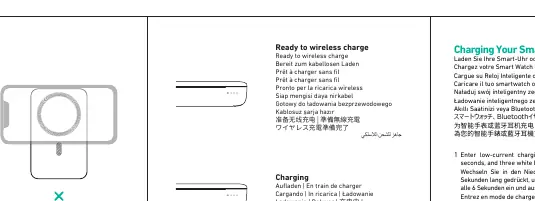
Wireless Charging: Place your Qi-compatible device on the wireless charging surface. The magnetic alignment feature will help position the device correctly for optimal charging.
Low-Current Charging Mode
This mode is designed for low-power accessories like smartwatches and Bluetooth earphones.
- To Enter: Press and hold the power button for 3 seconds. Three white LED lights will turn on and off alternately every 6 seconds.
- To Exit: Press and hold the power button for 3 seconds.
Simultaneous Charging
You can charge devices wirelessly and via cable at the same time. Simply connect your wired device to the USB-C port and place your wireless-compatible device on the charging surface.
LED Indicators
The LED indicators show the remaining battery level:
- 5% - 35%: One light
- 35% - 65%: Two lights
- 65% - 100%: Three lights
Safety and Maintenance
- Recharge the power bank at least once every 3 months.
- Do not disassemble, modify, drop, or impact the product.
- Keep away from liquids and extreme heat.
- Do not leave the product in a car for a long time.
- Stop using immediately if the product emits smoke, leaks liquid, or has an abnormal smell.
Specifications
- Model: PB-MS06
- Battery Capacity: 10000mAh / 37Wh
- USB-C Input/Output: Up to 30W Max
- Wireless Output: Up to 15W Max
- Operating Temperature: 0 to 40°C
Manufacturer information
AUKEY
Practical help
Common problems
Foreign object detected
Ensure there are no metal objects between the phone and the charger.
Device not charging
Check if the cable is securely connected or if the power bank battery is depleted.
Low-current mode not activating
Ensure you are holding the power button for a full 3 seconds until the LED pattern changes.
Before use
- Charge the power bank fully before first use.
- Verify your device is compatible with Qi wireless charging.
- Use a certified Apple USB-C to Lightning cable for fast charging on supported iPhones.
- Check the battery level using the LED indicators.
Specs in practice
- Battery Capacity
- 10000mAh provides enough energy to charge most smartphones multiple times.
- USB-C Output
- Supports up to 30W, suitable for fast charging modern smartphones.
- Wireless Output
- Supports up to 15W max, with magnetic alignment for iPhone 12/13/14/15.
Images and diagrams
- The LED indicators provide a visual representation of the remaining battery percentage.
- The low-current mode is confirmed by white LEDs flashing every 6 seconds.
Model compatibility
- Magnetic alignment is specifically designed for iPhone 12, 13, 14, and 15 series.
- USB-C Power Delivery fast charging is compatible with iPhone 8 and later models.

Manual page author
David Miller
Documentation analyst
Organizes user manual content into clear summaries, with attention to model details, product context, and everyday usability.