Home Appliances / Beverage Dispensers
User Manual for Avantco Food Dehydrator 177LT06A
Quick guide for the Avantco Food Dehydrator. Learn how to operate the control panel, prepare food for dehydration, clean the unit, and follow safety guidelines.
Quick answers from the manual
Quick answer
- The Avantco Food Dehydrator is operated via a digital control panel. Set the time (up to 24 hours) and temperature (must be above 95°F) using the buttons. Ensure the unit is on a flat surface with clear vents and do not operate for more than 48 hours continuously. p. 3, 4, 5
Key actions
- Cleaning the trays p. 5
- Preparing meat p. 4
First start
- Place the machine on a flat surface and ensure nothing is in front of the vents. p. 5
Maintenance and reset
- Unplug the machine and let it cool down before cleaning. p. 5
Technical specifications
| Parameter | Value | Meaning | Pages |
|---|---|---|---|
| 177LT06A | 400W | Wattage for 6-tray model | p. 3 |
| 177LT87 | 1000W | Wattage for 12-tray model | p. 3 |
| 177LT93 | 1500W | Wattage for 24-tray model | p. 3 |
Where to find it in the PDF
- Control Panel p. 3
- Operation p. 4
- Safety Instructions p. 5
Table of contents
Quick guide from the manual
This manual provides instructions for the Avantco Food Dehydrator. The unit is designed for commercial food dehydration. Key operational requirements include placing the unit on a flat surface, ensuring vents are unobstructed, and adhering to safety guidelines regarding flammable items and usage duration.
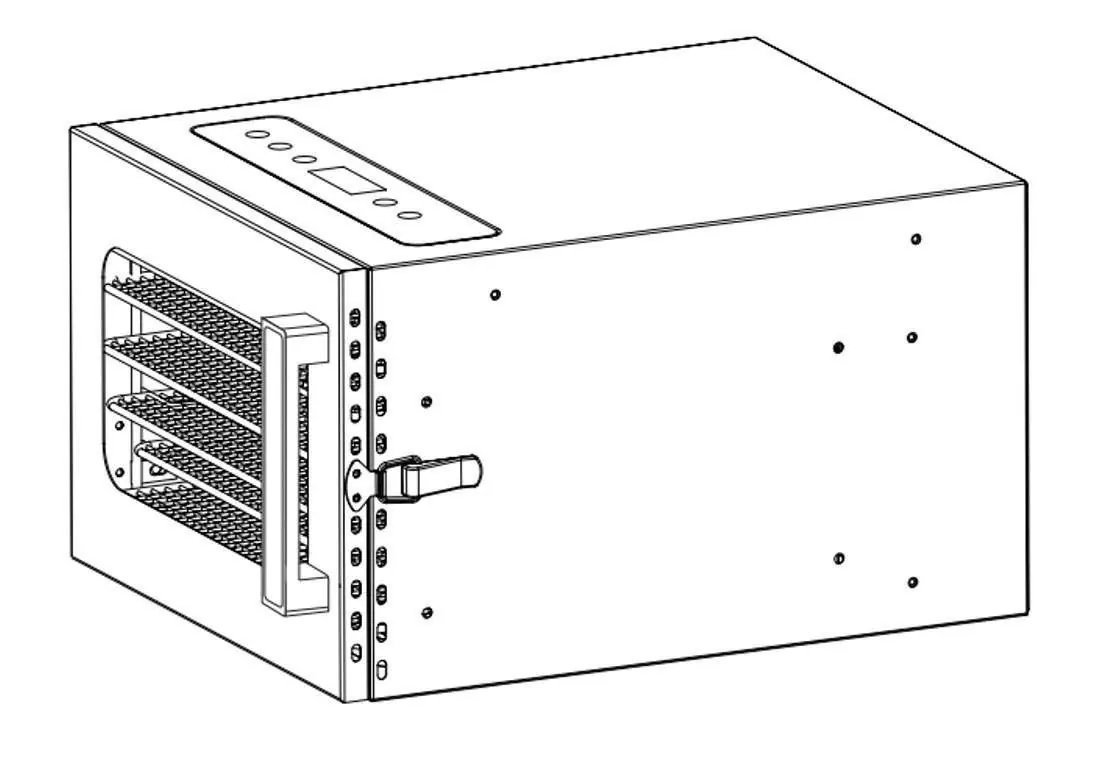
Control Panel
The digital control panel allows for precise adjustments:
- ON/OFF: Turns the machine on or off.
- TIME: Adjusts the drying time (up to 24 hours).
- TEMP: Adjusts the drying temperature.
- + / -: Increases or decreases the temperature and time settings.
Operation
- Place sliced food on the trays.
- Connect the machine to power and turn it on.
- Use the time/temperature buttons to set your desired parameters. Note: The time must be set for longer than 1 hour, and the temperature must be set above 95°F.
- Adjust the drying time based on the food type and personal preference.
Food Preparation and Dehydration
- Fruits and Vegetables: Clean and remove rotten pieces. To prevent oxidation and color changes, immerse pieces in lemonade, salty water, or pineapple juice before dehydrating.
- Meat: Cut into thin pieces or strips and marinate for at least two hours.
- Herbs and Flowers: Dry fresh leaves. After dehydration, store in a paper bag or sealed bottle in a cool place.
Safety Instructions
- Place the machine on a flat surface.
- Ensure nothing is blocking the vents.
- Keep flammable items at least 6 feet away from the machine during operation.
- Do not exceed 48 hours of continuous usage to preserve the machine's lifespan.
- Do not use external timers or remote control systems.
- Keep away from children.
- Do not overload the trays.
Product Cleaning and Maintenance
- Before cleaning, unplug the unit and allow it to cool down.
- Wash trays with warm water and soft cotton.
- Use cleaning chemicals if necessary, but do not use corrosive cleaners.
- Wipe the trays dry after cleaning.
- It is recommended to change the position of the trays during the drying process for better results.
Manufacturer information
Avantco Equipment
Practical help
Common problems
Machine not working
Ensure the unit is plugged into a power source and turned on using the ON/OFF button.
Food drying unevenly
Change the position of the trays during the drying process.
Machine overheating or lifespan concerns
Do not operate the machine for longer than 48 hours continuously.
Before use
- Place the unit on a flat, stable surface.
- Ensure the area in front of the vents is clear.
- Slice food into thin, uniform pieces.
- Marinate meat for at least two hours.
- Verify the power supply matches the unit requirements (120V).
Specs in practice
- Temperature Setting
- Must be set above 95°F for operation.
- Time Setting
- Must be set for longer than 1 hour.
- Safety Distance
- Keep flammable items at least 6 feet away from the unit.
Model compatibility
- Do not use with external timers.
- Do not use with individual remote control systems.
- Not for use with corrosive cleaning agents.

Manual page author
Michael Turner
Technical manual editor
Reviews PDF manuals for structure, safety notes, and practical product details so readers can find the right information quickly.