Industrial / Commercial Refrigeration
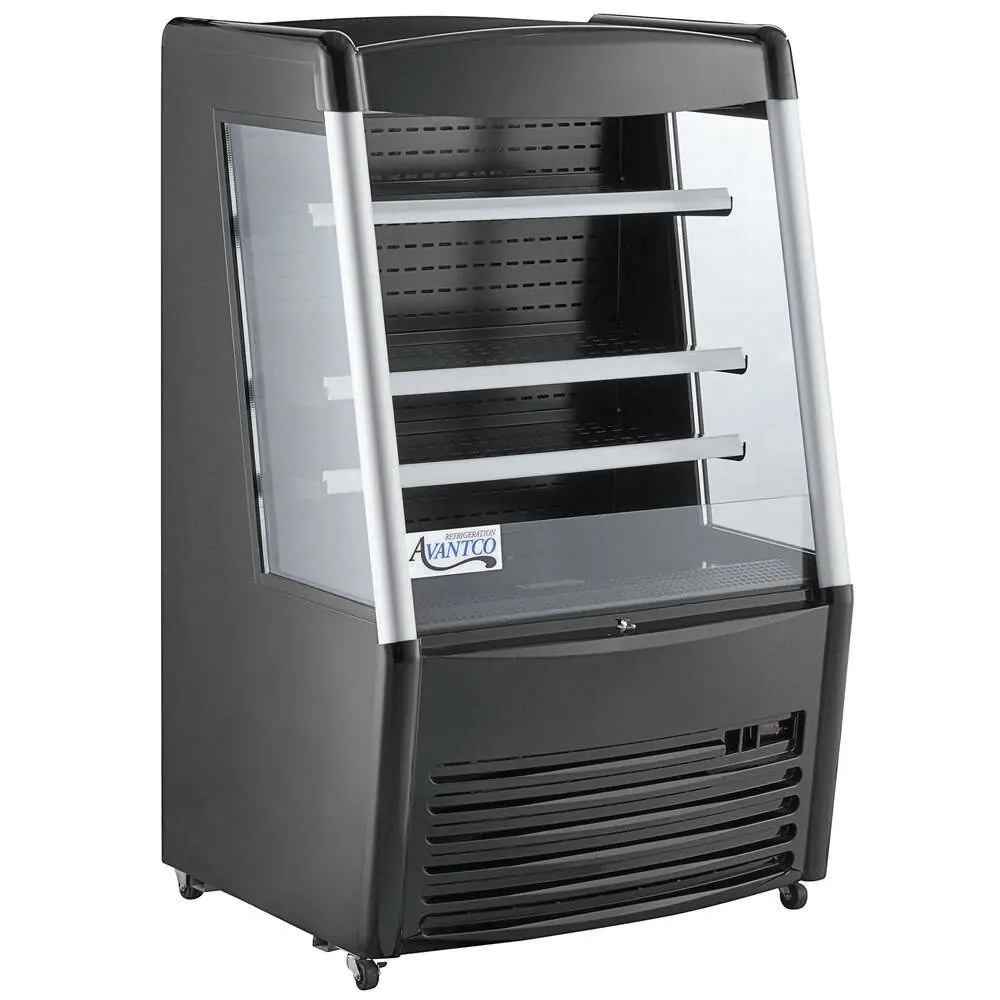
User Manual for Avantco Vertical Open Air Merchandiser
Comprehensive user guide for Avantco Vertical Open Air Merchandisers. Includes installation requirements, temperature adjustment, maintenance procedures, and troubleshooting steps for models 189BMAC36HC, 189BMAC26HC, 189WMAC36HC...
Quick answers from the manual
Quick answer
- This manual covers the Avantco Vertical Open Air Merchandiser, providing instructions for installation, temperature adjustment, defrosting, and maintenance. The unit requires a temperature-controlled environment (below 75°F) and a dedicated electrical outlet. p. 1, 3, 4, 5
Key actions
- Adjust Temperature p. 4
- Run Manual Defrost p. 5
First start
- If transported on its side, let the unit stand upright for at least 24 hours before plugging it in. p. 3
Problems and fixes
Unit is not cooling
Check if unit is turned on, end defrost cycle, or contact service for refrigerant leak.
p. 7Maintenance and reset
- Clean the condenser coil at least once per month. p. 6
Technical specifications
| Parameter | Value | Meaning | Pages |
|---|---|---|---|
| Operating Temperature Range | 33°F - 40°F | Factory-set cycle range. | p. 4 |
Where to find it in the PDF
- Installation p. 3
- Electrical & Temperature p. 4
- Maintenance p. 5, 6
- Troubleshooting p. 7
Table of contents
Manual images
Click an image to enlargeQuick Guide from the Manual
This manual provides essential instructions for the setup, operation, and maintenance of Avantco Vertical Open Air Merchandisers. Key requirements include:
- Initial Setup: If the unit was transported on its side, let it stand upright for at least 24 hours before plugging it in.
- Environment: The unit is designed for indoor use in a temperature-controlled environment (below 75°F and 65% relative humidity).
- Clearance: Maintain at least 6 inches of clearance at the back of the unit for proper airflow.
- Electrical: Use a dedicated, grounded outlet. Do not use extension cords.
Installation
Proper installation is critical for the performance and warranty coverage of your merchandiser.
- Surface: Install on a strong, level surface to prevent noise and malfunction.
- Location: Place away from doors, air ducts, fans, direct sunlight, and heat-generating equipment.
- Accessories: Ensure all shelves and shelf clips are installed before plugging in the unit.
Electrical Requirements
Ensure the unit is plugged into a grounded, properly-sized electrical outlet with appropriate over-current protection. Do not plug or unplug the unit with wet hands. If the unit is unplugged, wait at least 10 minutes before plugging it back in to prevent compressor damage.
Adjusting the Temperature
The unit is factory-set to cycle between 33°F and 40°F. To adjust the minimum temperature:
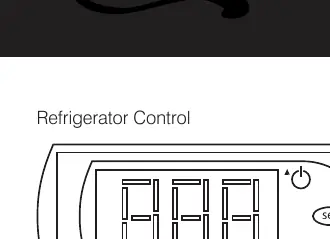
- Hold the SET button for 1 second. The display will flash the current minimum temperature.
- Use the arrow buttons to adjust to the desired minimum temperature.
- Press SET again to save your settings.
Note: The cabinet temperature will fluctuate up to +4 degrees over your set minimum temperature as the compressor cycles.
Defrosting
The unit is pre-programmed for automatic defrost cycles. To run a manual defrost cycle, press the defrost button (snowflake symbol and down arrow) for approximately 3 seconds. Repeat the process to stop the cycle.
Maintenance and Cleaning
Regular maintenance is required for efficient operation:
- Condenser Coil: Clean at least once per month using a commercial condenser coil cleaner. Keep free of dust, dirt, and lint.
- Fan Blades and Motor: Clean with a soft cloth. If washing, cover the motor to prevent moisture damage.
- Interior: Clean with warm water and mild soap. Do not use steel wool, caustic soap, or bleach.
Manufacturer information
Avantco Equipment
Practical help
Common problems
Unit is making noise under the bottom shelf
The fan blade may be broken; replace the fan blade.
Unit is not cooling
Check if the unit is turned on, ensure the defrost cycle is not running, or contact a licensed service technician if refrigerant is leaking.
High cabinet temperature with weak air flow
Run a manual defrost cycle if the evaporator coil is frosted, replace the fan if damaged, lower the set point, or rearrange products to clear airflow.
Cabinet temperature is fluctuating
Clean the condenser coil, ensure 6-inch clearance at the back, or contact a technician if the expansion valve or controller has failed.
Before use
- Let the unit stand upright for 24 hours if transported on its side.
- Ensure the unit is on a strong, level surface.
- Install all shelves and shelf clips.
- Verify the environment is below 75°F and 65% relative humidity.
- Ensure a dedicated, grounded electrical outlet is available.
- Maintain 6 inches of clearance at the back of the unit.
Specs in practice
- Operating Temperature
- Factory-set to cycle between 33°F and 40°F.
- Environment Limits
- Must be used in an environment below 75°F and 65% relative humidity.
Images and diagrams
- The control panel features a 'SET' button for temperature adjustments and a snowflake symbol button for manual defrosting.
Model compatibility
- For indoor use only.
- Not for chilling warm products; meant for keeping cold products cold.

Manual page author
David Miller
Documentation analyst
Organizes user manual content into clear summaries, with attention to model details, product context, and everyday usability.