Music / Guitar Effects
Axiom 12-in-1 USB-C Hub
A quick guide to the Axiom 12-in-1 USB-C Hub, detailing port connectivity, multimedia support, and data transfer capabilities for your workstation.
Table of contents
Quick guide from the manual
The Axiom 12-in-1 USB-C Hub is a versatile adapter designed to expand the connectivity of your laptop. It converts a single USB-C port into multiple interfaces, including video outputs, data ports, and card readers, turning your device into a functional workstation.
Device Overview
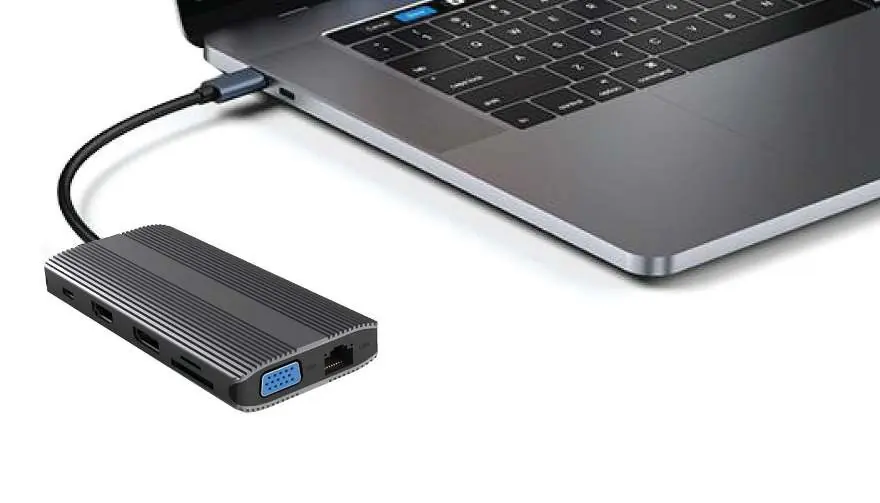
The hub provides the following connectivity options:
- Video Output: HDMI, DisplayPort (DP 1.2), and VGA.
- Data Transfer: Two USB-A 3.0 ports, one USB-A 2.0 port, and two USB-C ports.
- Networking: RJ45 LAN port for wired internet connection.
- Storage: TF (microSD) and SD card slots.
- Power: PD (Power Delivery) charging port for pass-through power.
- Audio: AUX port for audio connectivity.
Usage and Connectivity
This device is a plug-and-play solution. Simply connect the USB-C male connector to your laptop's USB-C port. The hub will automatically be recognized by your operating system, allowing you to connect peripherals, external displays, and storage media immediately.
Important Considerations
Ensure your host device (laptop) supports USB-C features such as DisplayPort Alt Mode for video output and Power Delivery for charging. If these features are not supported by the host device, the corresponding ports on the hub will not function.
Practical help
Common problems
Video output not working
Ensure your laptop's USB-C port supports DisplayPort Alt Mode.
Charging not working
Ensure you are using a compatible power adapter connected to the PD port and that your laptop supports USB-C Power Delivery.
Before use
- Verify your laptop has a USB-C port.
- Check if your laptop supports video output via USB-C (DP Alt Mode).
- Ensure your power adapter is connected to the PD port if charging is required.
Specs in practice
- PD Charging Port
- Supports pass-through charging for your laptop.
Images and diagrams
- The hub features a variety of ports including HDMI, DP, VGA, RJ45, USB-A, USB-C, and card slots for comprehensive connectivity.
Model compatibility
- Requires a host device with a USB-C port.
- Video output requires DisplayPort Alt Mode support on the host device.
- Charging requires Power Delivery support on the host device.

Manual page author
David Miller
Documentation analyst
Organizes user manual content into clear summaries, with attention to model details, product context, and everyday usability.