Power / Batteries & Chargers
Baseus Magnetic Mini Wireless Fast Charge Power Bank 10000mAh User Manual
Quick guide for the Baseus Magnetic Mini Wireless Fast Charge Power Bank 10000mAh. Learn how to charge devices, understand LED indicators, and follow safety guidelines for optimal use.
Table of contents
Quick Guide
The Baseus Magnetic Mini Wireless Fast Charge Power Bank is designed for portable charging of mobile devices. It supports both wired charging via USB-C and wireless charging. Ensure your device is compatible with Qi wireless charging before use. For magnetic attachment, ensure your phone or case supports magnetic alignment.
Product Overview
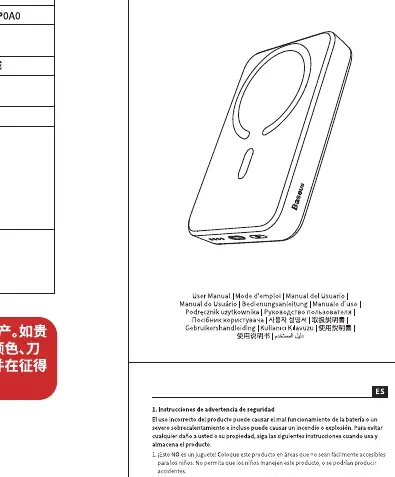
The device features a wireless charging surface, a USB-C input/output port, a power button, and LED indicators to display battery status. Keep the device away from extreme temperatures and do not disassemble it.
Specifications
- Model: PPCXM1030
- Capacity: 10000mAh / 3.85V / 38.5Wh
- Rated Capacity: 5800mAh (5V/2.4A)
- Input (Type-C): 5V/3A; 9V/2A
- Output (Type-C): 5V/2.4A; 9V/2.22A; 12V/1.5A
- Wireless Output: 15W Max
- Total Output: 5V/2.4A
Charging Instructions
Wired Charging
Connect your device to the power bank using a compatible USB-C cable. Charging should begin automatically. If it does not, press the power button once.
Wireless Charging
Place your Qi-enabled device on the wireless charging area of the power bank. Ensure the device is centered for optimal charging efficiency. Press the power button to activate wireless charging if it does not start automatically.
LED Indicators
The LED lights indicate the remaining battery level. When charging the power bank, the lights will flash to indicate progress and remain solid when fully charged. During device charging, the lights indicate the current battery level of the power bank.
Safety Information
- Do not expose the power bank to fire, heat, or direct sunlight.
- Do not drop, crush, or puncture the device.
- Keep the device away from metal objects, credit cards, or magnetic strips during wireless charging to prevent interference or damage.
- Stop using the device if it becomes excessively hot or shows signs of damage.
Manufacturer information
Baseus
Practical help
Common problems
Wireless charging does not start
Ensure the device is properly aligned with the charging area. Remove any thick phone cases or metal objects between the phone and the power bank.
Power bank is not charging
Check if the USB-C cable is securely connected to both the power bank and the power adapter. Ensure the power adapter meets the input requirements (5V/3A or 9V/2A).
Before use
- Verify your device supports Qi wireless charging.
- Ensure the power bank is fully charged before the first use.
- Remove any metal rings, credit cards, or thick cases from the back of your phone.
- Check that the charging cable is in good condition.
Specs in practice
- 15W Wireless Output
- The maximum power delivery for wireless charging; actual speed depends on the receiving device's compatibility.
- Rated Capacity 5800mAh
- The actual usable capacity available for charging devices after accounting for energy conversion losses.
Images and diagrams
- The LED indicators show the remaining battery percentage.
- The power button is used to wake the device or check the battery level.
- The Type-C port serves as both an input for recharging the power bank and an output for wired device charging.
Model compatibility
- Compatible with Qi-enabled wireless charging devices.
- Magnetic alignment feature is optimized for devices with magnetic cases or built-in magnetic rings.

Manual page author
Emily Carter
User documentation editor
Prepares concise manual descriptions and highlights the most useful setup, operation, and maintenance information for readers.