Tools / Power Tools
User Manual for Bauer 20V Brushless Mud Mixer 21507-BR
Quick guide for the Bauer 20V Brushless Mud Mixer 21507-BR. Includes setup, operation, maintenance, troubleshooting, and parts diagram.
Quick answers from the manual
Quick answer
- The Bauer 21507-BR is a 20V cordless mud mixer. To operate, insert the paddle into the chuck, tighten with the chuck key, select the appropriate gear (1 for heavy, 2 for light), and press the lock-off button before squeezing the trigger. p. 8, 10, 11
Key actions
- Attach Mixing Paddle p. 8
- Start Tool p. 11
- Clean Paddle p. 11
First start
- Charge battery, attach paddle, set gear/speed, ensure trigger is off, insert battery, press lock-off, squeeze trigger. p. 8, 10, 11
Show 4 more answers Show less
Problems and fixes
Tool will not start
Check battery connection, charge, or replace battery.
p. 13Maintenance and reset
- Clean paddle immediately after use, spray with light oil, and store indoors. p. 11, 12
Technical specifications
| Parameter | Value | Meaning | Pages |
|---|---|---|---|
| Battery | 20V Li-Ion | Power source | p. 7 |
| Chuck Size | 1/2 inch (13mm) | Paddle capacity | p. 7 |
| No Load Speed | 0-420/0-720 RPM | Operating speed range | p. 7 |
Where to find it in the PDF
- Operation p. 10, 11
- Maintenance p. 12
- Parts List p. 14, 15
Table of contents
Manual images
Click an image to enlargeQuick guide from the manual
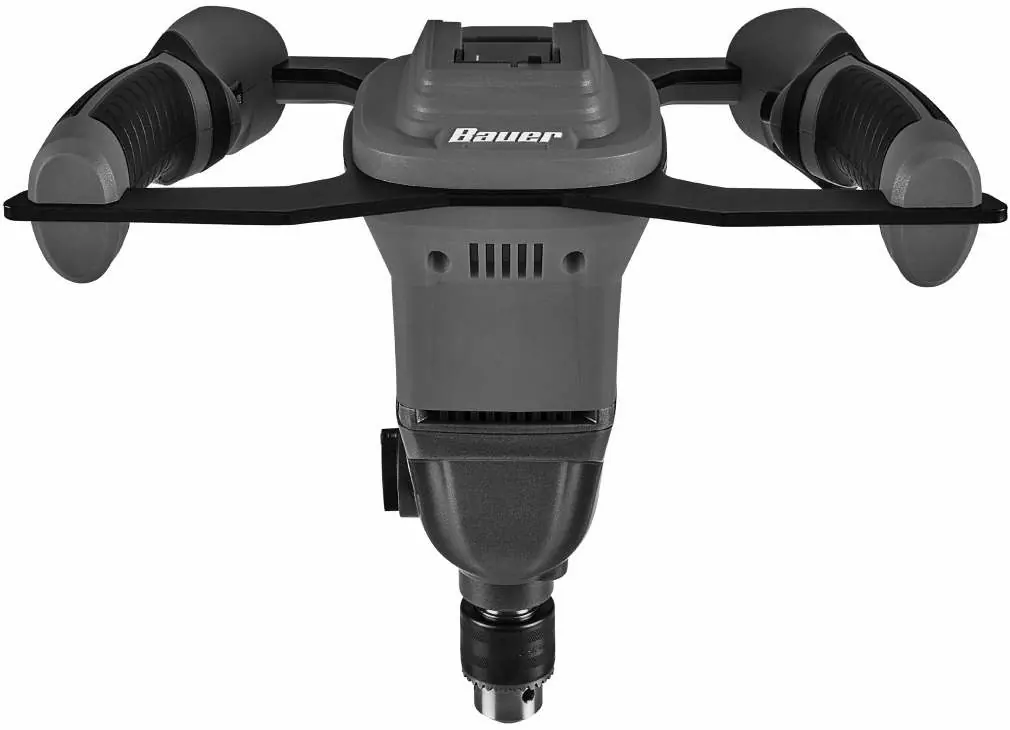
The Bauer 20V Brushless Mud Mixer (Model 21507-BR) is a cordless power tool designed for mixing materials. Key operational requirements include using both hands on the handles, ensuring the mixing container is secure, and selecting the appropriate gear based on material consistency. Always remove the battery pack before making adjustments, changing accessories, or storing the tool.
Safety information
Read all safety warnings before use. Key safety points include:
- General: Keep work area clean and well-lit. Do not operate in explosive atmospheres. Keep children and bystanders away.
- Personal: Wear eye protection. Do not wear loose clothing or jewelry. Do not overreach.
- Mixer-specific: Hold the tool with both hands at the intended handles. Do not mix food. Ensure the mixing container is in a firm, secure position. Do not reach into the container while mixing.
- Battery: Keep battery pack dry. Do not open, drop, short-circuit, or incinerate. Charge only with the specified charger.
Setup
Attach Mixing Paddle:
- Insert the mixing paddle (not included) into the drill chuck.
- Insert the chuck key into the chuck and turn clockwise to tighten securely.
- To remove, proceed in reverse order.
Power Supply: Use a 20VDC battery pack.
Operation
Setting the Gear:
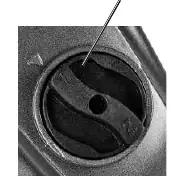
- Gear 1: Use for heavy materials and when beginning to mix.
- Gear 2: Use for lighter materials and as the material becomes smoother after partial mixing.
Adjusting Speed: Turn the Speed Dial on the handle from 1 (lowest) to Max (highest).
Starting the Tool:
- Ensure the trigger is in the off-position and attach the battery pack.
- Place the bucket on a flat, level surface.
- Pour material into the bucket.
- Hold both handles.
- Insert the mixing paddle into the bucket.
- Push the Lock-off Button, then squeeze the trigger to start.
Cleaning and Maintenance
Cleaning:
- Water-based materials: Fill a clean bucket with water, insert the paddle, and squeeze the trigger.
- Oil-based materials: Wipe off the paddle with a clean towel, then wipe with a cloth moistened with mineral spirits.
- Storage: Dry the paddle, spray with light oil to prevent rust, and store indoors out of reach of children.
Maintenance: Before each use, inspect for leaking/cracked battery, loose hardware, or binding parts. Do not use damaged equipment.
Troubleshooting
If the tool will not start, check the battery connection and charge. If the paddle wobbles, tighten the chuck. If mixing results are unsatisfactory, adjust the gear switch and speed dial. If the tool overheats, allow it to work at its own rate and ensure motor vents are not blocked.
Practical help
Common problems
Tool will not start
Check battery connection, ensure battery is charged, or replace if burnt out.
Mixing paddle wobbles
Tighten the chuck using the chuck key.
Unsatisfactory mixing results
Adjust the Gear Switch and/or Speed Dial to match the material consistency.
Overheating
Allow the tool to work at its own rate; clean motor housing vents.
Before use
- Inspect tool for damage (cracked battery, loose hardware).
- Ensure battery is fully charged.
- Attach mixing paddle securely using the chuck key.
- Clear work area of children and pets.
- Ensure mixing container is on a flat, level surface.
Show more Show less
Images and diagrams
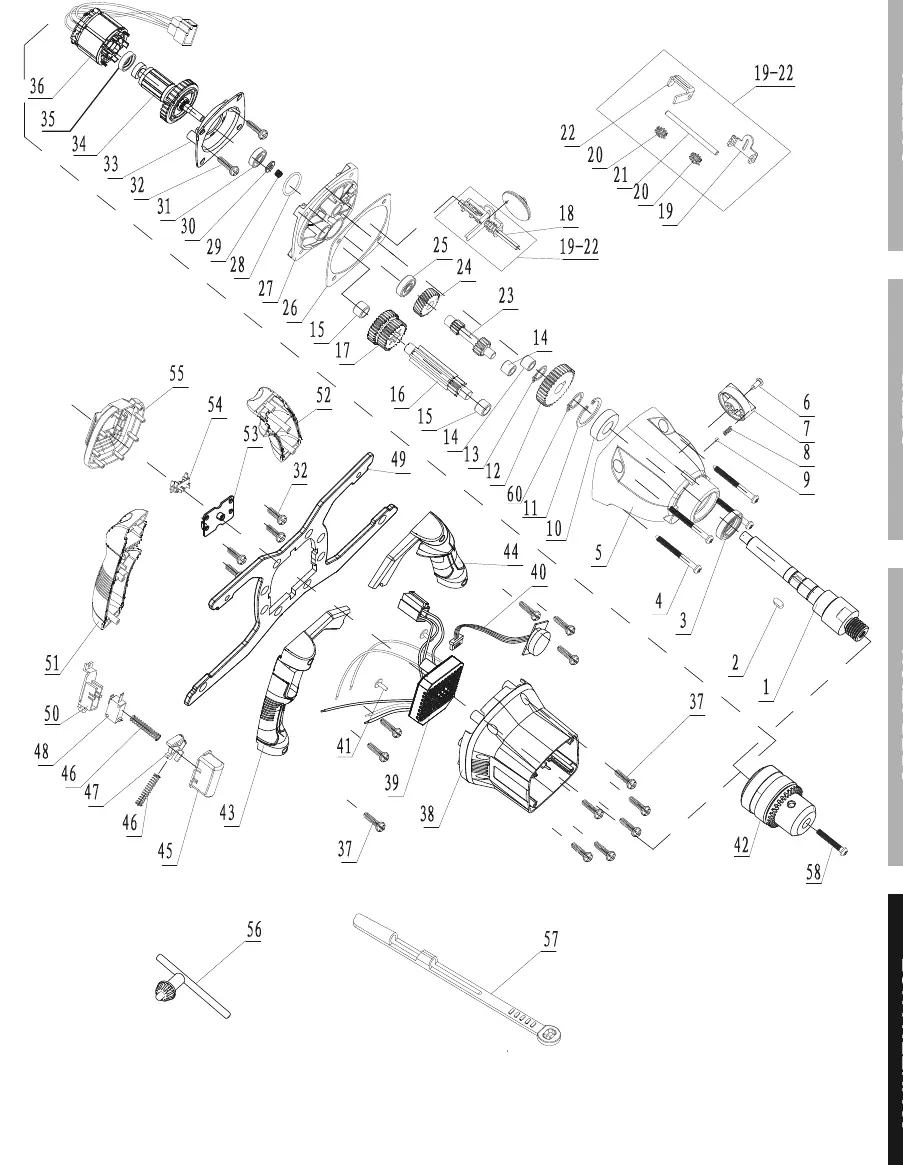
- The Assembly Diagram (page 15) identifies all internal components and fasteners for service reference.
- The Functions diagram (page 9) identifies the handles, speed dial, lock-off button, trigger, gear switch, and chuck.
Model compatibility
- Requires Bauer 20V Li-Ion battery pack.
- Requires Bauer 20V Li-Ion charger.
- Battery and charger are sold separately.

Manual page author
Emily Carter
User documentation editor