Electronics / Amplifiers Receivers
Owner's Manual for Blackstar Dept. 10 AMPED 2 Guitar Amplifier Pedal
Quick guide for the Blackstar Dept. 10 AMPED 2 guitar amplifier pedal, covering front panel controls, effects, CabRig speaker simulation, MIDI setup, and technical specifications.
Table of contents
Manual images
Jump to the sectionQuick guide from the manual
The Blackstar Dept. 10 AMPED 2 is a 100W guitar amplifier and effects processor pedal. This guide provides essential information for operating the device, including voice selection, built-in effects (Drive, Modulation, Delay, Reverb), CabRig speaker simulation, and MIDI control. Always ensure the unit is used in non-tropical climates and at a maximum altitude of 2000m.
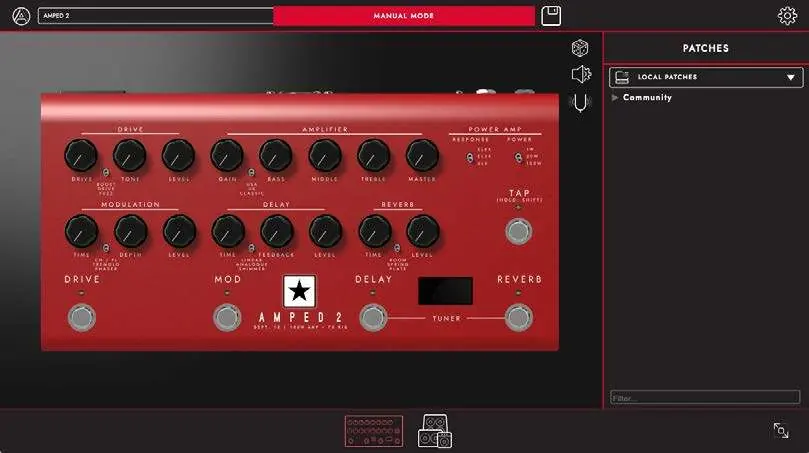
Front Panel Controls
The front panel allows for intuitive control similar to a traditional amplifier:
- Voice: Select between USA, UK, and Classic preamp voicings.
- Gain: Adjusts the level of overdrive or distortion.
- EQ (Bass, Middle, Treble): Tailored to the selected voice to shape your tone.
- Drive: Select between Boost, Drive, and Fuzz types.
- Modulation: Choose between Chorus/Flanger, Tremolo, and Phaser.
- Delay: Select between Linear, Analogue, and Shimmer types.
- Reverb: Choose between Room, Spring, and Plate types.
CabRig and Architect Software
CabRig is an advanced DSP speaker simulator. To edit CabRig settings, you must use the Blackstar Architect software available at blackstaramps.com/architect. You can select from 23 speaker cabinets or DI, choose from 6 industry-standard microphones, and adjust room ambience and stereo width.
Connectivity and Outputs
- Mains Input: Universal power supply (100-240V, 50/60Hz).
- Speaker Outputs: Connect to 8 Ohm or 16 Ohm cabinets. Warning: Do not use both outputs simultaneously.
- FX Loop: Send and Return jacks for external effects, with a level switch (+4dBu/-10dBV).
- USB Audio: Provides four independent channels for recording and connects to Architect software.
- MIDI: Use the supplied TRS to 5-pin MIDI adapter for MIDI control.
Safety and Maintenance
High internal voltages are present. Do not open the case. Clean only with a dry cloth. If the unit is moved from a cold to a warm environment, allow it to reach room temperature before switching on to prevent condensation.
Official resources from the manual
Manufacturer information
Blackstar Amplification
Practical help
Common problems
No sound from speaker output
Ensure the speaker cable is connected to the correct impedance output (8 or 16 Ohm) and that the power switch is on.
Modulation effect not synced to Tap tempo
By default, the modulation pedal is not synced. Use the 'Hold: Shift' function to sync the modulation pedal to the Tap tempo.
Excessive noise in FX loop
Check the FX Loop Level switch. If unsure, start with the -10dBV setting.
Before use
- Ensure the power adapter is connected to an earthed outlet.
- Connect the loudspeaker to the correct impedance output before switching on.
- Use high-quality screened instrument leads for guitar input.
- Allow the unit to reach room temperature if moved from a cold environment.
Specs in practice
- Mains Voltage
- Universal input (100-240V, 50/60Hz) suitable for international travel.
- FX Loop Level
- Switchable between +4dBu (professional gear) and -10dBV (guitar pedals).
Images and diagrams
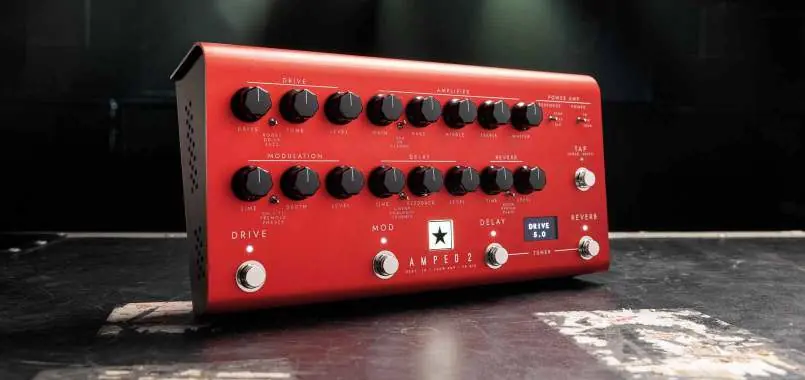
- The front panel features dedicated knobs for Drive, Modulation, Delay, and Reverb sections.
- The rear panel includes the Mains Input, Power Switch, FX Loop, Speaker Outputs, and USB-C port.
Model compatibility
- Compatible with 8 Ohm or 16 Ohm guitar speaker cabinets.
- USB audio interface requires no specific drivers for PC or Mac.
- MIDI control via supplied TRS to 5-pin adapter.

Manual page author
David Miller
Documentation analyst
Organizes user manual content into clear summaries, with attention to model details, product context, and everyday usability.