Computers / Keyboards Input
User Manual for Brydge Vertical Dock for MacBook Pro (13-inch)
Quick guide for the Brydge Vertical Dock for MacBook Pro (13-inch). Includes assembly instructions, proper docking/undocking procedures, and usage warnings.
Table of contents
Quick guide from the manual
The Brydge Vertical Dock is designed to hold your MacBook Pro (13-inch) in a vertical position. To use external displays while the MacBook is docked, you must connect power to the dock and attach an external keyboard and mouse.
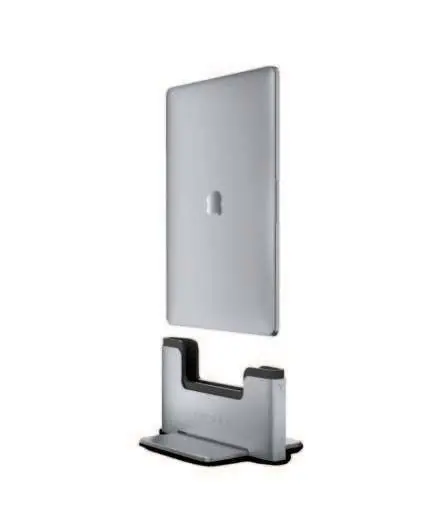
Assembly
- Remove the base, chassis, screws, and screwdriver from the packaging.
- Turn the chassis upside down.
- Place the base so that it fits snugly to the chassis and the screw holes are aligned. Note that the base plate only fits correctly in one orientation.
- Tighten the two screws using the provided screwdriver.
- Flip the dock over so the Thunderbolt ports face toward the back.
- Connect your devices to the Thunderbolt 3 ports on the back of the Vertical Dock.
Insert & Remove
- Insert: Gently insert your MacBook into the bottom of the black sleeve.
- Seat: Push down until the Thunderbolt ports engage.
- Remove: Pull up to remove your MacBook.
Proper Usage
To prevent damage to the ports and dock connectors, follow these guidelines:
- Always maintain a secure grip on the computer before docking and undocking.
- Do not drop the MacBook into the dock.
- Do not force or wobble the computer when inserting or removing it.
- Do not insert the MacBook upside down or backwards.
- The MacBook should only be docked with the left-side ports facing down and the monitor hinge facing the rear of the dock.
- Minor cosmetic wear around the MacBook ports is considered normal.
Warranty
This product includes a 1-year limited hardware warranty. For warranty service or questions, visit www.brydge.com/support.
Official resources from the manual
Practical help
Common problems
External display not working
Ensure power is connected to the dock and an external keyboard/mouse is connected.
Difficulty inserting MacBook
Ensure the MacBook is oriented correctly with left-side ports facing down and the monitor hinge towards the rear.
Before use
- Remove base, chassis, screws, and screwdriver from packaging
- Ensure you have a secure grip on the computer before docking
- Verify orientation: left-side ports down, hinge to rear
Images and diagrams
- Assembly steps show how to attach the base to the chassis using the provided screws.
- Docking steps illustrate the correct insertion angle and seating process.
Model compatibility
- Designed specifically for 13-inch MacBook Pro.

Manual page author
Michael Turner
Technical manual editor
Reviews PDF manuals for structure, safety notes, and practical product details so readers can find the right information quickly.