Home Appliances / Dishwashers
User Manual for Canyon CNE-CCA02 Universal Car Charger
Quick guide for the Canyon CNE-CCA02 Universal Car Charger. Learn how to safely connect, use, and maintain your 2.1A dual-port USB car adapter.
Quick answers from the manual
Quick answer
- Plug the charger into your car's power outlet and connect your device using a Micro-USB cable. Ensure the car's power source is active. p. 1
Key actions
- Connect to car power outlet p. 1
- Connect device via Micro-USB p. 1
Problems and fixes
Device not charging
Check cable compatibility and ensure the car power outlet is functional.
p. 1Maintenance and reset
- Clean only with a dry cloth; do not use liquid detergents. p. 1
Technical specifications
| Parameter | Value | Meaning | Pages |
|---|---|---|---|
| Input Voltage | 12-24V | DC input range | p. 1 |
| Output | 5V / 2100mA | Max output current | p. 1 |
Where to find it in the PDF
- User Manual p. 1, 2
Table of contents
Manual images
Click an image to enlargeQuick guide from the manual
The Canyon CNE-CCA02 is a universal car charger designed to power devices via a car's power outlet. It features two USB ports and is compatible with smartphones, tablets, GPS units, and other devices that charge via Micro-USB cables. Ensure your car's power source meets the required voltage before connecting.
Installation and usage
To use the charger, follow these steps:
- Plug the car charger into your vehicle's power outlet (cigarette lighter socket).
- Ensure the power source is active and meets the installation requirements.
- Connect your device to one of the USB ports using a compatible Micro-USB cable.
- The device will begin charging automatically.
Safety instructions
To ensure safe operation, please adhere to the following guidelines:
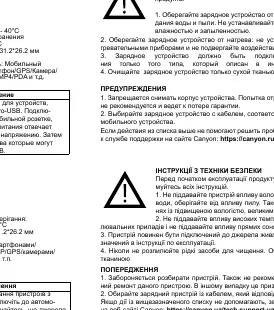
- Moisture and Dust: Do not expose the device to excessive moisture, water, or dust. Avoid using it in high-humidity or dusty environments.
- Heat: Keep the charger away from heating appliances and direct sunlight.
- Power Source: Connect the device only to a power source of the type indicated in the manual.
- Cleaning: Never spray liquid detergents on the device. Clean it only with a dry cloth.
- Disassembly: Do not dismantle the device. Attempting to repair it yourself is not recommended and will void the warranty.
Maintenance
The device does not require specific maintenance other than keeping it clean and dry. If the charger fails to work, check the connection to the car power outlet and ensure the cable being used is compatible with your mobile device.
Technical specifications
- Input Voltage: DC 12-24V
- Output Voltage & Current: DC 5V, 2100mA (Max)
- USB Ports: 2
- Operating Temperature: 0 to 40°C
- Storage Temperature: -20 to 60°C
- Dimensions: 51.8 x 31.2 x 26.2 mm
- Weight: 0.018 kg
Warranty information
The warranty period is 2 years from the date of purchase from an authorized Canyon seller. To obtain warranty service, you must return the product to the seller along with proof of purchase (receipt or waybill). For detailed terms, visit http://canyon.eu/warranty-terms/
Official resources from the manual
Manufacturer information
Candy
Practical help
Common problems
Device not charging
Ensure the charger is fully inserted into the car power outlet and that the Micro-USB cable is compatible and functional.
Charger not working
Verify that the car's power outlet is receiving power and that the input voltage is within the 12-24V range.
Before use
- Check that your car power outlet is functional.
- Ensure you are using a compatible Micro-USB cable for your device.
- Verify that the device is not exposed to moisture or extreme heat.
Specs in practice
- Input Voltage: 12-24V
- Compatible with standard car power outlets (12V for passenger cars, 24V for trucks).
- Output: 5V / 2100mA
- Provides standard charging speed for mobile devices; 2100mA (2.1A) is the maximum total current.
Images and diagrams
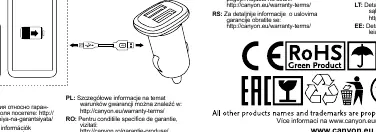
- The diagram illustrates the charger unit and the connection point to the car's power outlet.
Model compatibility
- Designed for devices that use Micro-USB cables, including smartphones, tablets, PSP, GPS, cameras, and MP3/MP4 players.

Manual page author
Emily Carter
User documentation editor
Prepares concise manual descriptions and highlights the most useful setup, operation, and maintenance information for readers.