Electronics / Camera Accessories
Canon Speedlite 244T Camera Flash User Manual
Comprehensive user guide for the Canon Speedlite 244T camera flash. Learn how to install batteries, mount the unit, set ISO, and operate the flash for automatic exposure on Canon T-series cameras.
Quick answers from the manual
Quick answer
- The Canon Speedlite 244T is an automatic electronic flash for Canon T-series cameras. It automatically sets shutter speed and aperture when the 'P' mark appears in the viewfinder. Use only ISO 100 or 400 film. p. 2, 4
Key actions
- Install two AA batteries in the battery chamber. p. 2, 3
- Set the ISO film speed switch to match your film (100 or 400). p. 3
- Mount the flash into the camera's accessory shoe. p. 3
First start
- Insert two AA batteries, set the ISO switch, mount the flash, and ensure the camera is set to 'PROGRAM' mode. p. 2, 3, 4
Show 3 more answers Show less
Problems and fixes
P mark or aperture value blinks rapidly
Subject is too far; move closer until blinking stops.
p. 5Technical specifications
| Parameter | Value | Meaning | Pages |
|---|---|---|---|
| Guide Number | 16 (ISO 100) / 26 (ISO 400) | Flash power output | p. 5 |
| Recycling Time | 0.5-9 seconds | Time to recharge between flashes | p. 5 |
| Power Source | 2x AA | Battery requirements | p. 5 |
Where to find it in the PDF
- Nomenclature p. 2
- Battery Installation p. 2, 3
- Operation p. 4
- Specifications p. 5
Table of contents
Manual images
Click an image to enlargeQuick guide from the manual
The Canon Speedlite 244T is an automatic electronic flash unit designed exclusively for Canon T-series cameras. It simplifies flash photography by automatically setting the shutter speed and aperture when the P mark appears in the camera viewfinder. Ensure you use only ISO 100 or 400 film with this flash.
Nomenclature
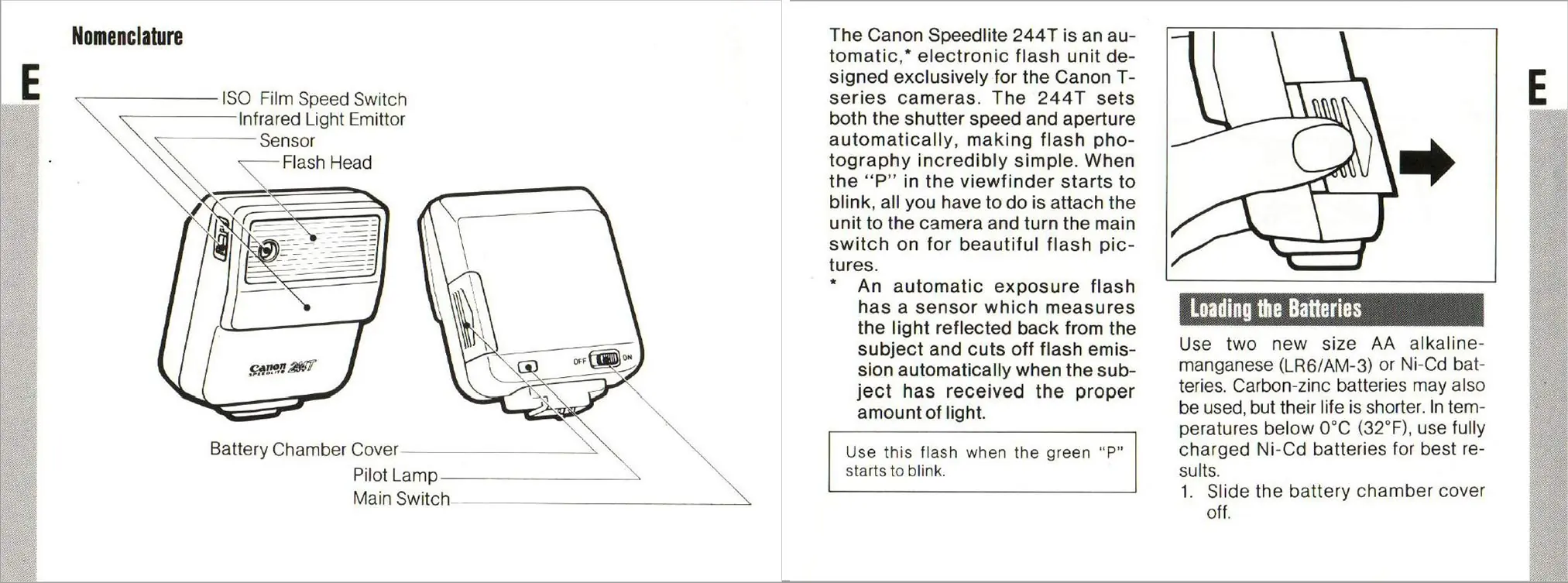
- ISO Film Speed Switch: Located on the side of the flash head.
- Infrared Light Emitter/Sensor: Located on the front of the flash head.
- Battery Chamber Cover: Located on the side.
- Main Switch: Located on the back, toggles power ON/OFF.
- Pilot Lamp: Indicates flash readiness.
Loading the Batteries
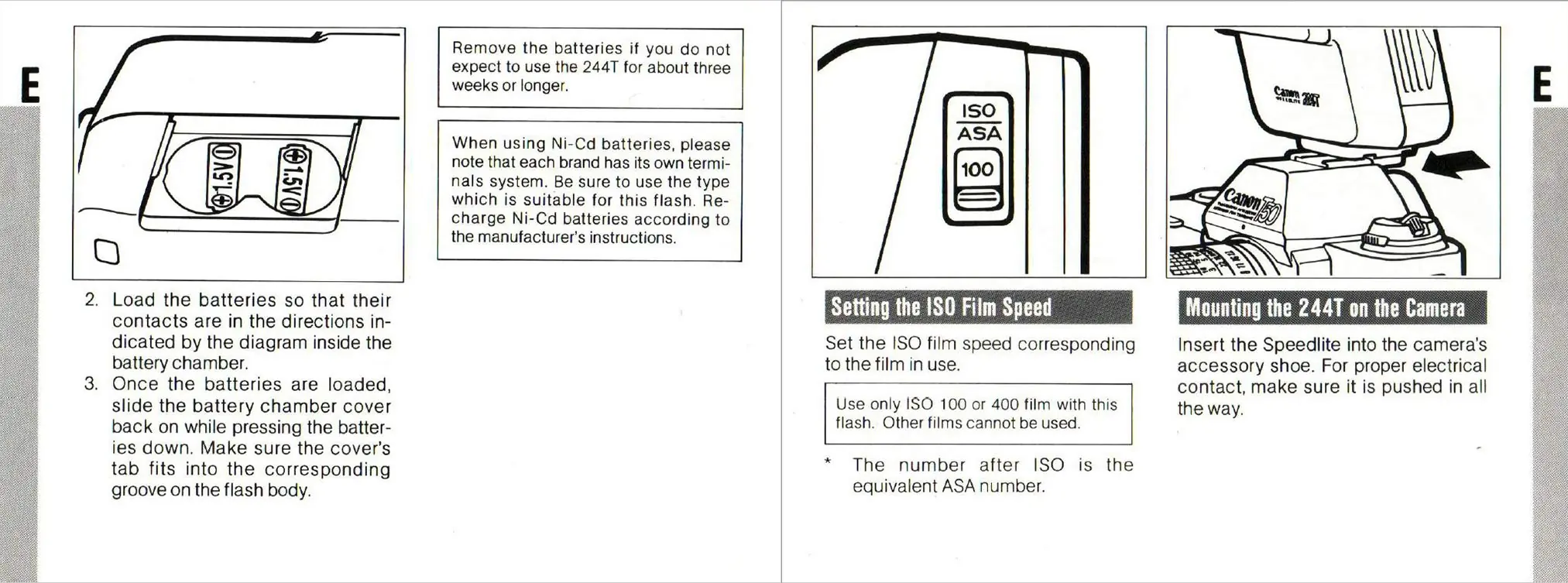
- Slide the battery chamber cover off.
- Insert two new AA alkaline-manganese (LR6/AM-3) or Ni-Cd batteries.
- Ensure the contacts match the diagram inside the battery chamber.
- Slide the cover back on while pressing the batteries down, ensuring the tab fits into the groove.
Note: Remove batteries if the flash will not be used for three weeks or longer. In temperatures below 0°C (32°F), use fully charged Ni-Cd batteries.
Setting the ISO Film Speed
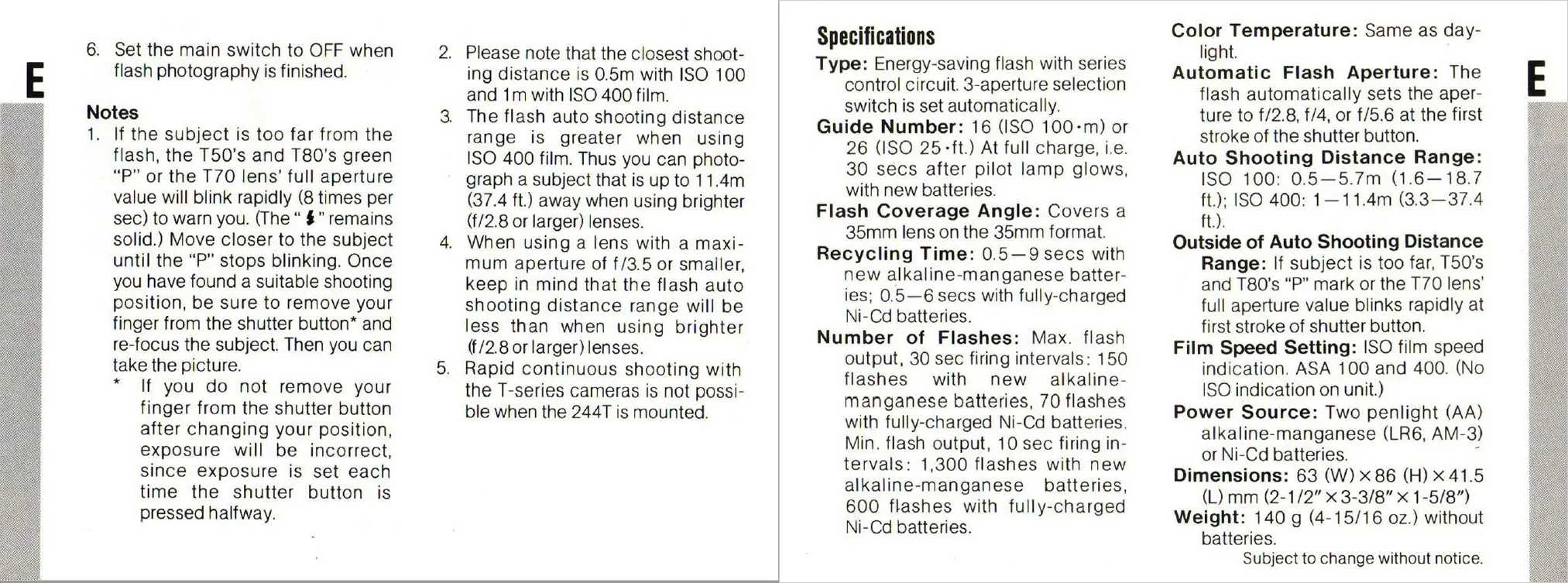
Set the ISO film speed switch to match the film currently in use. This flash supports only ISO 100 or 400 film.
Mounting the 244T on the Camera
Insert the Speedlite into the camera's accessory shoe. Ensure it is pushed in all the way to guarantee proper electrical contact.
Taking Flash Pictures
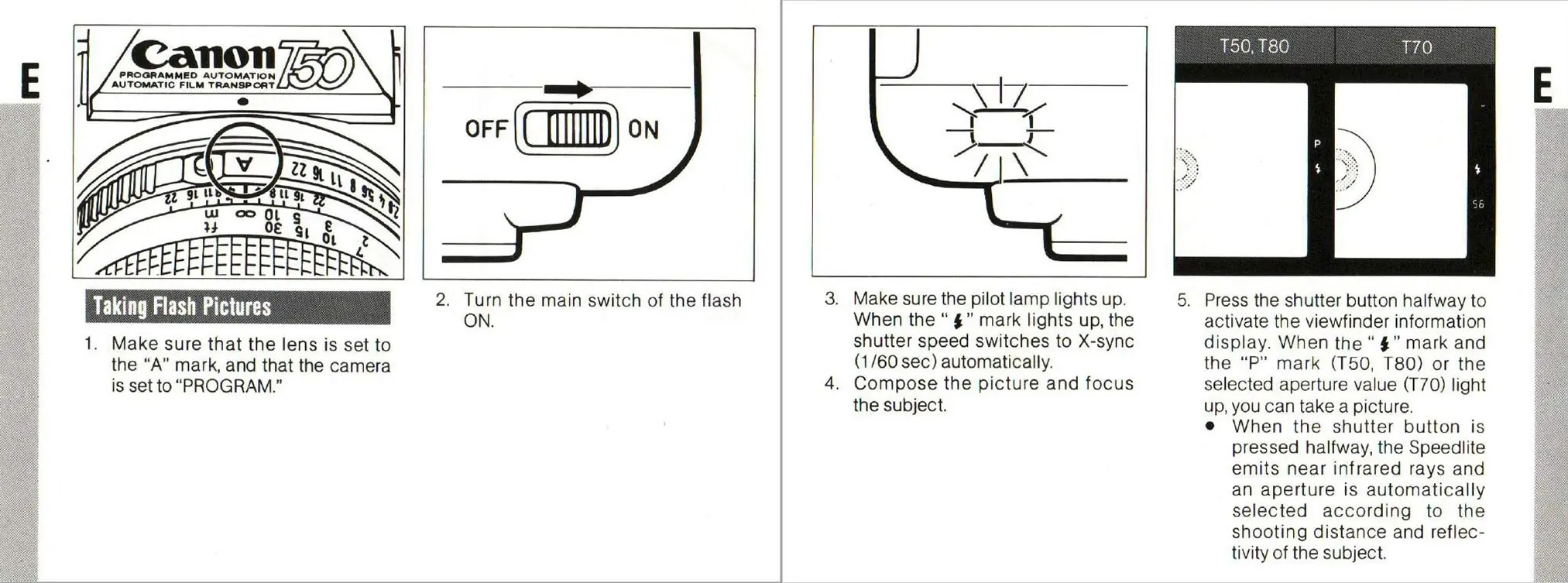
- Ensure the camera lens is set to the A mark and the camera is set to PROGRAM.
- Turn the main switch of the flash to ON.
- Wait for the pilot lamp to light up.
- Compose the picture and focus on the subject.
- Press the shutter button halfway to activate the viewfinder display. When the flash mark and the P mark (or selected aperture) light up, you can take the picture.
- Set the main switch to OFF when finished.
Troubleshooting and Notes
- If the subject is too far: The P mark or the lens's full aperture value will blink rapidly (8 times per second). Move closer to the subject until the blinking stops.
- Exposure Warning: If you do not remove your finger from the shutter button after changing your position, the exposure may be incorrect because the exposure is set each time the shutter button is pressed halfway.
- Continuous Shooting: Rapid continuous shooting with T-series cameras is not possible when the 244T is mounted.
Specifications
- Type: Energy-saving flash with series control circuit.
- Guide Number: 16 (ISO 100) or 26 (ISO 400).
- Recycling Time: 0.5–9 seconds with new alkaline batteries; 0.5–6 seconds with fully-charged Ni-Cd batteries.
- Flash Coverage Angle: Covers a 35mm lens on 35mm format.
- Power Source: Two AA alkaline-manganese (LR6, AM-3) or Ni-Cd batteries.
- Dimensions: 63 (W) x 86 (H) x 41.5 (L) mm.
- Weight: 140 g (without batteries).
Manufacturer information
Canon Inc.
Practical help
Common problems
The 'P' mark in the viewfinder blinks rapidly
The subject is too far from the flash. Move closer to the subject until the blinking stops.
Incorrect exposure
Ensure you remove your finger from the shutter button after changing your position and re-focus, as exposure is set each time the button is pressed halfway.
Flash not firing or slow recycling
Check if batteries are depleted. In temperatures below 0°C, use fully charged Ni-Cd batteries.
Before use
- Use two new AA alkaline-manganese (LR6/AM-3) or Ni-Cd batteries.
- Set the ISO film speed switch to 100 or 400.
- Ensure the camera lens is set to 'A'.
- Ensure the camera is set to 'PROGRAM'.
- Ensure the flash is fully inserted into the accessory shoe.
Show more Show less
Specs in practice
- Guide Number
- 16 (ISO 100) or 26 (ISO 400); indicates the flash power.
- Recycling Time
- 0.5–9 seconds depending on battery type and charge level.
- Auto Shooting Distance Range
- ISO 100: 0.5–5.7m; ISO 400: 1–11.4m.
Images and diagrams
- The battery chamber cover is located on the side of the unit.
- The ISO switch is located on the side of the flash head.
- The main switch and pilot lamp are located on the back of the unit.
Model compatibility
- Designed exclusively for Canon T-series cameras.
- Only supports ISO 100 or 400 film.

Manual page author
Michael Turner
Technical manual editor