Electronics / Two-Way Radios
User Manual for Cobra 75 All Road Wireless Recreational CB Radio
Comprehensive user manual for the Cobra 75 All Road wireless CB radio. Includes installation instructions, wiring diagrams, Bluetooth pairing procedures, menu settings, and troubleshooting tips.
Table of contents
Manual images
Click an image to enlargeQuick Guide from the Manual
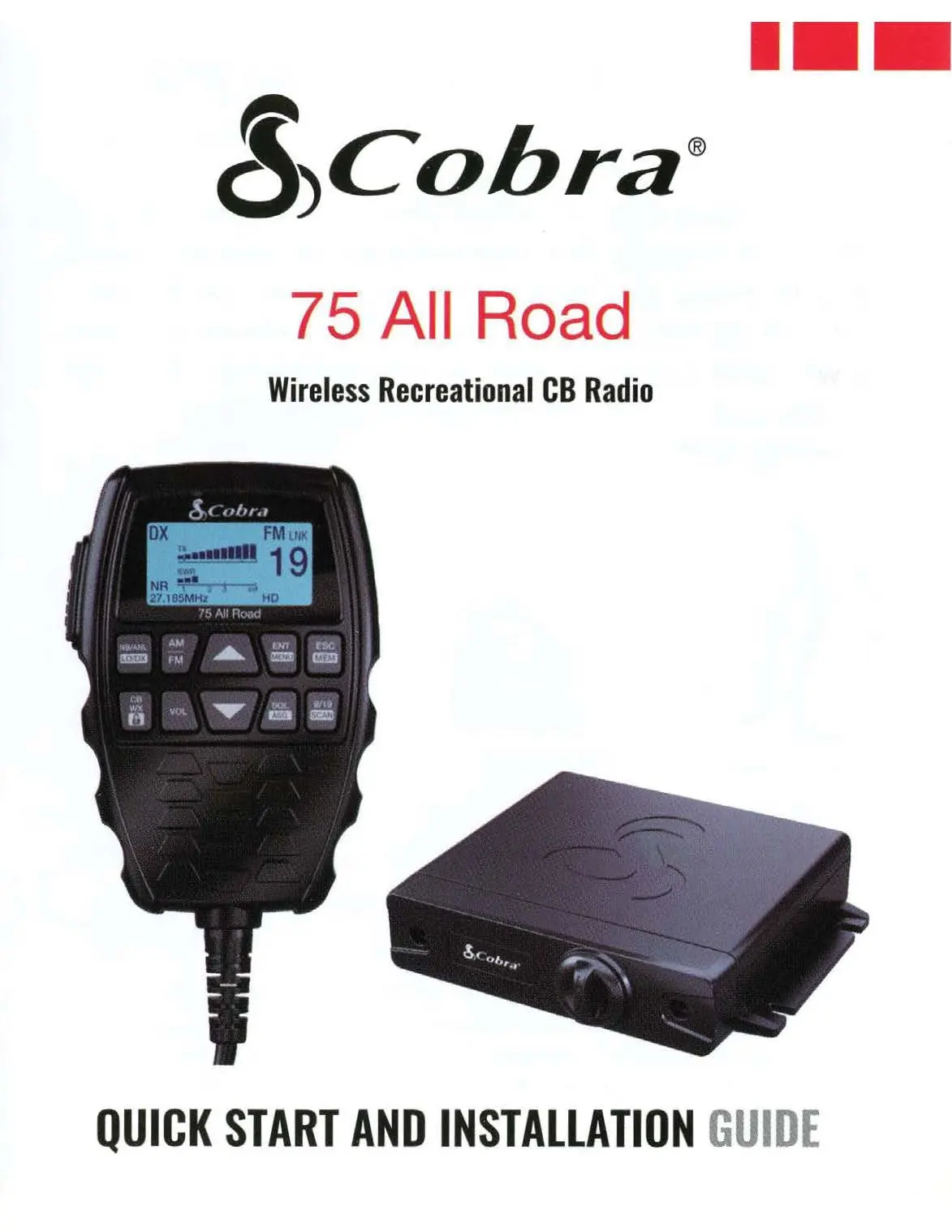
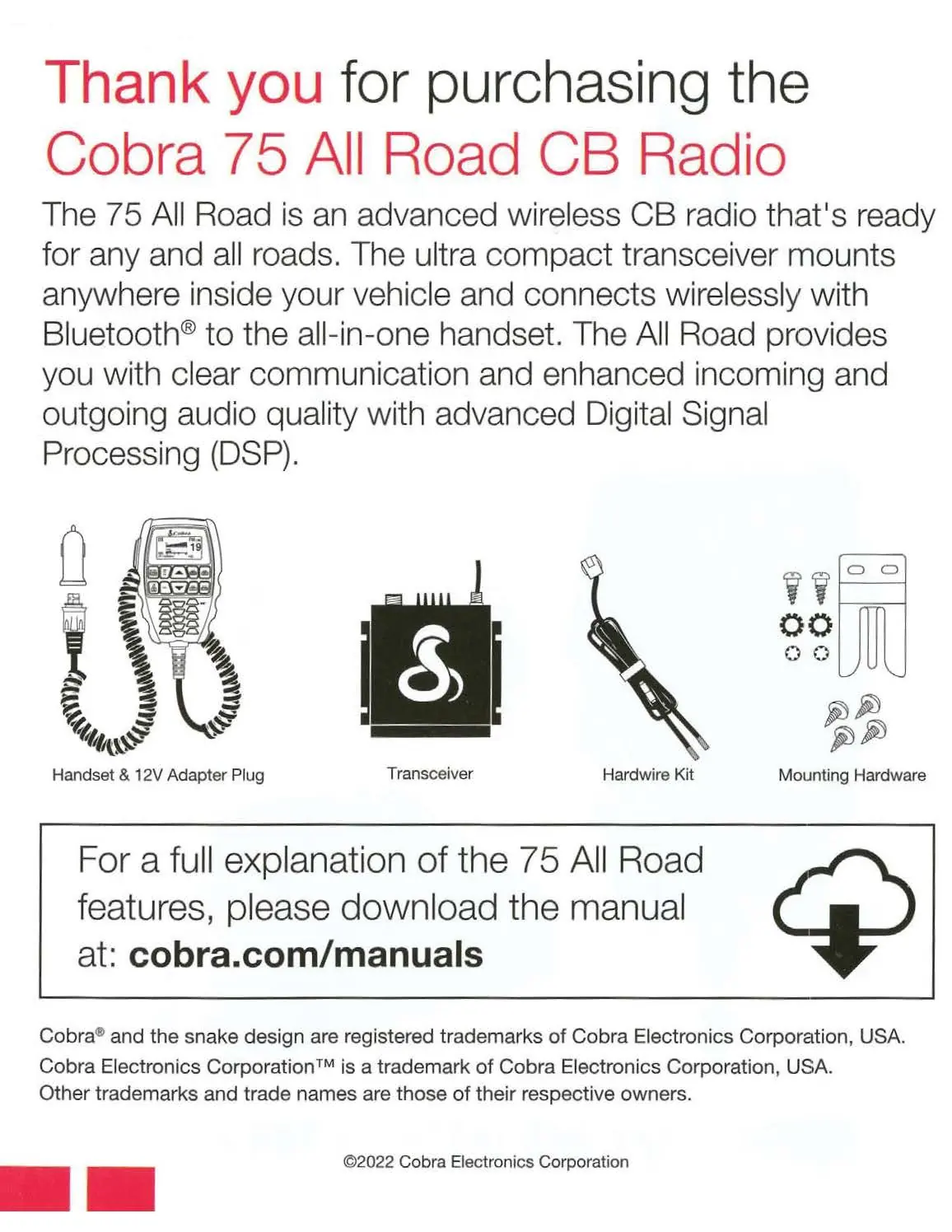
The Cobra 75 All Road is a wireless CB radio system consisting of an all-in-one handset and a separate transceiver (black box). It features Digital Signal Processing (DSP) for noise cancellation, Bluetooth connectivity for headsets, and dual-mode AM/FM operation.
Installation and Start-Up
Planning the Installation: The system offers flexible mounting. The handset can be powered via USB (5V) from the vehicle or the transceiver. The transceiver can be mounted under a seat, in the trunk, or anywhere inside the vehicle.
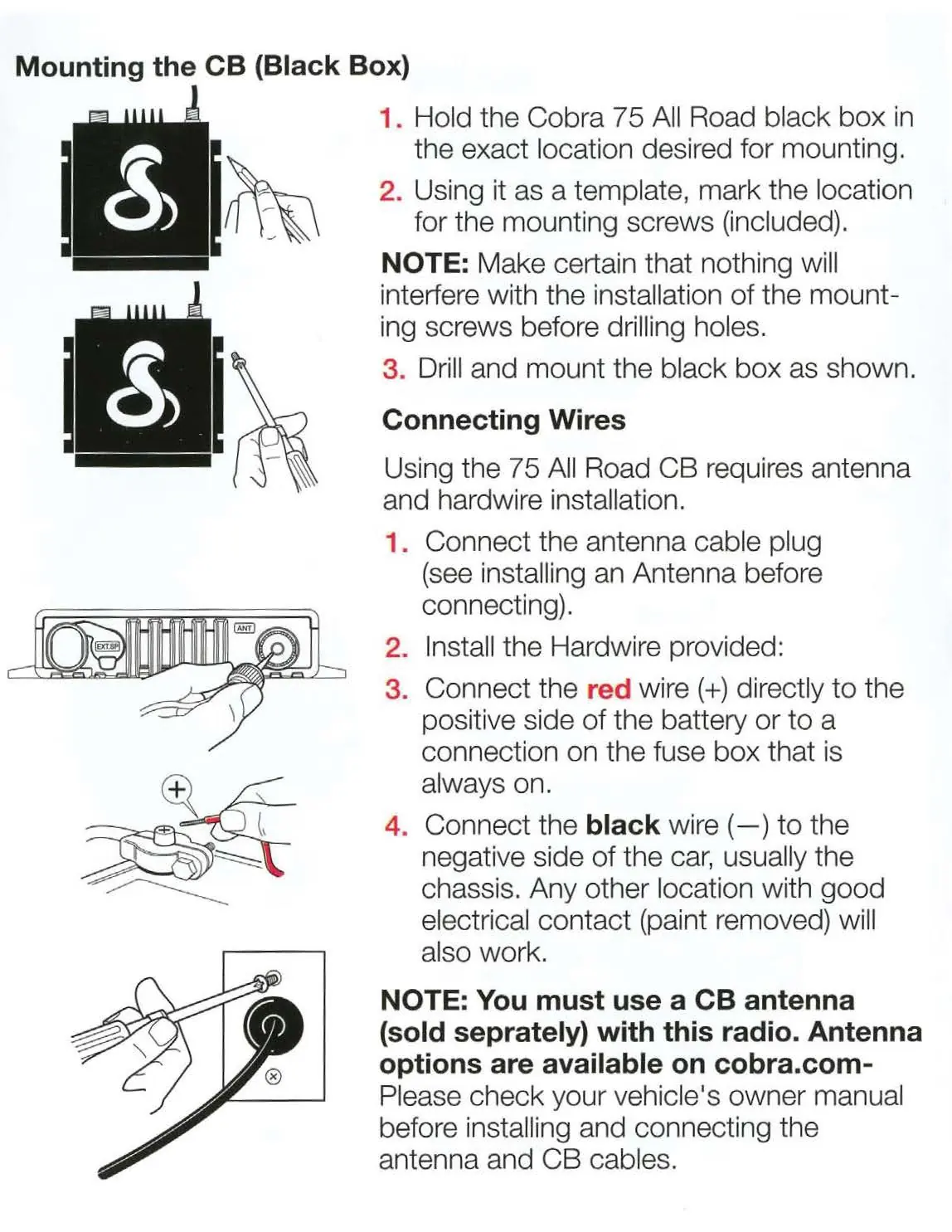
Mounting the Transceiver: Hold the black box in the desired location, mark the screw holes, and drill/mount as shown. Mounting closer to the antenna improves signal quality.
Connecting Wires:
- Connect the antenna cable plug to the transceiver.
- Connect the red wire (+) to a positive battery terminal or a constant-on fuse box connection.
- Connect the black wire (-) to the vehicle chassis (ensure good electrical contact by removing paint).
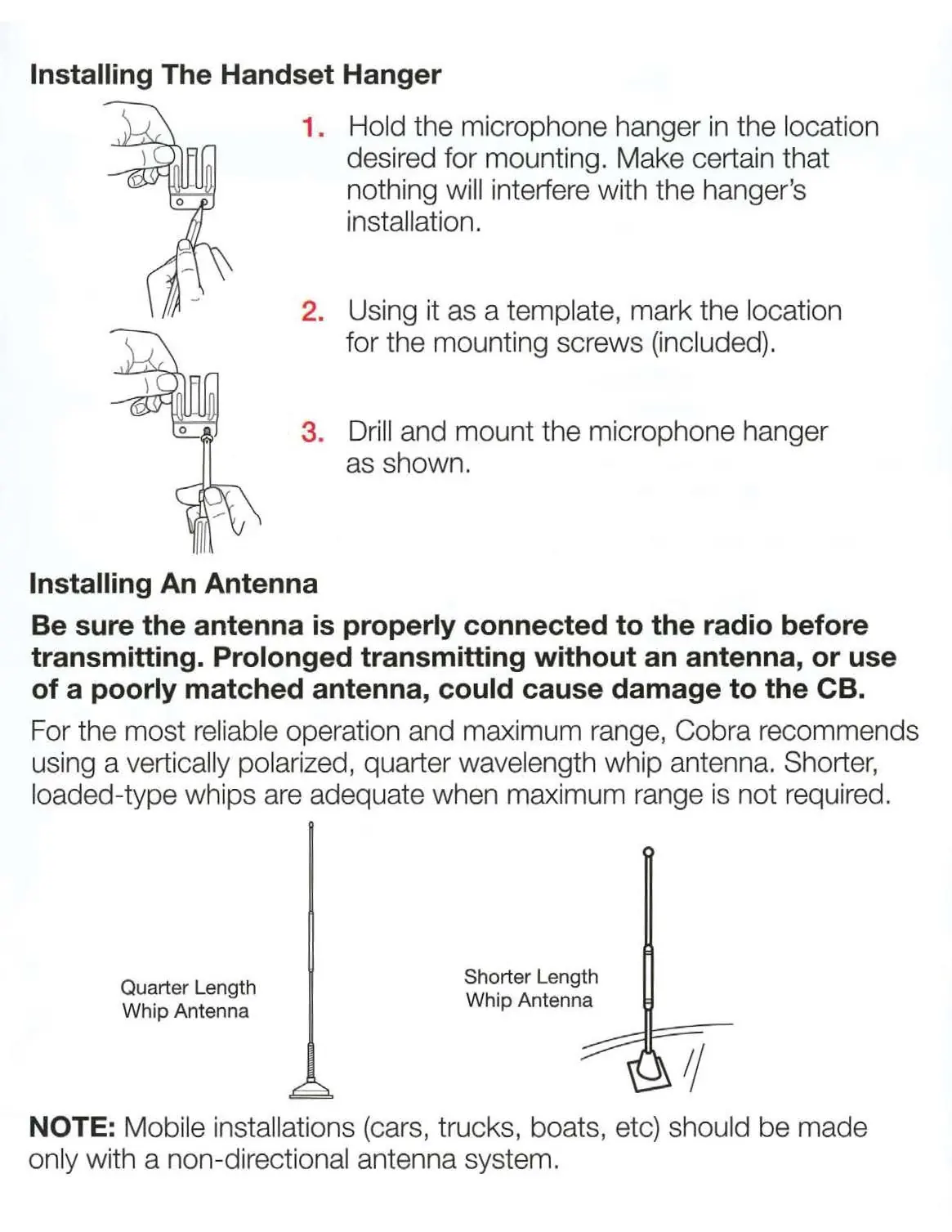
Antenna Installation: A properly matched CB antenna is critical. Cobra recommends a vertically polarized, quarter-wavelength whip antenna. Mobile installations should use a non-directional antenna system.
Operation
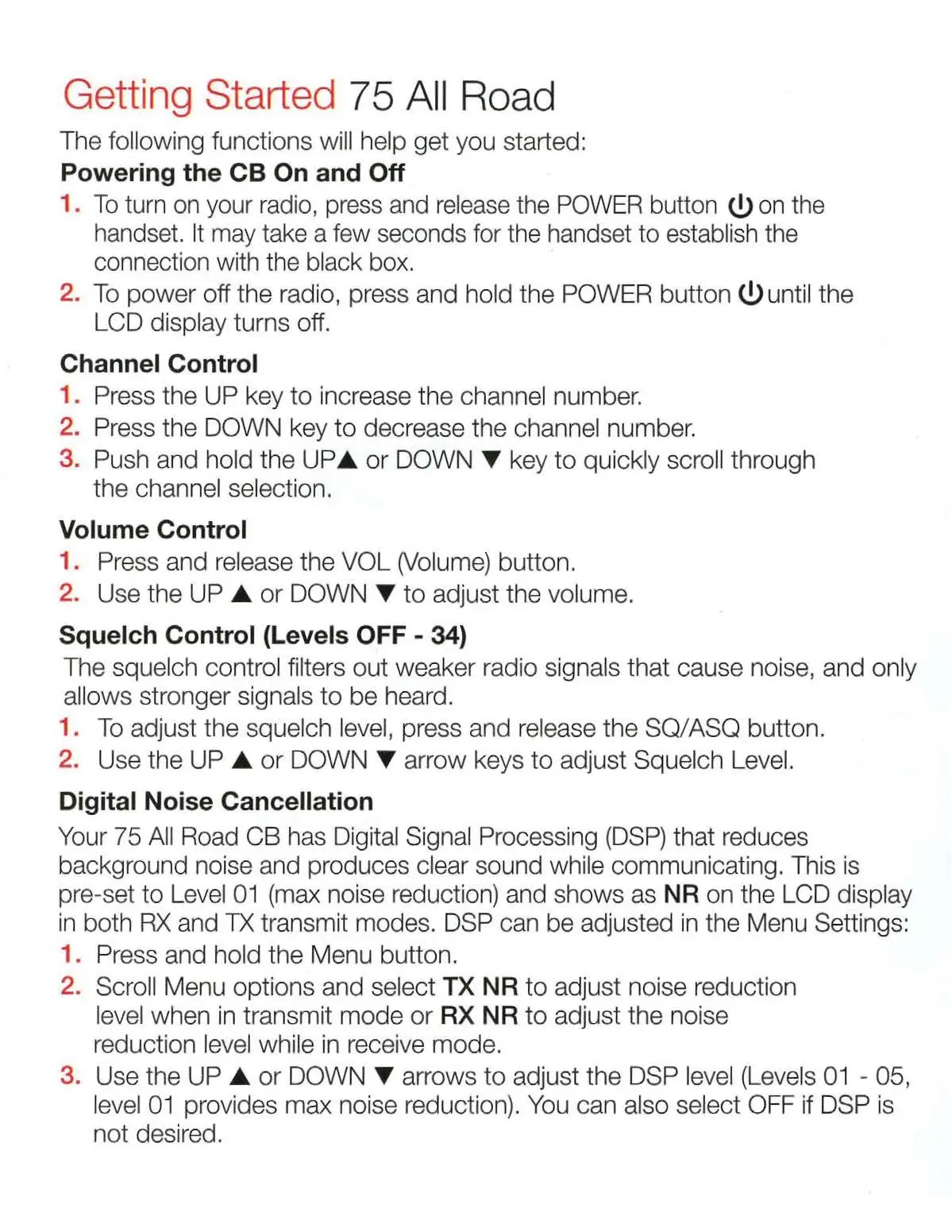
Powering On/Off: Press and release the POWER button on the handset to turn on. Wait for the wireless connection to the black box. Press and hold the POWER button to turn off.
Controls:
- Channel Control: Use UP/DOWN keys to change channels.
- Volume: Press VOL, then use UP/DOWN keys.
- Squelch: Press SQ/ASQ, then use UP/DOWN keys to filter noise.
- Digital Noise Cancellation (DSP): Pre-set to Level 01. Adjust in Menu (TX NR for transmit, RX NR for receive). Levels 01-05 available.
Menus and Settings
Bluetooth: Use the Menu to pair a Bluetooth headset or the optional All Road Wireless PTT Button. The radio does not pair to smartphones.
Audio Path: Choose where audio is routed: Handset, Headset, or both (if an external speaker is connected).
VOX: Enables hands-free transmission. Requires the All Road Wireless PTT Button for optimal use.
Weather (WX): Access Weather Mode via the CB/WX button. Enable WX Alert to receive 1050 Hz tones from the National Weather Service.
Troubleshooting
- Static during calls: Turn volume down or adjust Squelch to maximum.
- No audio from headset: Pair headset and check Audio Path in the Menu.
- Handset displays Cobra Logo: Disconnect power, connect handset directly to the BlackBox USB port, reconnect power, and allow it to re-pair.
Manufacturer information
Cobra Electronics
Practical help
Common problems
Static when streaming or taking calls from a headset
Turn the volume on the All Road OFF, or adjust the Squelch to the maximum level using the handset.
No audio coming out of the headset
Pair your headset to the All Road and check the Audio Path setting in the Menu.
Handset continuously displays the Cobra Logo
Disconnect power, connect the handset directly to the BlackBox USB port, reconnect 12V power, and push the power button to re-pair.
Before use
- Ensure 13.8V DC power source is available.
- Verify a CB antenna (sold separately) is properly matched and connected.
- Check that the handset and transceiver are paired.
- Ensure the microphone is properly plugged in.
- Confirm the USB port on the transceiver is sealed with the waterproof cover if not in use.
Specs in practice
- Power Output
- 4 watts.
- Operating Temperature
- -30°C to +65°C.
- Input Voltage
- 13.8VDC nominal (negative ground).
Images and diagrams
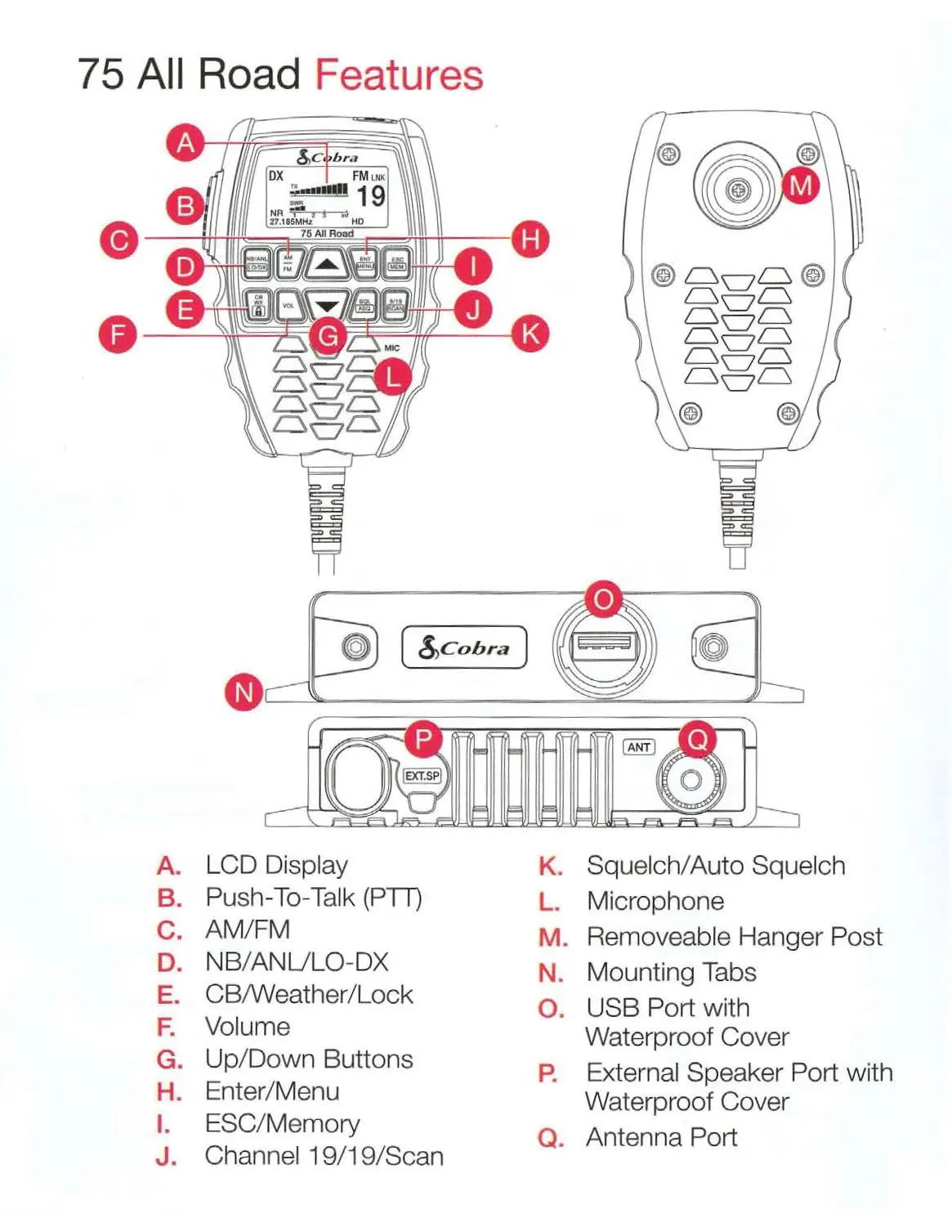
- Handset controls include PTT, AM/FM, NB/ANL, Volume, Squelch, Menu, and Scan buttons.
- Transceiver ports include USB, External Speaker, and Antenna connection.
Model compatibility
- Requires a CB antenna (sold separately).
- Compatible with Bluetooth headsets.
- Not compatible with smartphones for direct pairing.
- VOX requires the All Road Wireless PTT Button for hands-free operation.

Manual page author
Emily Carter
User documentation editor
Prepares concise manual descriptions and highlights the most useful setup, operation, and maintenance information for readers.