Power / Batteries Chargers
Cobra 036I400PSW Pure Sine 400W Power Inverter User Guide
Quick start guide for the Cobra 036I400PSW 400W Pure Sine Power Inverter, covering installation, battery connection, accessory port usage, and safety precautions.
Table of contents
Manual images
Jump to the sectionQuick guide from the manual
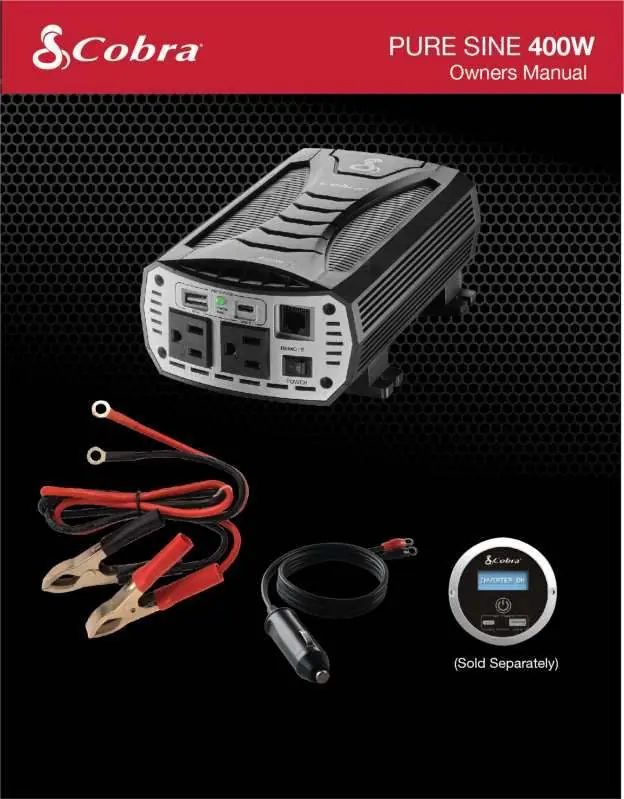
The Cobra 036I400PSW is a 400W Pure Sine Wave power inverter designed to convert 12V DC vehicle power into 115V AC household power. This document provides essential installation and operation instructions for safe use with sensitive electronics, medical equipment, and standard household appliances.
Installation and Connection
The inverter must be mounted in a cool, dry, and well-ventilated area inside the vehicle. It should be positioned horizontally with the front facing out to prevent debris accumulation.
Connecting to a Vehicle Battery
- Disconnect the vehicle's negative (-) battery terminal.
- Install insulated terminal boots on the inverter end of the power cables.
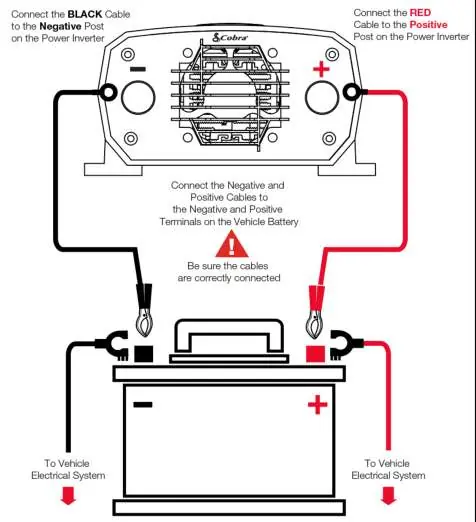
- Connect the black cable to the negative (-) terminal on the inverter, then to the vehicle battery.
- Connect the red cable to the positive (+) terminal on the inverter, then to the vehicle battery.
- Verify all connections are secure and the red wire is not touching any metal parts.
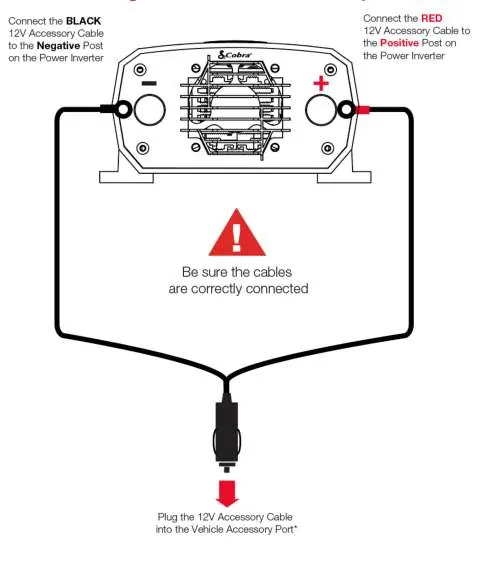
Connecting to a 12V Accessory Port
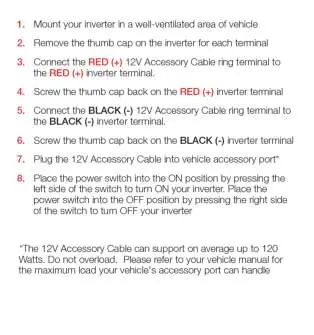
- Remove the thumb caps on the inverter terminals.
- Connect the red (+) 12V accessory cable ring to the red (+) inverter terminal and secure with the thumb cap.
- Connect the black (-) 12V accessory cable ring to the black (-) inverter terminal and secure with the thumb cap.
- Plug the accessory cable into the vehicle's 12V port. Note: This method supports up to 120 Watts.
Operation and Safety
To turn the inverter on, press the power button on the output end. The unit features Pentagon Protection, including over-temperature, reverse polarity, over-voltage, low voltage alarm, and low voltage cutoff. If the red light blinks or an alarm sounds, check for current overload, voltage issues, or temperature limits.
Maintenance
Keep the exterior clean with a damp cloth. Periodically tighten screws on the DC input terminals and ensure all ventilation openings and fans remain free of dust and debris.
Manufacturer information
Cobra Electronics
Practical help
Common problems
No output voltage
Check if the inverter is switched on, verify battery charge, check connections, or ensure the load is not causing a short circuit.
Thermal shutdown
Allow the inverter to cool down, reduce the load, and ensure ventilation openings are not obstructed.
Low battery alarm sounds constantly
Check DC wiring connections and ensure the battery is fully charged.
Protect indicator lighted
Verify the inverter is connected to a 12V battery and check the vehicle's charging system for high input voltage.
Before use
- Ensure the inverter is mounted in a well-ventilated area.
- Verify the power source is a 12V DC battery.
- Check that the load does not exceed 400 Watts.
- Ensure all cable connections are secure and polarity is correct.
- Verify the inverter is in the OFF position before making connections.
Specs in practice
- Continuous Power
- 400 Watts; the maximum load the inverter can handle for extended periods.
- Input Voltage Range
- 10.5V to 15.0V DC; the operating range for the inverter.
- Low Voltage Cutoff
- 9.5V DC; the point at which the inverter shuts down to prevent battery damage.
Images and diagrams
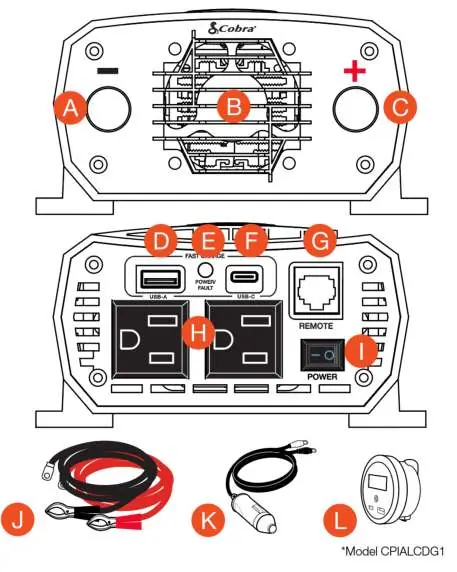
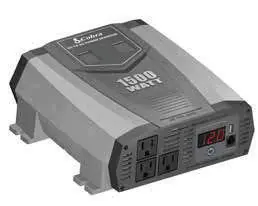
- The front panel features (2) GFCI protected AC outlets, USB-A and USB-C fast charge ports, and a power switch.
- The rear panel contains the negative and positive power input terminals and the cooling fan.
- The remote port (RJ45) is located on the front panel for use with the optional remote controller.
Model compatibility
- Compatible with 12V DC systems only.
- 12V Accessory Cable supports up to 120 Watts.
- Optional Cobra Remote On/Off Controller (CPIALCDG1) is sold separately.
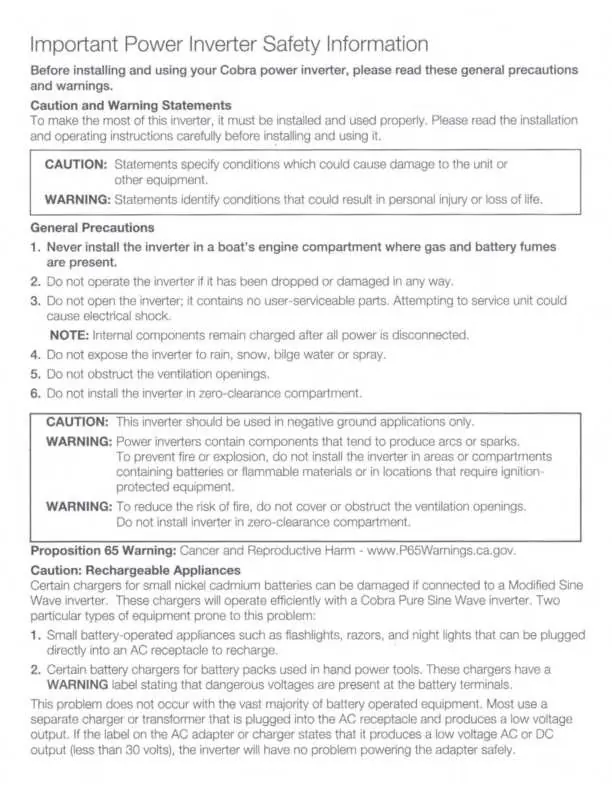
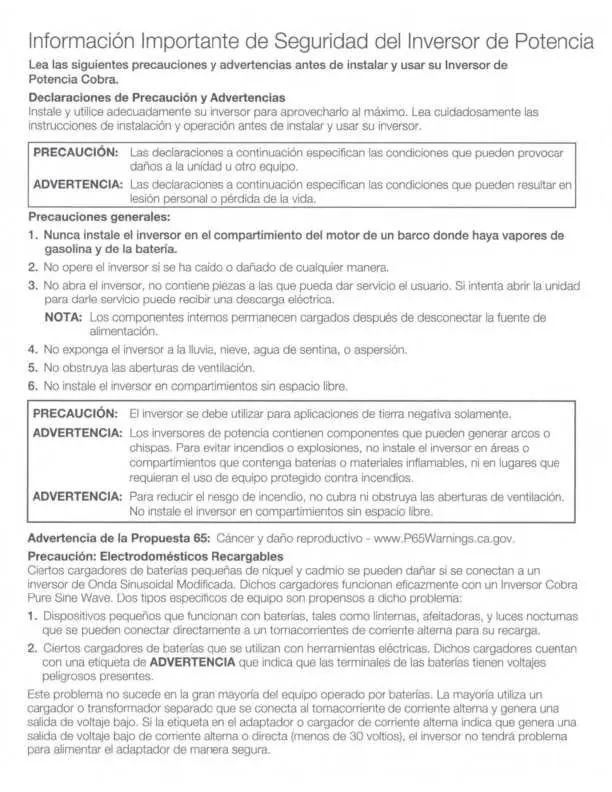
- Not for use in boat engine compartments where gas fumes are present.

Manual page author
David Miller
Documentation analyst
Organizes user manual content into clear summaries, with attention to model details, product context, and everyday usability.