Computers / Cooling Systems
User Manual for LevelOne FEP-0811W250 8-Port Fast Ethernet PoE Switch
Quick guide for the LevelOne FEP-0811W250 8-Port Fast Ethernet PoE Switch. Includes installation tips, technical specifications, and PoE power budget details.
Table of contents
Quick guide from the manual
This document provides essential information for the LevelOne FEP-0811W250, an unmanaged Fast Ethernet PoE switch. It is designed for small-to-medium businesses requiring an affordable and flexible solution for deploying PoE infrastructure. The device supports both desktop and 19-inch rack-mount installations.
Product Overview
The FEP-0811W250 is an 8-port switch that provides both power and data over a single Ethernet cable. It is fully compliant with IEEE 802.3af/at standards, ensuring compatibility with a wide range of PoE devices.
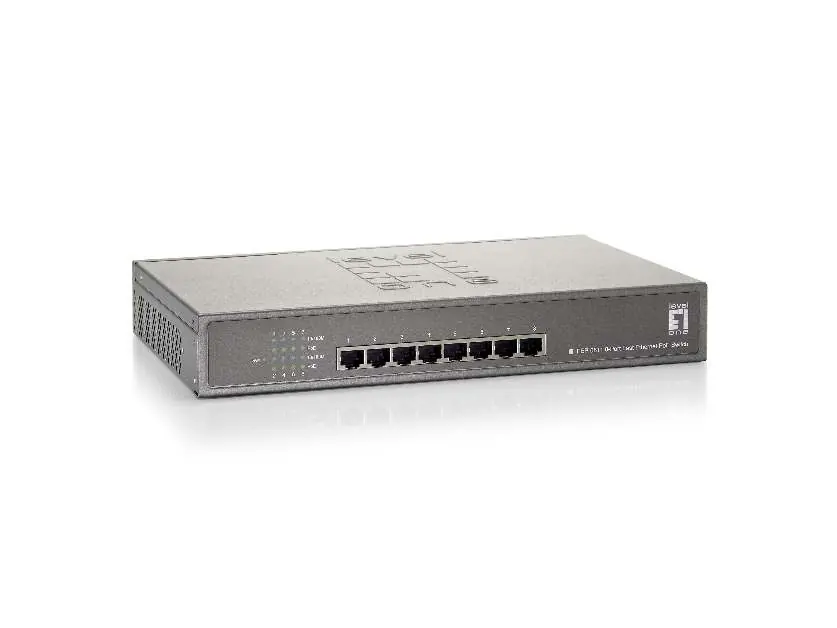
- Ports: 8 x RJ45 PoE ports.
- PoE Budget: Total power budget of 250W, with up to 30W available per port.
- Performance: 10/100Mbps data rate with auto-negotiation and auto-MDI/MDIX.
- Flow Control: IEEE 802.3x Flow Control to prevent packet loss.
- Protection: Auto-detection and protection for non-standard PoE devices.
Installation
The switch is versatile and can be installed in two ways:
- Desktop: Suitable for placement on flat surfaces.
- Rack-mount: The package includes a 19-inch rackmount kit for installation in standard server racks.
Technical Specifications
Ensure your environment meets the following requirements for optimal operation:
- Power Input: 100-240V AC.
- Operating Temperature: Max 40°C.
- Operating Humidity: 10% to 90% (non-condensing).
- Dimensions: 182mm (breadth) x 278mm (depth) x 44mm (height).
- Standards: IEEE 802.3 10-BASE-T, IEEE 802.3u 100-BASE-TX, IEEE 802.3af/at.
- Indicators: Power, Active, 10/100M, PoE.
Practical help
Common problems
Lost data packets
The switch utilizes IEEE 802.3x Flow Control to protect against lost packets and ensure reliable data transmission.
Connecting non-standard PoE devices
The switch features auto-detection and protection mechanisms to safely handle non-standard PoE devices.
Before use
- Verify the power source is 100-240V AC.
- Ensure the operating environment temperature does not exceed 40°C.
- Maintain operating humidity between 10% and 90%.
- Confirm if you are using the desktop or 19-inch rackmount installation method.
- Check that all connected devices are compatible with IEEE 802.3af/at standards.
Specs in practice
- PoE Power Budget
- The total power (250W) available to be distributed across all connected PoE devices.
- Pin assignment
- The wiring configuration for PoE is 1/2 (+) and 3/6 (-).
Images and diagrams
- The front panel contains 8 RJ45 ports for network and PoE connections.
- LED indicators on the front panel display the status of Power, Active, 10/100M, and PoE.
Model compatibility
- Compliant with IEEE 802.3af/at PoE standards.
- Supports 10-BASE-T and 100-BASE-TX Ethernet standards.

Manual page author
David Miller
Documentation analyst
Organizes user manual content into clear summaries, with attention to model details, product context, and everyday usability.