Hvac / Thermostats Controls
Danfoss Ally 014G2420 Radiator Thermostat User Guide
Quick guide for the Danfoss Ally 014G2420 radiator thermostat, covering installation, battery replacement, factory reset, and safety precautions.
Table of contents
Quick guide from the manual
This document provides essential instructions for the initial setup, mounting, and maintenance of the Danfoss Ally radiator thermostat. Users must follow the instructions provided with their specific gateway to download the required application for system configuration.
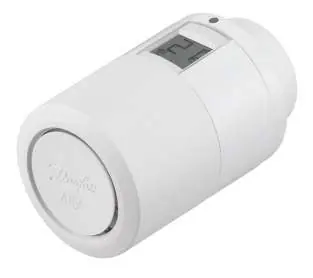
Mounting the thermostat
- Remove the battery cover as shown in the diagram.
- Insert two AA batteries, ensuring correct polarity.
- Screw the Danfoss Ally onto the mounted adapter until a click sound is heard.
- Press and hold the button for 3 seconds. The temperature set point will appear on the screen once mounted.
Caution: Mounting onto the valve must be done in M mode to prevent damage to the thermostat.
Resetting the thermostat
- Remove the cover and take out one battery.
- Press and hold the button while reinserting the battery.
- The screen will go blank after approximately 3 seconds.
Safety and disposal
The thermostat is not intended for children and must not be used as a toy. Do not leave packaging materials where children may play with them. Do not attempt to dismantle the thermostat as it contains no user-serviceable parts. The device must be disposed of as electronic waste.
Technical specifications
- Transmission Frequency: 2.4 GHz
- Transmission Power: < 40 mW
Manufacturer information
Danfoss A/S
Practical help
Common problems
Thermostat screen does not show temperature after mounting
Ensure the device is properly mounted on the adapter and the button has been held for 3 seconds to activate.
Thermostat damaged during installation
Always ensure the valve is in M mode before mounting to prevent internal damage.
Before use
- Ensure you have the gateway manual ready.
- Download the required application via the gateway instructions.
- Verify you have two AA batteries.
- Check if your radiator valve requires one of the included adapters.
- Ensure the valve is set to M mode before mounting.
Specs in practice
- Transmission Frequency: 2.4 GHz
- Standard frequency for Zigbee communication.
- Transmission Power: < 40 mW
- The radio signal strength used for wireless connectivity.
Images and diagrams
- The manual includes a visual guide for various valve adapters (RA, RAV, RAVL, M30, RTD, M28, CALEFFI, GIACOMINI).
- Step-by-step visual sequence for battery insertion and mounting.
- Visual indicator for the M mode requirement during installation.
Model compatibility
- Included adapters are specific to the box contents; others must be purchased separately.
- Adapter code numbers are provided under each illustration in the manual.

Manual page author
David Miller
Documentation analyst
Organizes user manual content into clear summaries, with attention to model details, product context, and everyday usability.