HVAC / Thermostats & Controls
Installation Guide for Danfoss living connect Z Radiator Thermostat
Comprehensive installation and operation guide for the Danfoss living connect Z radiator thermostat. Includes setup, Z-Wave network inclusion, temperature control, and troubleshooting.
Table of contents
Quick guide from the manual
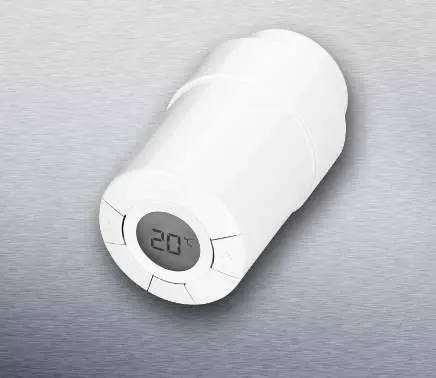
The Danfoss living connect Z is an electronic radiator thermostat designed for water-based heating systems. Before installation, ensure you have a Z-Wave certified controller. The device requires two AA alkaline batteries (do not use rechargeable batteries). The thermostat must be in 'Mounting mode' (indicated by a flashing 'M' on the display) before it is attached to the radiator valve.
Installation
Follow these steps to mount the thermostat:
- Mount the appropriate adapter (RA or K) onto the valve.
- Tighten the RA adapter using the provided Allen key, or hand-tighten the K adapter (max 5 Nm).
- Screw the thermostat onto the adapter and tighten by hand (max 5 Nm).
- When a large 'M' flashes on the display, press the middle button to fix the thermostat in place.
Including the device to a network
To connect the thermostat to your Z-Wave network:
- Ensure the thermostat is factory reset.
- Activate 'Inclusion' mode on your Z-Wave controller.
- Quickly press and release the middle button on the living connect Z.
- Monitor the controller and the thermostat display to confirm the status of the process.
Temperature control and adjustment
The temperature is typically managed via the Z-Wave controller, but you can adjust it manually at any time using the buttons on the thermostat. When you change the temperature manually, the thermostat sends a message to the controller, which then synchronizes other thermostats in the same room.
Re-installation mode
If the thermostat is removed from the radiator and needs to be reinstalled, you must activate installation mode to prevent damage:
- Press the middle button until 'M' is displayed.
- Press the button to withdraw the spindle; 'M' will flash.
- Reinstall the thermostat on the valve.
- Press the middle button for approximately 3 seconds to fix the thermostat.
Troubleshooting
If the display shows error codes, follow these actions:
- E1, E2, E3, E4: Contact your local service technician.
- E5: The thermostat is not receiving expected replies from the control system. Verify that your Z-Wave controller is running and has the necessary functionality to control the thermostat.
Safety and maintenance
The thermostat is not a toy and should be kept away from children. Do not attempt to dismantle the device, as it contains no user-serviceable parts. If the device is faulty, return it to the distributor. The device must be disposed of as electronic waste.
Manufacturer information
Danfoss A/S
Practical help
Common problems
Error codes E1, E2, E3, E4
Contact your local service technician.
Error code E5
The thermostat is not receiving replies from the control system. Ensure your Z-Wave controller is active and supports the necessary command classes.
Alarm and antenna symbols flashing
The thermostat is not communicating wirelessly. Ensure the controller has sent the WAKE_UP_INTERVAL_SET command.
Before use
- Ensure you have a Z-Wave certified controller.
- Use two AA alkaline batteries (do not use rechargeable batteries).
- Verify the valve type (RA or M30x1.5) and use the correct adapter.
- Ensure the thermostat is in 'Mounting mode' (flashing M) before installation.
- Check that the Z-Wave controller is active and ready for inclusion.
Specs in practice
- Transmission frequency
- 868.42 MHz (standard for Z-Wave in Europe).
- Battery life
- Approximately 2 years with proper usage.
- Temperature setting range
- 4 to 28 °C.
- Max water temperature
- 90 °C.
Images and diagrams
- Mounting: Attach adapter -> Tighten -> Screw on thermostat -> Press button to fix.
- Inclusion: Activate controller inclusion -> Press button on thermostat -> Monitor status.
Model compatibility
- Compatible with water-based room radiators.
- Requires a Z-Wave certified controller.
- Supports Danfoss RA valves and M30x1.5 (K) connections.

Manual page author
Michael Turner
Technical manual editor
Reviews PDF manuals for structure, safety notes, and practical product details so readers can find the right information quickly.