HVAC / Air Conditioners
User Manual for Della 048-TL-WAC8K32 Mini Compact Air Conditioner
Quick guide for the Della 048-TL-WAC8K32 series air conditioner. Includes installation steps, control panel operation, cleaning instructions, and troubleshooting tips.
Table of contents
Manual images
Click an image to enlargeQuick Guide from the Manual
This manual covers the operation and installation of the Della Mini Compact Air Conditioner series (048-TL-WAC8K32, 10K32, 12K32, 14K32). Before using the device, ensure the unit is properly grounded and installed in a window that meets the specified dimensions. Always wait at least 3 minutes after turning the unit off before turning it back on to prevent compressor damage.
Installation and Assembly
The air conditioner requires assembly before use. Ensure you have a Phillips screwdriver and, if necessary, a drill for pilot holes.
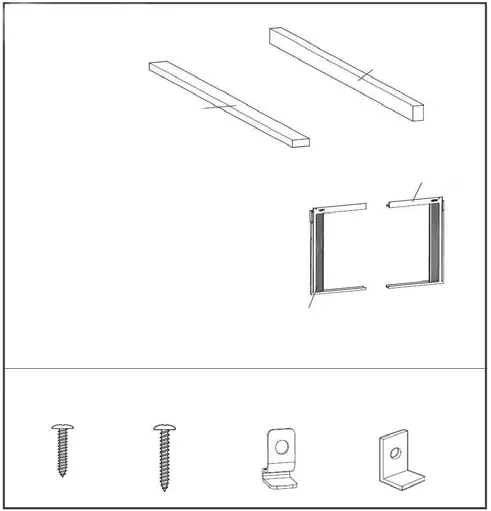
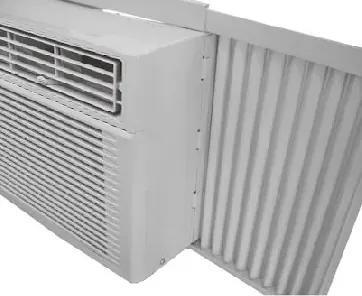
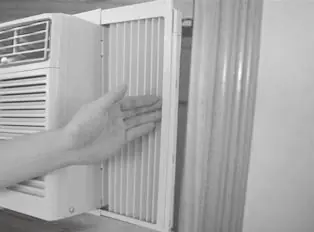
- Window Requirements: The 8K model requires a window width of 23"-36". The 10K/12K/14K models require 26"-36".
- Top Rail: Attach the top rail to the unit using the provided 3/8" screws.
- Side Panels: Slide the accordion filler panels into the cabinet channels.
- Mounting: Place the unit in the window, ensuring it is tilted approximately 3 degrees downward toward the rear to allow for proper condensate drainage.
- Securing: Use the provided lock frame and screws to secure the unit to the window sash and sill.
Using Your Air Conditioner
The unit can be controlled via the electronic control panel or the included remote control.
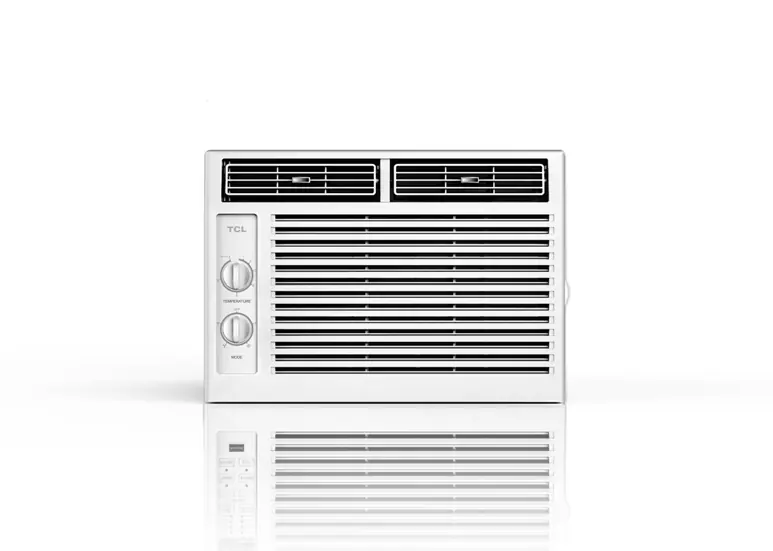
- Cool Mode: Cools the room and reduces humidity.
- Dry Mode: Reduces room humidity.
- Fan Mode: Operates as a fan only; speed can be adjusted (Hi, Med, Lo).
- Auto Mode: Automatically selects fan speed and operation mode based on room temperature.
- Eco Mode: Turns the unit off once the room reaches the set temperature and cycles the fan to save energy.
- Sleep Mode: Adjusts temperature and fan speed for comfort during the night.
- Timer: Allows for automatic start or stop within a 0.5 to 24-hour range.
Care and Cleaning
Regular maintenance is essential for optimal performance.
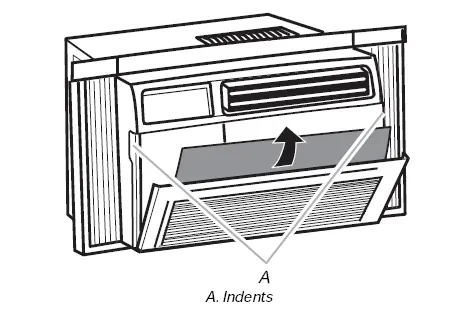
- Air Filter: Check at least once a month. Slide the filter out from the front right side, wash with warm water and mild soap, rinse, and let dry completely before reinstalling.
- Cabinet Cleaning: Unplug the unit before cleaning. Wipe the cabinet with a damp cloth and mild soap. Never use harsh cleaners or wax.
Troubleshooting
If you encounter issues, check the following:
- Unit won't start: Ensure it is plugged in, the fuse/breaker is not tripped, and the LCDI plug is reset. Wait 3 minutes for the compressor delay.
- Not cooling: Check for blocked airflow (curtains, furniture), dirty filter, or incorrect temperature settings.
- Water dripping inside: Ensure the unit is tilted slightly downward toward the rear.
Safety and Electrical Requirements
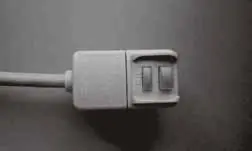
This unit uses R32 refrigerant, which requires careful handling. The unit must be plugged into a grounded 3-prong outlet. Do not use an extension cord or plug adapter. The power cord is equipped with an LCDI (Leakage Current Detection and Interruption) plug; test this plug before each use by pressing the TEST button, then the RESET button.
Manufacturer information
Della
Practical help
Common problems
The Air Conditioner will not start
Ensure the plug is pushed completely into the outlet, check the house fuse/circuit breaker, and wait 3 minutes for the compressor delay to reset.
The Air Conditioner does not cool as it should
Check for blocked airflow (curtains, blinds, furniture), clean the air filter, or lower the set thermostat temperature.
Water is dripping inside the room
Ensure the air conditioner is tilted slightly downward from the front of the unit to the rear for proper drainage.
Remote Control is not working
Check the battery orientation and replace the batteries if necessary.
Before use
- Verify the window width is between 23"-36" (8K model) or 26"-36" (10K-14K models).
- Ensure the electrical outlet is grounded and matches the unit's requirements.
- Do not use an extension cord or plug adapter.
- Have two or more people available to move and install the unit.
- Test the LCDI plug by pressing TEST then RESET before operation.
Specs in practice
- R32 Refrigerant
- Environmentally friendly refrigerant that requires specific safety handling and ventilation.
Images and diagrams
- The installation diagrams illustrate the required 3-degree downward tilt for proper water drainage.
- The control panel diagram identifies the location of the Mode, Fan Speed, Timer, and Power buttons.
Model compatibility
- Requires a standard grounded 3-prong outlet.
- Not compatible with extension cords.

Manual page author
David Miller
Documentation analyst
Organizes user manual content into clear summaries, with attention to model details, product context, and everyday usability.