Accessories / Mounts & Stands
Assembly Guide for Displaypros MODify Pedestal 02A
Step-by-step assembly guide for the Displaypros MODify Pedestal 02A. Learn how to assemble the frame, install SEG graphics, and attach the acrylic topper.
Table of contents
Manual images
Click an image to enlargeQuick Guide
The MODify Pedestal 02A is a modular retail display system. Assembly requires a Multi Hex Key to lock the extrusion frames. The process involves building the frame, installing four silicone-edge (SEG) graphics, and placing the acrylic topper. Ensure all cam locks are turned 180 degrees to secure the frame components.
Product Overview
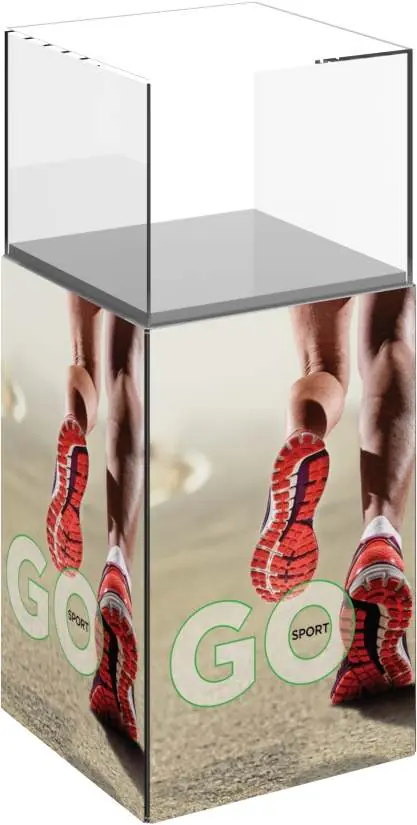
The MODify Pedestal 02A features an extrusion-based frame with an abrasion-resistant acrylic cube topper. It utilizes SEG push-fit fabric graphics for branding. The unit dimensions are 16"W x 36"H x 16"D, with an approximate weight of 29 lbs (13.15 kg).
Tools Required
- Multi Hex Key
Assembly Instructions
Step 1: Assemble Frames
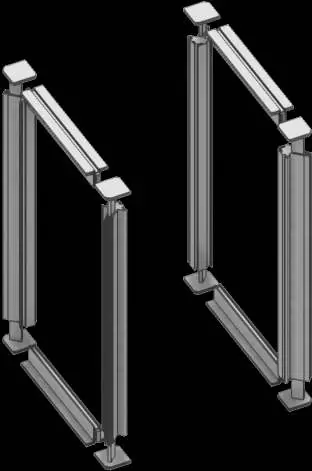
Connect the extrusions to form the frame structure. Insert the plastic end caps into the extrusions. Use the Multi Hex Key to turn the cam locks 180 degrees (a half turn) to lock the extrusions securely in place. Once the vertical frames are assembled, lock them together using the horizontal cross braces.
Step 2: Install Graphics
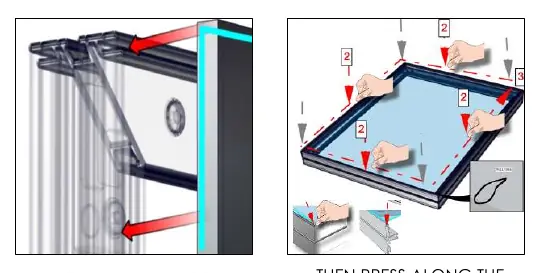
The unit uses four SEG (Silicone Edge Graphics) panels. To install:
- Press the silicone beading of the graphic into the corners of the frame first.
- Continue pressing the beading along the entire perimeter edge of the frame until the graphic is taut and smooth.
Step 3: Place Acrylic Box
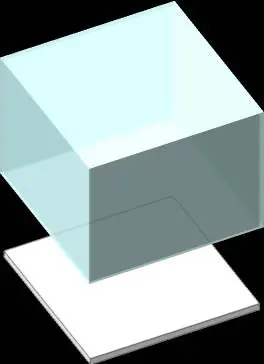
Once the frame is assembled and graphics are installed, place the acrylic box topper onto the top of the frame. Ensure it sits securely on the pedestal top.
Component List
- 8x 292mm length PHFC2 extrusions with cam locks
- 4x 595mm length PMFC2-90 extrusions with IB2 lock holes
- 1x 387mm x 387mm pedestal top
- 1x 400mm x 400mm x 308mm clear acrylic 5-sided box
- 8x Injection molded plastic end caps
Accessories
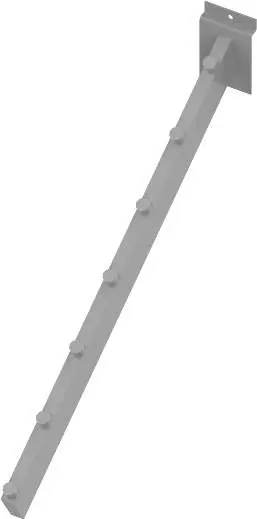
The MODify system supports various accessories, including slotwall hooks, U-bar accessories, shelves, and hanger bars. These are available in white, black, or silver finishes.
Practical help
Common problems
Frame feels loose or unstable
Ensure all cam locks have been turned a full 180 degrees (half turn) using the Multi Hex Key.
Graphics do not fit or look loose
Ensure the silicone beading is pressed firmly into the corners first, then work your way along the perimeter edge.
Before use
- Verify all 8 plastic end caps are present.
- Ensure you have the Multi Hex Key tool.
- Check that all 4 SEG graphics are included.
- Confirm the acrylic box is free of scratches.
- Ensure the assembly area is clean and flat.
Specs in practice
- Assembled Dimensions
- 16 inches wide by 36 inches high by 16 inches deep.
- Approximate Weight
- 29 lbs (13.15 kg).
- Graphic Material
- Dye-sublimated fabric with silicone edge beading.
Images and diagrams
- The frame assembly uses a cam lock system requiring a 180-degree turn to lock.
- Graphics are installed by pressing the silicone edge into the frame channel.
- The acrylic box sits directly on top of the assembled frame.
Model compatibility
- Accessories are available in white, black, or silver.
- The system is modular and compatible with other MODify fixtures.

Manual page author
Michael Turner
Technical manual editor
Reviews PDF manuals for structure, safety notes, and practical product details so readers can find the right information quickly.