Power / Batteries & Chargers
User Manual for EcoFlow DELTA 3 Plus Portable Power Station
Quick guide for the EcoFlow DELTA 3 Plus portable power station. Learn how to operate, charge, connect appliances, use X-Boost, and maintain your device.
Table of contents
Manual images
Click an image to enlargeQuick Start Guide
The EcoFlow DELTA 3 Plus is a portable power station with a 1024Wh LiFePO4 battery. To get started, press the main power button once to turn the unit on. To turn it off, long-press the button for 2 seconds. You can manage the device, monitor power consumption, and update firmware using the EcoFlow app.
Overview
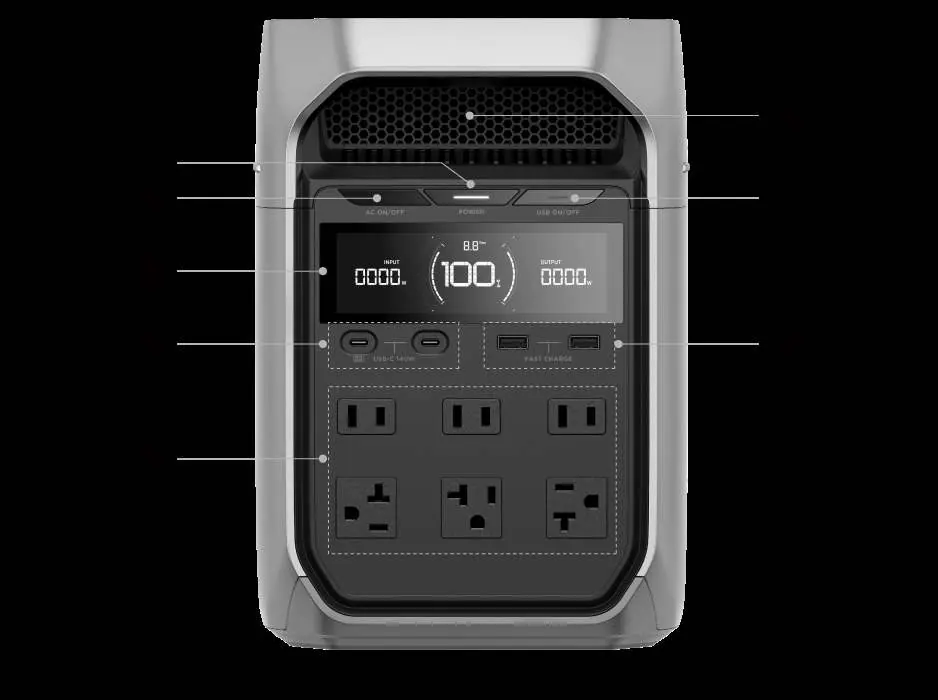
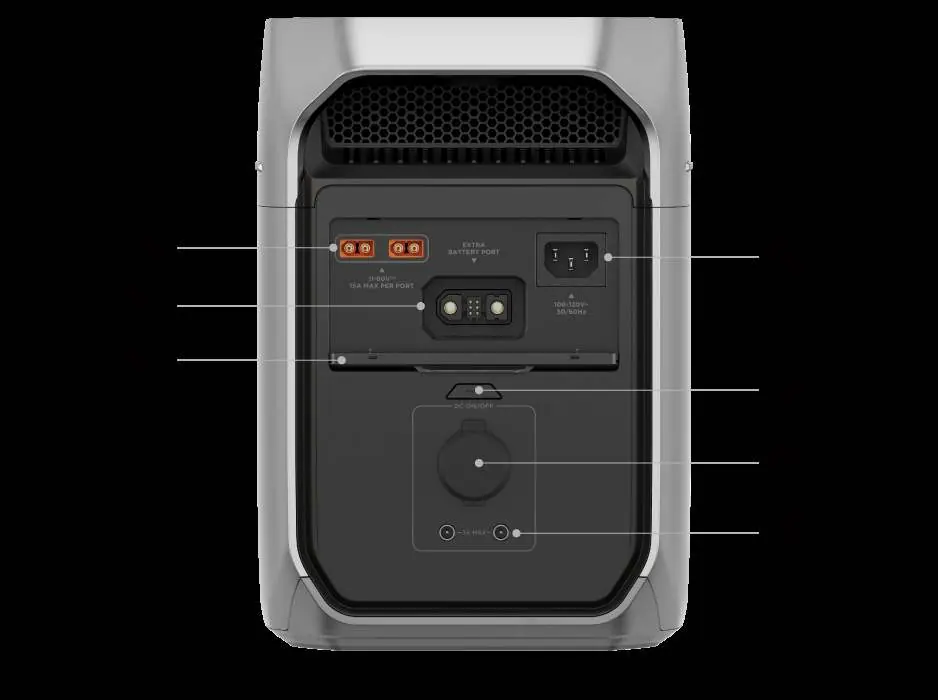
The device features a front display screen and various output ports, including AC sockets, USB-C, USB-A, and 12V DC ports. The rear panel contains input ports for AC charging, solar/car charging, and an extra battery port for capacity expansion.
Powering Your Appliances
To power your devices, press the corresponding output control button (AC, USB, or 12V DC) to enable the ports. Connect your appliances to the appropriate output. Note that the 12V DC output ports support a total of 126W. For AC appliances, ensure they are within the rated power output. If you need to power high-wattage appliances, you can enable the X-Boost feature via the EcoFlow app.
Charging Your Power Station
You can charge the DELTA 3 Plus using several methods:
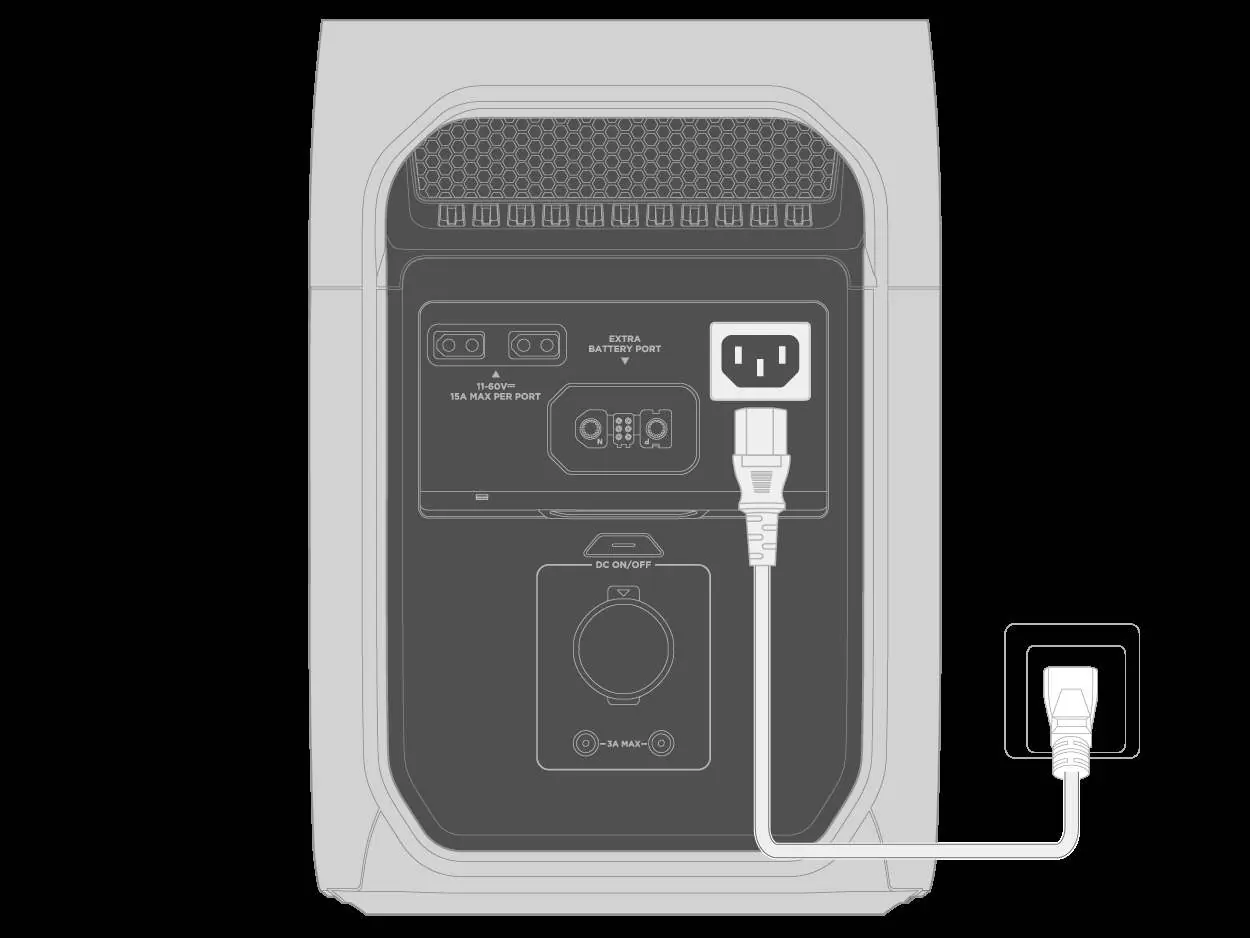
- AC Charging: Connect the AC input port to a wall outlet using the provided cable.
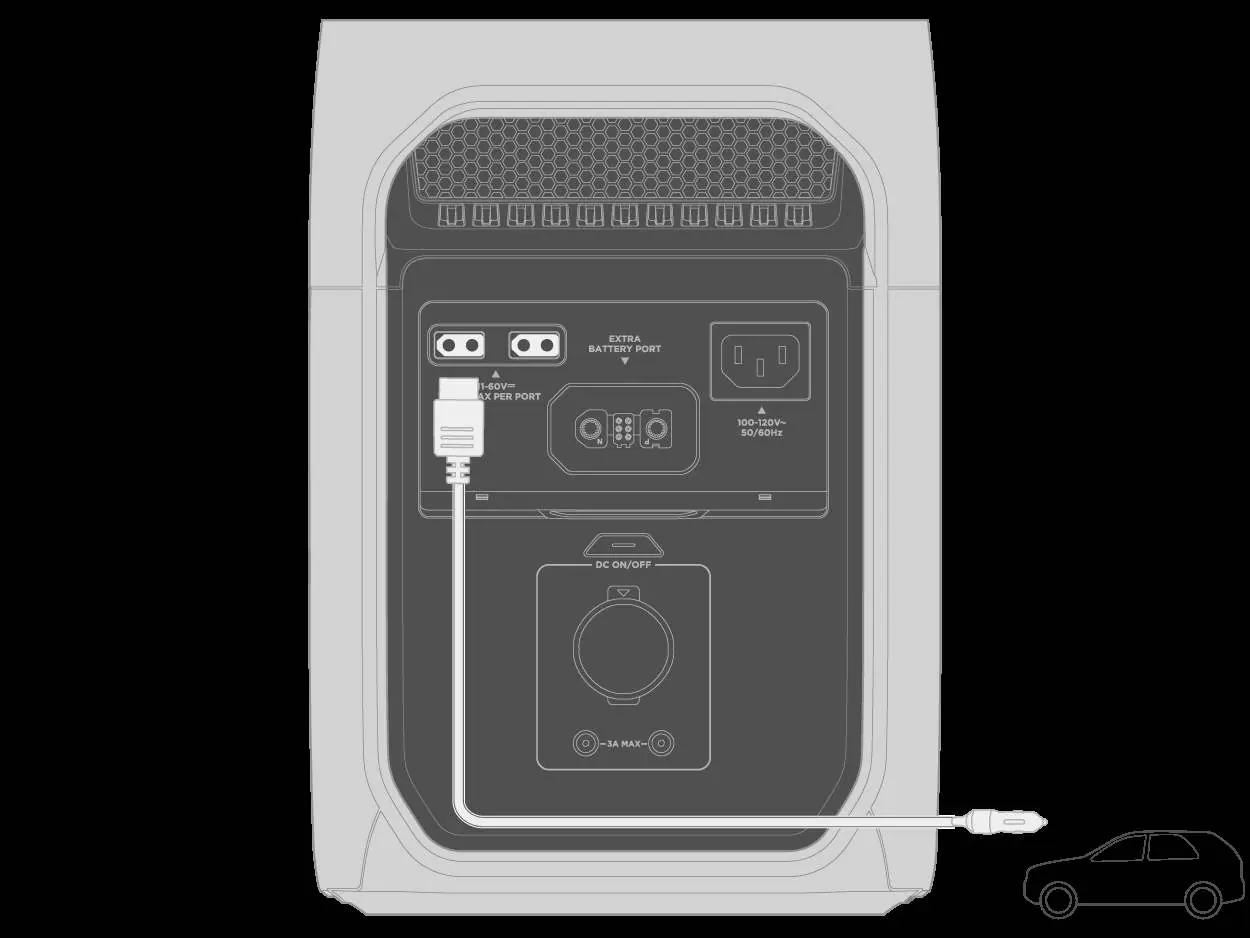
- Solar/Car Charging: Use the XT60i input port. For solar, ensure the total Voc is within 60V and Isc is within 15A.
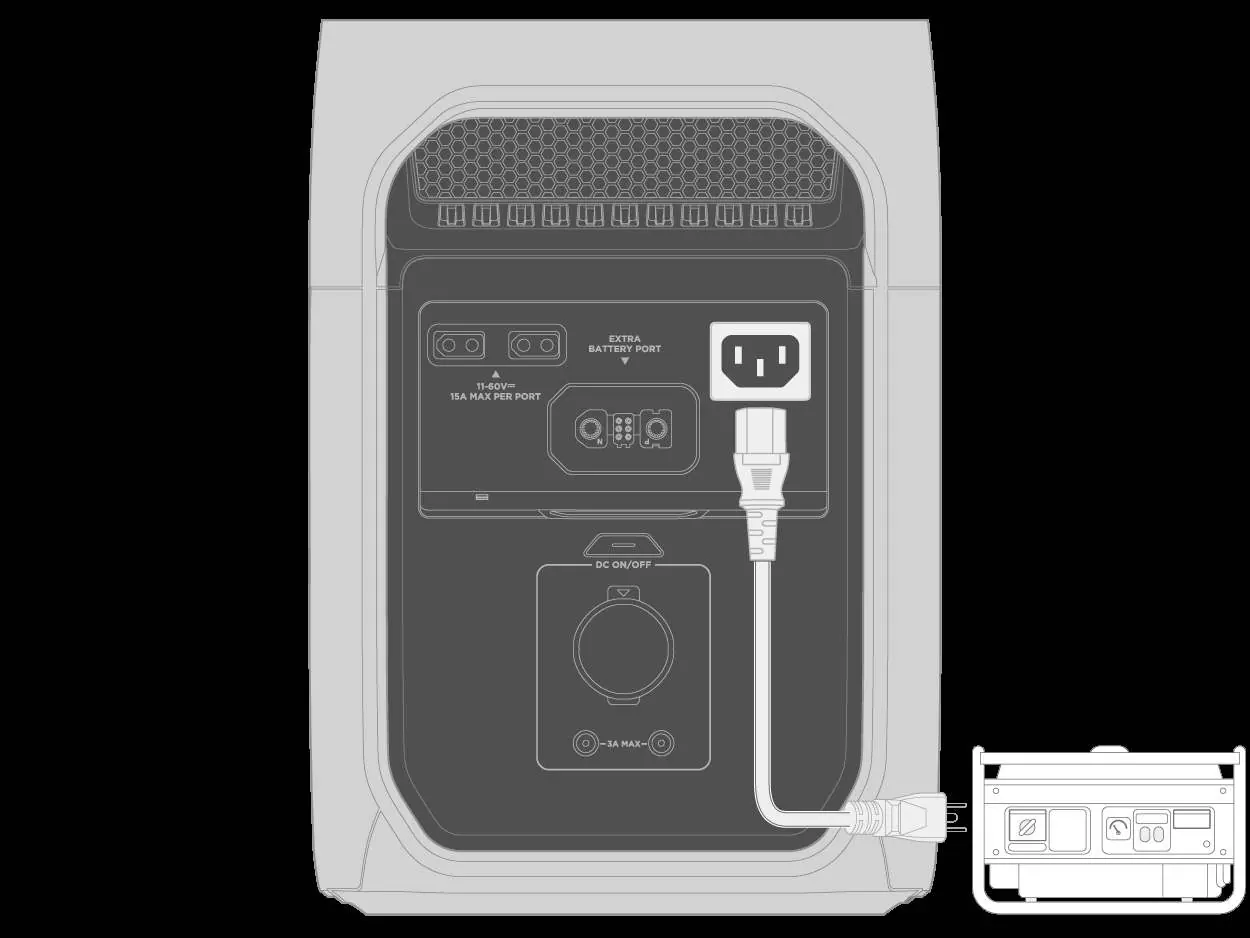
- Generator: Connect via the AC input port or the Extra Battery port (if using an EcoFlow Smart Generator).
Advanced Features
- X-Boost: Allows the power station to support appliances with higher power requirements than its rated output. Enable this in the EcoFlow app. Note that it is unavailable when the unit is charging or in bypass mode.
- UPS Mode: The unit acts as a standby UPS with a 10ms transfer time. Connect the power station to a wall outlet and your appliances to the power station to ensure continuous power during outages.
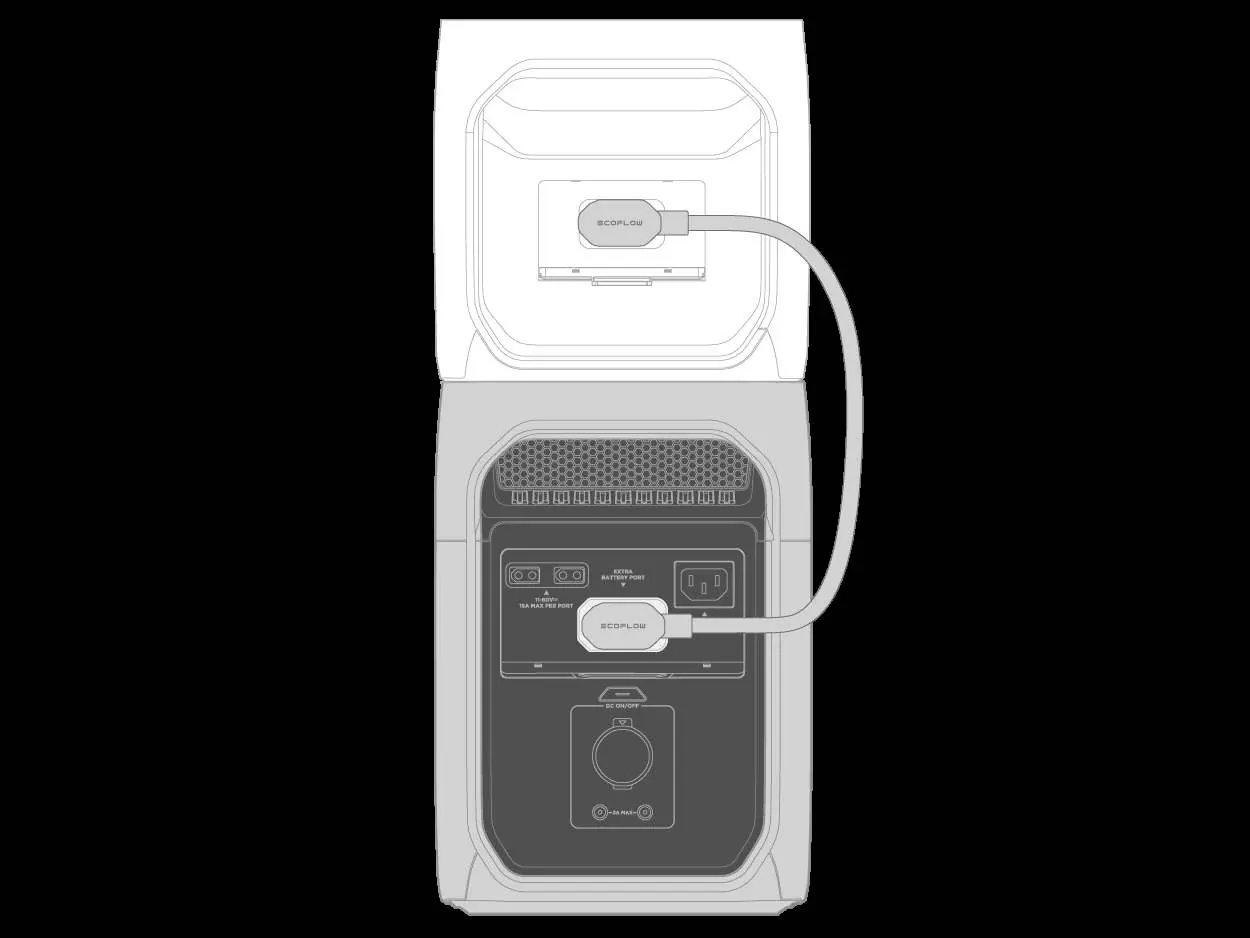
- Extra Battery: You can connect a compatible EcoFlow Smart Extra Battery to the Extra Battery port to increase capacity.
Storage and Maintenance
For optimal battery health, store the product in a dry, well-ventilated place at 20°C-30°C (68°F-86°F). If storing for long periods, discharge the product to 0% and recharge to 60% every 3 months. Clean the product using a soft, dry cloth.
Safety Instructions
Do not disassemble or modify the product. Keep away from liquids, intense heat, and sharp objects. This product is not intended for life-sustaining medical equipment. Ensure the unit is properly grounded when using AC output.
Manufacturer information
EcoFlow
Practical help
Common problems
Power station will not turn off
Unplug any charging cables first, then try turning it off. If it still fails, disconnect Bluetooth connections.
Unable to discover via Bluetooth
Turn off the unit, then long-press the main power button for at least 5 seconds after the screen turns on to reset Bluetooth and Wi-Fi.
Overload warning
Disconnect some devices from the power station to decrease the overall power output.
High/Low temperature warning
Stop operation and move the power station to a location with better ventilation or a more suitable temperature range.
Before use
- Inspect the unit and cables for any damage.
- Ensure the power station is charged before first use.
- Download and install the EcoFlow app for full device management.
- Verify that your appliances are within the power station's output specifications.
- Ensure the unit is placed on a stable, flat surface.
Specs in practice
- Cell Chemistry
- LiFePO4 (LFP) - known for long cycle life and safety.
Images and diagrams
- Front Panel: Displays power buttons (Main, AC, USB), display screen, and output ports (AC, USB-C, USB-A).
- Rear Panel: Shows input ports (AC, Solar/Car XT60i) and the Extra Battery port.
Model compatibility
- Compatible with EcoFlow Smart Extra Batteries (e.g., DELTA 3 Smart Extra Battery).
- Not intended for life-sustaining medical equipment like ventilators.
- Supports wired communication with NAS/PCs via USB-C for UPS monitoring.

Manual page author
David Miller
Documentation analyst
Organizes user manual content into clear summaries, with attention to model details, product context, and everyday usability.