Electronics / Cameras
User Manual for Elgato Facecam
Quick guide for the Elgato Facecam. Learn how to set up your webcam, mount it on a monitor or stand, connect via USB 3.0, and optimize your video settings.
Table of contents
Manual images
Click an image to enlargeGetting Started
To begin using your Elgato Facecam, follow these initial steps:
- Download Software: Visit elgato.com/download to download and install the Elgato Camera Hub app.
- Mounting: Attach the camera to your monitor or secure it to an Elgato Multi Mount system.
- Remove Privacy Cap: Ensure the lens cover is removed before use.
- Connect: Plug the camera directly into a USB 3.0 (or better) port on your computer.
Mounting the Facecam
The Facecam offers two primary mounting methods:
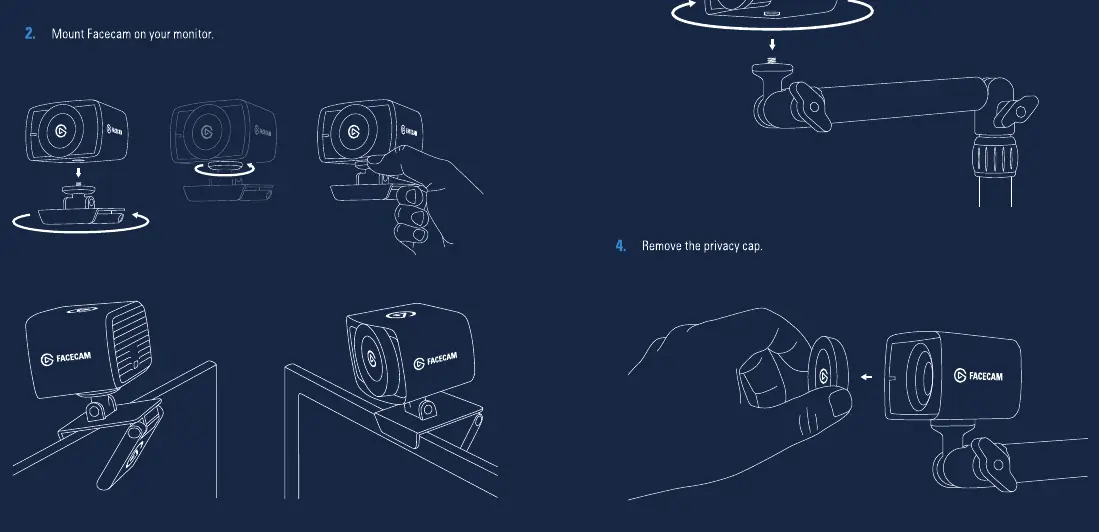
- Monitor Mount: Use the integrated monitor mount to clip the camera securely onto the top of your screen.
- Multi Mount: Alternatively, you can secure the Facecam to an Elgato Multi Mount system using the 1/4-inch thread located on the bottom of the camera.
Connecting the Camera
Proper connection is essential for performance:
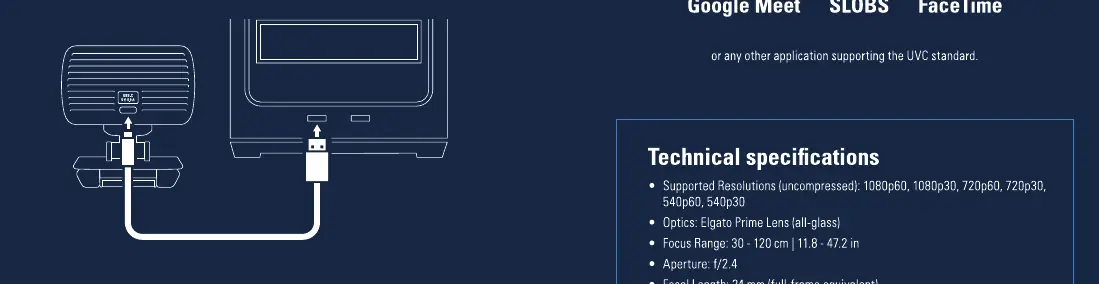
- USB Requirement: Connect the Facecam directly to a USB 3.0 (or better) port on your PC or Mac.
- Avoid Hubs: Do not use a USB hub, as it may not provide sufficient bandwidth or power for the camera.
- Cable: Always use the supplied USB 3.0 cable or an equivalent high-quality cable.
Cleaning and Care
To maintain optimal image quality:
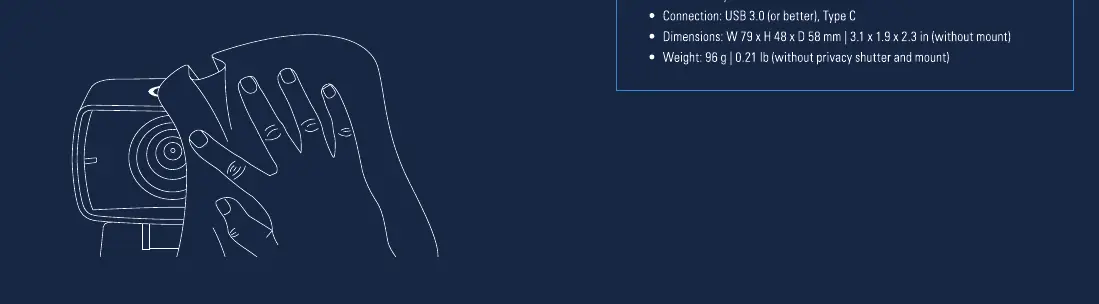
- Clean the lens only with a microfiber cloth.
- Do not use paper towels, detergents, or harsh chemicals, as these can damage the lens coating.
Technical Specifications
- Supported Resolutions: 1080p60, 1080p30, 720p60, 720p30, 540p60, 540p30.
- Optics: Elgato Prime Lens (all-glass).
- Focus Range: 30 - 120 cm (11.8 - 47.2 in).
- Aperture: f/2.4.
- Focal Length: 24 mm (full-frame equivalent).
- Field of View: 82 degrees (diagonal).
- Sensor: Sony STARVIS CMOS.
- Connection: USB 3.0 (or better), Type C.
- Dimensions: W 79 x H 48 x D 58 mm (without mount).
- Weight: 96 g (without privacy shutter and mount).
Official resources from the manual
Manufacturer information
Elgato
Practical help
Common problems
Camera not detected or poor performance
Ensure you are using a USB 3.0 (or better) port. Do not use a USB hub. Use the supplied USB 3.0 cable.
Blurry image
Ensure the lens is clean (use a microfiber cloth) and that the subject is within the focus range of 30-120 cm.
Before use
- Download and install the Elgato Camera Hub app.
- Ensure your computer has a USB 3.0 (or better) port.
- Remove the privacy cap from the lens.
- Mount the camera securely on your monitor or stand.
Images and diagrams
- Mounting: Shows how to attach the camera to a monitor or a 1/4-inch thread mount.
- Connection: Illustrates connecting the USB-C cable directly to the PC/Mac.
Model compatibility
- Compatible with Zoom, Skype, MS Teams, Slack, OBS, Google Meet, SLOBS, and FaceTime.
- Requires USB 3.0 or better.

Manual page author
Emily Carter
User documentation editor
Prepares concise manual descriptions and highlights the most useful setup, operation, and maintenance information for readers.