HVAC / Thermostats & Controls
Finder Room Thermostats Selection Guide
A comprehensive selection guide for Finder room thermostats, covering smart, digital, and mechanical models. Includes technical specifications, comparison tables, wiring diagrams, and app integration details.
Quick answers from the manual
Quick answer
- This document is a selection guide for Finder room thermostats. It details the features, technical specifications, and application examples for various smart, digital, and mechanical thermostat models. p. 1, 18
Key actions
- Download the Finder YOU App to manage smart thermostats (BLISS Wi-Fi, BLISS2). p. 6, 7, 9, 10
- Remove batteries if using an external power supply with BLISS thermostats. p. 6, 8
Technical specifications
| Parameter | Value | Meaning | Pages |
|---|---|---|---|
| Contact Rating | 5A or 16A | Maximum switching current at 250V AC | p. 18 |
| Temperature Setting Range | +5 to +37°C | Typical range for most electronic models | p. 18 |
Where to find it in the PDF
- Smart Chronothermostats p. 6, 7
- Chronothermostats p. 12, 13
- Digital Thermostats p. 14, 15, 16
- Mechanical Thermostats p. 17
- Comparison Table p. 18
Table of contents
Manual images
Click an image to enlargeQuick guide from the manual
This document serves as a selection guide for the Finder range of room thermostats. It provides an overview of available models, including smart chronothermostats, digital thermostats, and mechanical thermostats. Use this guide to compare features, technical specifications, and application requirements to select the appropriate device for your residential or commercial temperature control needs.
Product Range Overview
Finder offers a wide variety of temperature control solutions:
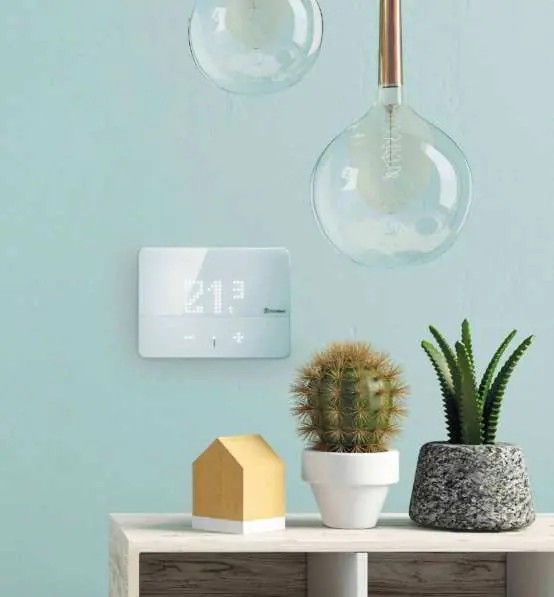

- Smart Chronothermostats: Models like BLISS Wi-Fi and BLISS2 offer remote management via the Finder YOU App, voice assistant integration (Google Assistant, Amazon Alexa), and consumption monitoring.
- Chronothermostats: Models like Crono Slide and Crono Touch provide weekly programming, manual timed overrides, and guided programming for ease of use.
- Digital Thermostats: Models such as BLISS T, Thermo DuoSet, and Thermo FastSet offer intuitive temperature management with features like frost protection, night set-back, and simple button interfaces.
- Mechanical Thermostats: The Thermo Easy model is a gas bulb thermostat designed for simple, direct temperature control without the need for batteries or power supply.
Finder YOU App
The Finder YOU App allows users to manage BLISS Wi-Fi and BLISS2 thermostats remotely. Key features include:
- Remote control from smartphones.
- AUTOAWAY function for energy saving.
- Consumption reporting and customized reports.
- Integration with Google Assistant and Amazon Alexa.
Wiring and Application
The guide provides application examples, such as multi-zone heating and cooling systems. For specific wiring, refer to the diagrams provided for the radio frequency actuator (Type 13.21.8.230.S000) and optional power supply connections on page 8.




Technical Comparison
Refer to the comparison table on page 18 for detailed specifications across all models, including:
- Sensing Element: NTC or Gas bulb.
- Supply: Battery (AAA/AA) or 230V AC power supply.
- Contact Configuration: 1 CO (SPDT).
- Temperature Setting Range: Varies by model (typically +5 to +37°C).
- Mounting: All models are designed for surface mounting.
Manufacturer information
Finder S.p.A.
Practical help
Before use
- Identify the required thermostat type (Smart, Digital, or Mechanical) based on your heating/cooling system.
- Check if your chosen model requires an external power supply (110-230V AC) or operates on batteries.
- Ensure the installation location is suitable for surface mounting.
- For smart models, verify Wi-Fi network availability and download the Finder YOU App.
- If using an external power supply for BLISS models, ensure batteries are removed.
Specs in practice
- Contact Rating
- The maximum electrical current the thermostat can switch (e.g., 5A or 16A at 250V AC).
- Temperature Differential
- The range of temperature change required before the thermostat triggers the heating/cooling system.
- Frost Protection
- A safety feature that activates the heating system if the temperature drops below a set minimum (e.g., 5°C) to prevent freezing.
Images and diagrams
- Wiring diagram for BLISS2 and optional power supply (page 8).
- Multi-zone application example showing zone thermostats communicating with actuators via a gateway (page 8).
Model compatibility
- BLISS Wi-Fi and BLISS2 are compatible with Google Assistant and Amazon Alexa.
- Mechanical thermostats (Thermo Easy) do not require power or batteries.
- Some models support optional external power supply at 230V AC.

Manual page author
David Miller
Documentation analyst
Organizes user manual content into clear summaries, with attention to model details, product context, and everyday usability.