Furniture / Tables & Desks
Assembly Instructions for Furniture of America 2-Drawer Nightstand
Quick assembly guide for the Furniture of America 2-Drawer Nightstand. Includes parts list, hardware requirements, step-by-step installation instructions, and maintenance tips.
Quick answers from the manual
Quick answer
- This document provides assembly instructions for the Furniture of America 2-Drawer Nightstand, including parts lists, hardware requirements, and safety guidelines. p. 1, 5, 7
Key actions
- Attach the four legs to the nightstand body using the provided bolts, lock washers, and flat washers. p. 7
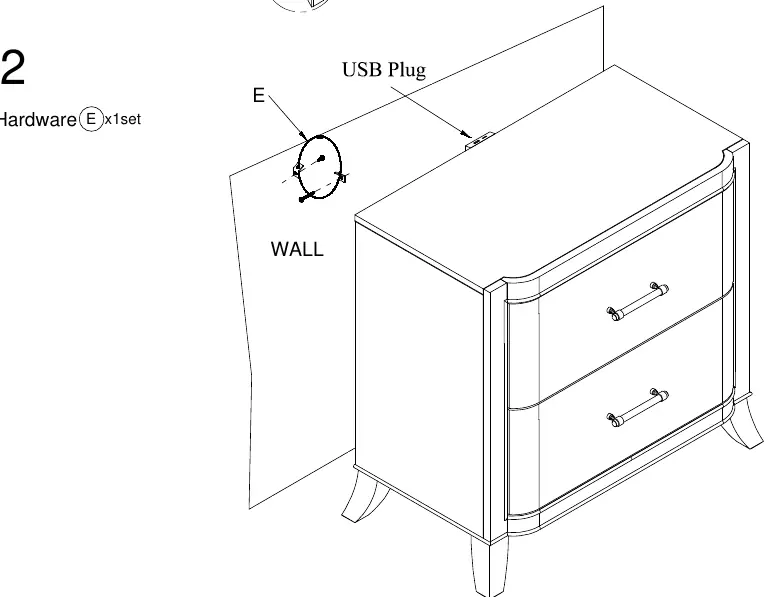
- Install the anti-tip kit to secure the unit to the wall. p. 7
First start
- Verify all parts and hardware are present before beginning assembly. p. 2, 5
Problems and fixes
Wobbly furniture
Ensure the surface is flat and all bolts are tightened.
p. 8Maintenance and reset
- Check and tighten all hardware after two weeks, and repeat every six months. p. 4, 8
Technical specifications
| Parameter | Value | Meaning | Pages |
|---|---|---|---|
| Hardware | 8x Bolts, 8x Lock Washers, 8x Flat Washers | Required for leg assembly | p. 5 |
Where to find it in the PDF
- Tools and Rating p. 1
- Parts List p. 5
- Assembly Steps p. 7
Table of contents
Manual images
Click an image to enlargeQuick guide from the manual
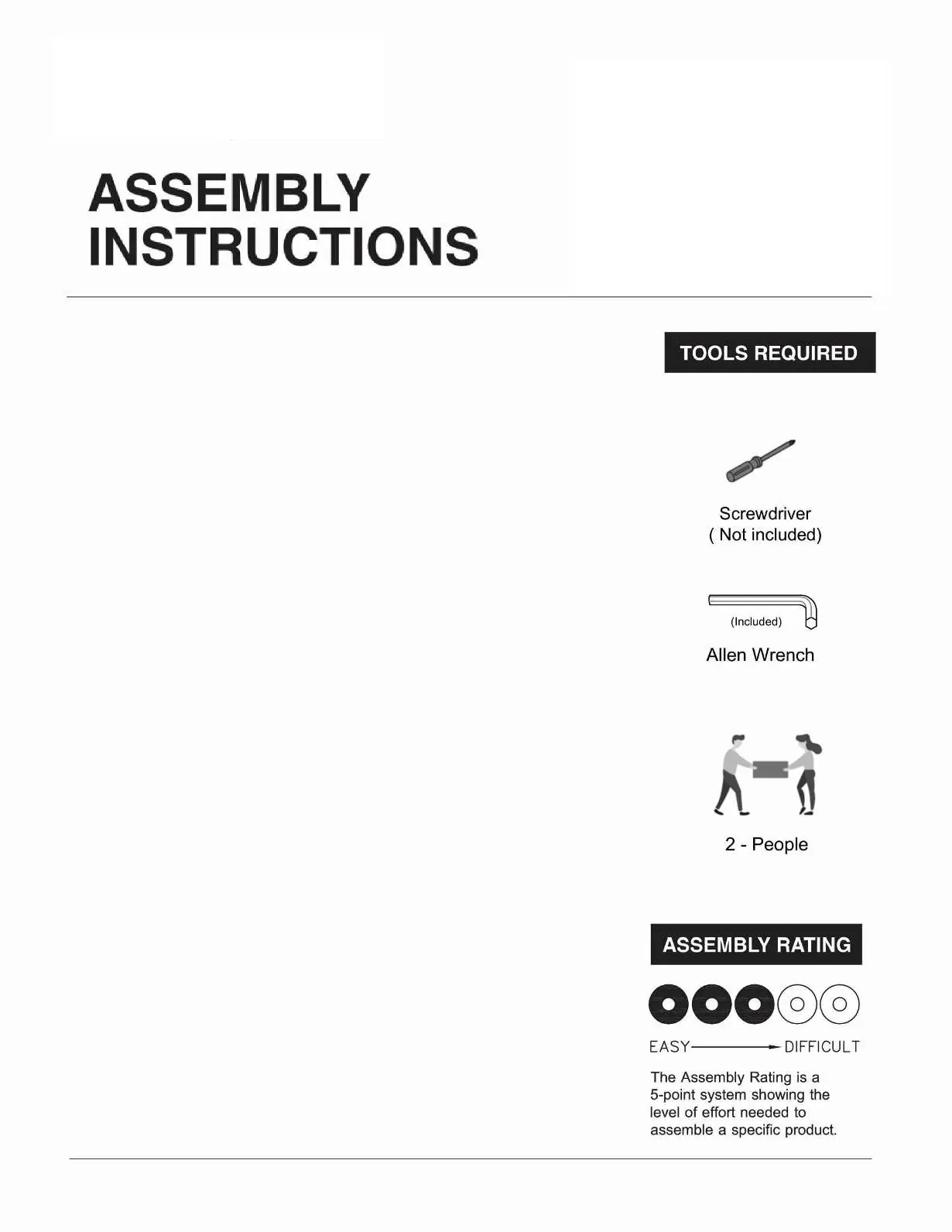
This guide provides instructions for assembling the Furniture of America 2-Drawer Nightstand. The assembly is rated as easy (2 out of 5) and requires two people. Ensure you have a screwdriver (not included) before starting.
Before you start
Proper preparation ensures a smooth assembly process:
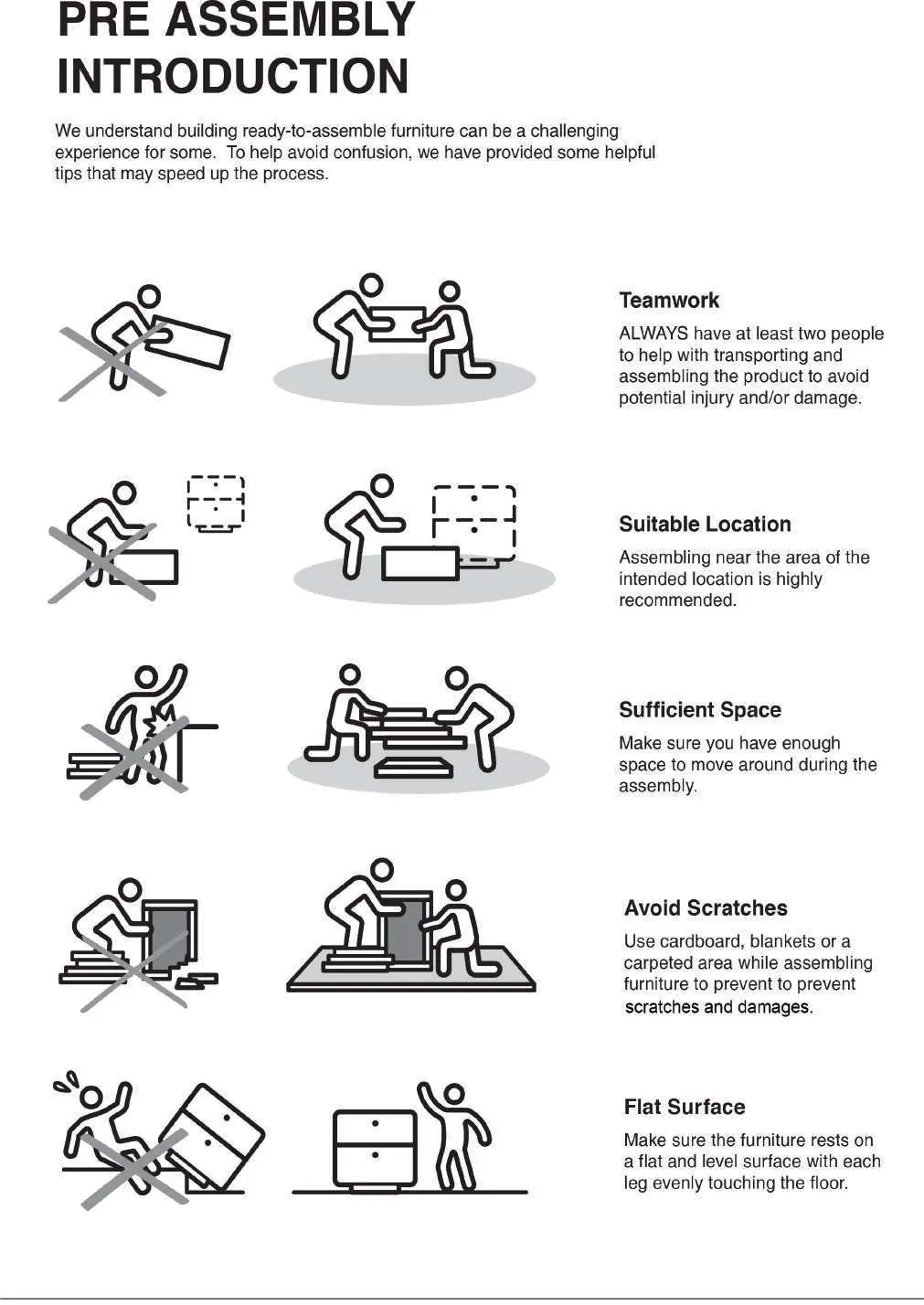
- Check parts: Verify all parts and hardware are accounted for before beginning.
- Teamwork: Always have at least two people to help with transporting and assembling the product to avoid injury.
- Space: Ensure you have enough space to move around during assembly.
- Surface: Assemble on a flat, level surface. Use cardboard, blankets, or a carpeted area to prevent scratches.
- Location: Assemble near the area of the intended location.
Parts and hardware
The package includes the following components:
- Parts: 1 Nightstand body, 4 Legs.
- Hardware: 8 Bolts (1/4" x 2"), 8 Lock Washers (1/4"), 8 Flat Washers (1/4"), 1 Allen Wrench (4mm), 1 Anti-tip kit.
Assembly instructions
Follow these steps to assemble your nightstand:
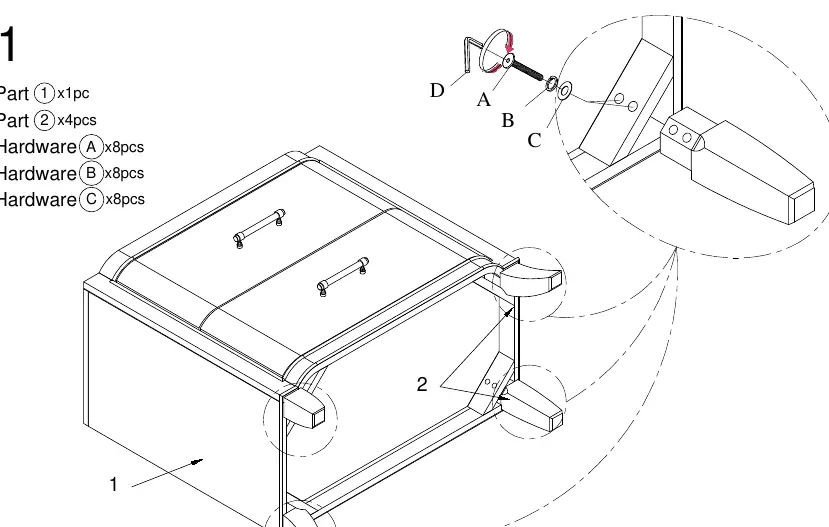
- Attach legs: Place the nightstand body upside down on a soft surface. Align the 4 legs with the pre-drilled holes. Insert the bolts with lock washers and flat washers through the legs into the nightstand body. Tighten using the provided Allen Wrench.
- Anti-tip installation: Secure the anti-tip kit to the back of the nightstand and the wall to prevent tipping.
- Final check: Ensure the unit is upright, stable, and all hardware is tightened.
Care and maintenance
To ensure the longevity of your furniture:
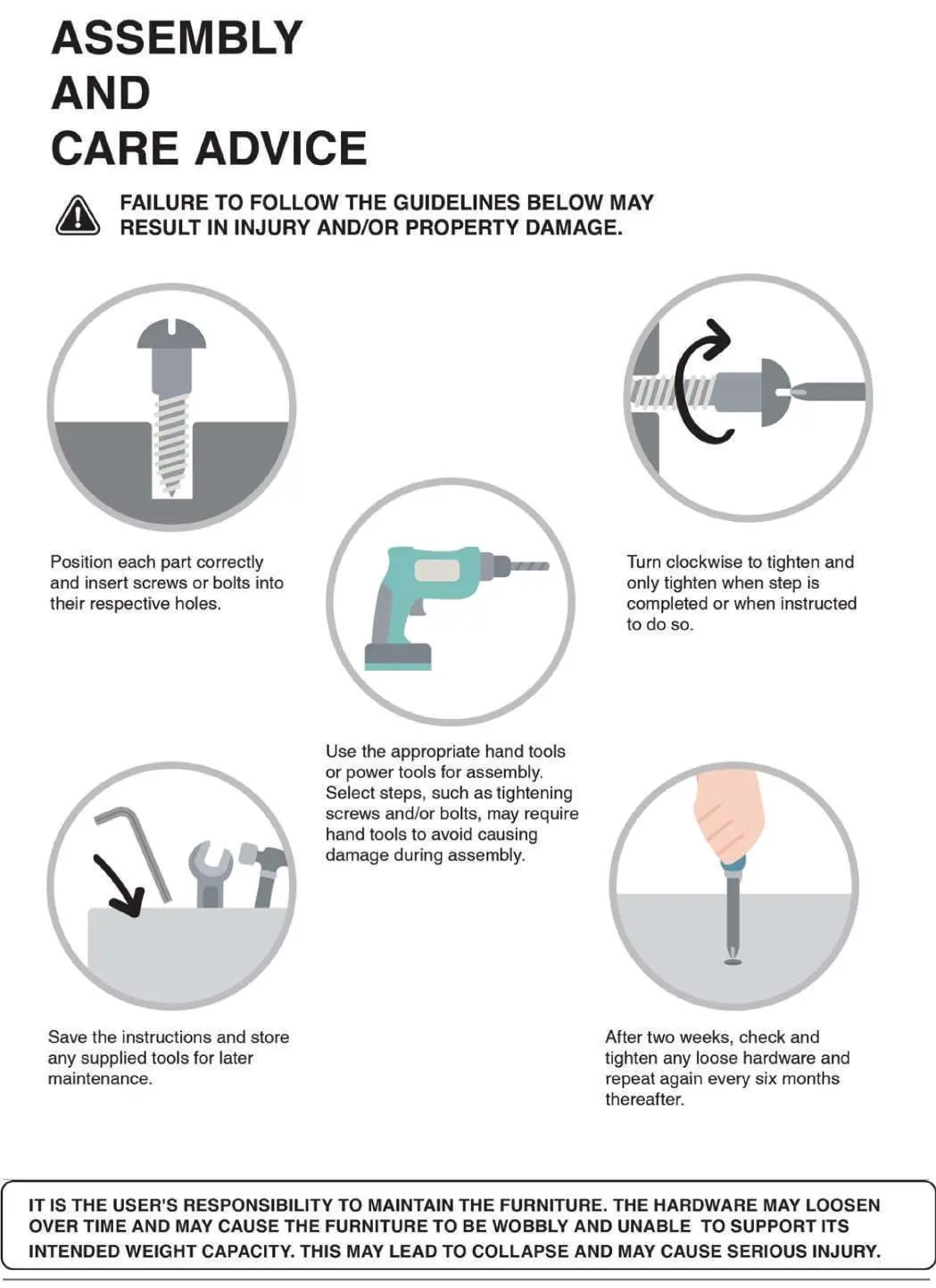
- Tightening: Check and tighten all hardware after two weeks, and repeat every six months.
- Handling: Always lift the product when transporting or adjusting its placement; do not drag it.
- Usage: This product is intended for residential use only and not for commercial use.
Practical help
Common problems
Product wobbles or feels loose
Ensure the furniture rests on an even and flat surface. Double-check that all bolts and screws are properly tightened.
Hardware loosening over time
Check and tighten all hardware after two weeks of use, and then perform maintenance checks every six months.
Before use
- Verify all parts and hardware against the list
- Have a screwdriver ready (not included)
- Ensure two people are available for assembly
- Clear sufficient floor space
- Prepare a soft surface (blanket or carpet) to protect the finish
Specs in practice
- Assembly Rating
- A 5-point system indicating the level of effort required; this product is rated as easy.
- Hardware (Bolts/Washers)
- 1/4" size fasteners used for securing the legs to the nightstand body.
Images and diagrams
- Exploded view shows the nightstand body and the attachment points for the four legs.
- Step 1 diagram illustrates the correct sequence of bolt, lock washer, and flat washer installation.
Model compatibility
- Residential use only
- Not for commercial use

Manual page author
Emily Carter
User documentation editor
Prepares concise manual descriptions and highlights the most useful setup, operation, and maintenance information for readers.