Automotive / Dash Cams
User Manual for Gator GHDVR92W Dash Cam
Quick start guide and user manual for the Gator GHDVR92W dash cam. Learn how to install, pair with your smartphone, configure settings, and troubleshoot common issues.
Table of contents
Manual images
Click an image to enlargeQuick guide from the manual
The Gator GHDVR92W is a dual-channel dash cam system featuring a 1080P front camera and 720P rear camera. Key features include WiFi connectivity, GPS tracking, a super capacitor for power, and a hand gesture photo function. Attention: Always use the provided GPS power cable to ensure date and time settings are retained.
Package components
The package includes the GHDVR92W dash cam, mounting bracket, rear camera, rear camera cable, GPS power cable, car charger, and a 16GB Micro SD card.
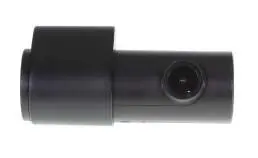
Product structure
The device features a rear camera input, power socket, Micro SD card slot, and a reset button on the side. The front lens is located on the main body, with a hand gesture sensor and LED indicators (Red for recording, Green for WiFi) on the unit.
Installation
Dash Cam: Ensure the windscreen is clean and free of debris. Use an alcohol wipe for better adhesion. Place the mounting bracket on the dash cam, remove the 3M tape backing, and press firmly to the windscreen for 60 seconds. Position the camera where it does not block the driver's view, preferably near the rear-view mirror. Connect the GPS power cable to the dash cam and the vehicle's 12V socket.
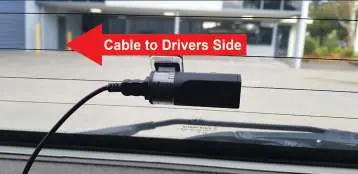
Rear Camera: Insert the rear camera cable into the dash cam and test. Route the cable along the ceiling or A-pillar (driver's side) to the rear. Mount the rear camera to the inside of the rear window with the cable input facing the driver's side.
App pairing and operation
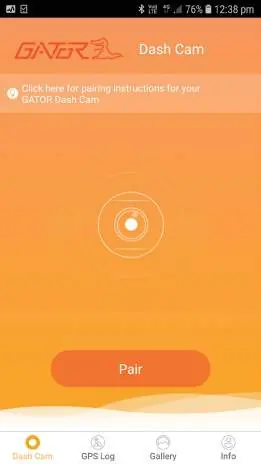
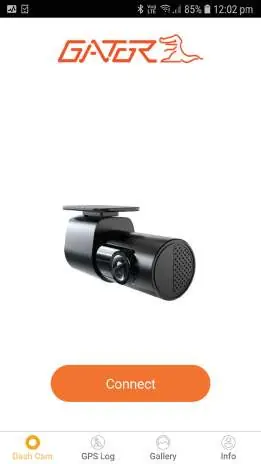
Download the 'GATOR Dash Cam GHDVR92W' app from the App Store or Google Play. To pair, go to your smartphone's WiFi settings, select the dash cam (GHDVR92W), and enter the password 12345678. Once connected, launch the app to access live view, gallery, and settings.
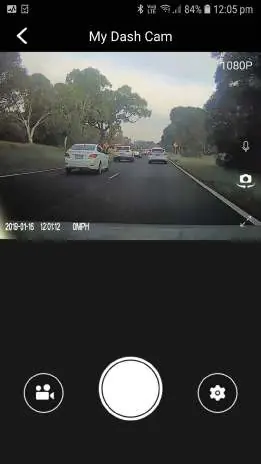
Hand Gesture Function: While recording, wave your hand in front of the sensor to automatically take a photo and save a 10-second video clip (5 seconds before and after the gesture).
Settings and maintenance
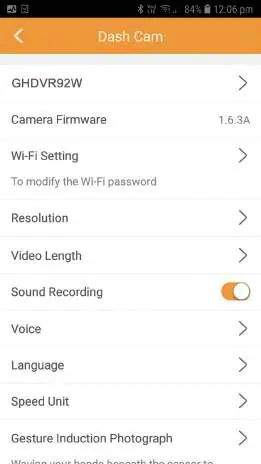
Settings can be adjusted via the app, including resolution, video length, sound recording, voice prompts, and G-sensor sensitivity. It is recommended to format the SD card regularly to prevent it from filling up with locked files. Use the 'Manage the TF card' option in the settings menu to format.
Troubleshooting
If the dash cam stops recording or cannot take pictures, check if the SD card is full or needs formatting. Ensure you are using a Class 10 Micro SD card (up to 64GB). If the image is fuzzy, clean the lens with a soft cloth and remove the protective sticker. If the device becomes unresponsive, use a paper clip to press the reset button.
Technical specifications
The system operates on 12-24V power. The front camera records at 1080P @ 30fps, and the rear camera at 720P @ 25fps. It supports Micro SD cards up to 64GB (Class 10). The device uses a super capacitor for power storage.
Practical help
Common problems
Cannot take pictures or record video
Check if there is enough space on the Micro SD card or format the card.
Stopping automatically while recording
Ensure you are using a Class 10 Micro SD card (8-64GB). Format the card if necessary.
Fuzzy or dirty image
Clean the lens with a soft cloth and ensure the transparent protective sticker has been removed.
Device jammed or not responding
Reset the device by pushing the reset button on the side of the dash cam.
Before use
- Ensure the windscreen is clean and dry.
- Insert a Class 10 Micro SD card (up to 64GB).
- Connect the GPS power cable to the 12V vehicle socket.
- Download the 'GATOR Dash Cam GHDVR92W' app.
- Remove the protective sticker from the lens.
Specs in practice
- Viewing Angle
- 145° (Front) and 120° (Rear) for wide coverage.
- Input Voltage
- 12-24V compatible with most vehicle power sockets.
Images and diagrams
- Product structure diagram identifies the rear camera input, power socket, SD card slot, and reset button.
- Installation diagram illustrates routing the rear camera cable along the vehicle's ceiling or A-pillar.
Model compatibility
- Supports Micro SD cards up to 64GB (Class 10).
- App is compatible with iOS and Android devices.
- Software for PC viewing is available on the manufacturer's website.

Manual page author
Michael Turner
Technical manual editor
Reviews PDF manuals for structure, safety notes, and practical product details so readers can find the right information quickly.