Industrial / Signaling Devices
User Guide for Genius FaceCam 2000X Webcam
Quick setup guide for the Genius FaceCam 2000X webcam. Learn how to connect your device, system requirements, and operating conditions.
Quick answers from the manual
Quick answer
- The Genius FaceCam 2000X is a plug-and-play device. Simply connect it to a USB port on a computer running Windows 8, 10, 11, or later, and it will be ready for use without manual driver installation. p. 1
Key actions
- Connect the camera to a USB port. p. 1
First start
- Plug the device into a USB port; the system will automatically detect it. p. 1
Show 2 more answers Show less
Technical specifications
| Parameter | Value | Meaning | Pages |
|---|---|---|---|
| Operating Temperature | 0-40°C | Safe temperature range for device operation. | p. 1 |
| Storage Temperature | -20°C to 50°C | Safe temperature range for device storage. | p. 1 |
Where to find it in the PDF
- Quick Guide p. 1
Table of contents
Manual images
Click an image to enlargeQuick guide from the manual
The Genius FaceCam 2000X is a plug-and-play webcam designed for use with Windows 8, 10, 11, or later. It utilizes UVC (USB Video Class) technology, which eliminates the need for manual driver installation. Simply connect the device to your computer to begin using it with any video chat application.
Installation
The camera is designed for immediate use:
- Ensure your computer is running Windows 8, 10, 11, or later.
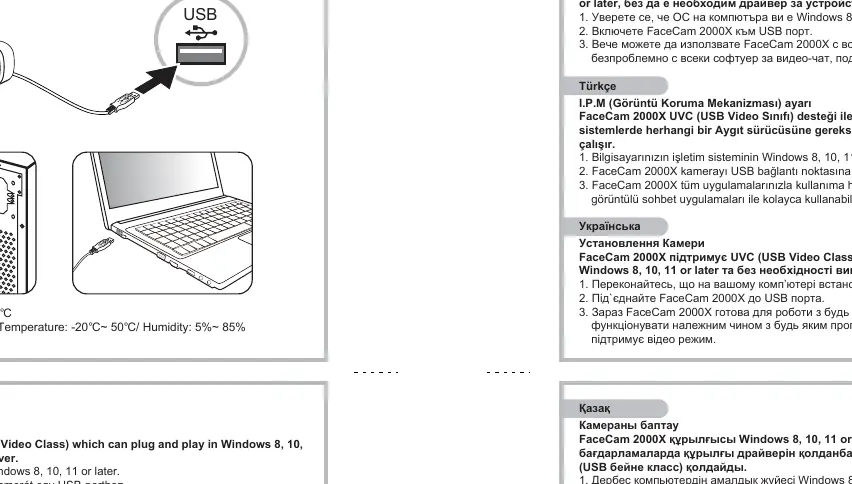
- Connect the FaceCam 2000X USB cable to an available USB port on your computer.
- The device will be automatically recognized and is ready for use with any video chat software that supports video features.
Camera Features and Positioning
The camera includes several physical design features to assist with placement:
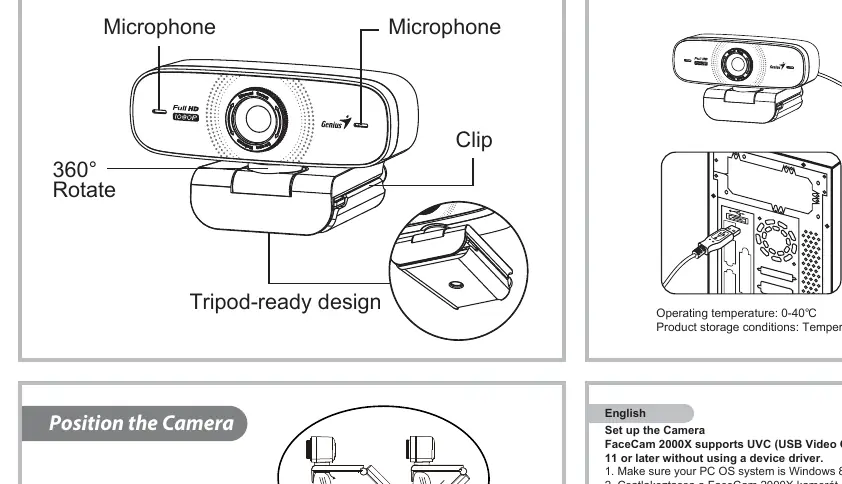
- 360° Rotation: The camera head can be rotated to adjust the viewing angle.
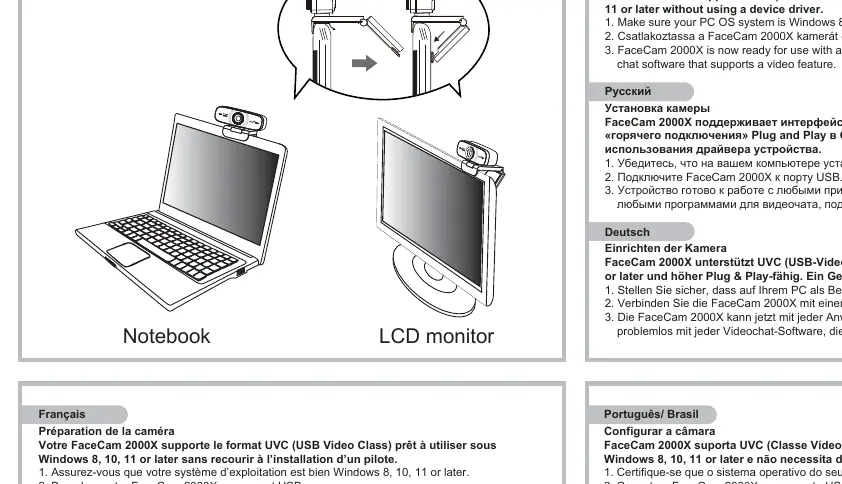
- Clip: Integrated clip for mounting on a notebook or LCD monitor.
- Tripod-ready: The base is designed to be compatible with standard tripods.
Operating and Storage Conditions
To ensure the longevity and proper function of your webcam, adhere to the following environmental conditions:
- Operating Temperature: 0°C to 40°C.
- Storage Temperature: -20°C to 50°C.
- Storage Humidity: 5% to 85%.
Disposal Information
This product must be collected separately in European countries. Do not dispose of the device with household waste. Contact your local retailer or waste management authority for proper disposal instructions.
Manufacturer information
Genius
Practical help
Common problems
Camera not detected by computer
Ensure your operating system is Windows 8, 10, 11, or later. Try connecting the camera to a different USB port.
Before use
- Verify that your PC is running Windows 8, 10, 11, or later.
- Ensure you have an available USB port.
- Check that the environment is within the operating temperature range of 0-40°C.
Show more Show less
Specs in practice
- UVC (USB Video Class)
- A standard that allows the webcam to function as a plug-and-play device without requiring specific driver software.
Images and diagrams
- The diagram illustrates how to mount the camera on a notebook or LCD monitor using the integrated clip.
- The diagram shows the 360-degree rotation capability of the camera head.
- The diagram indicates the USB connection point.
Model compatibility
- Compatible with Windows 8, 10, 11, or later.

Manual page author
Michael Turner
Technical manual editor