Lighting / Fixtures
User Manual for Globo Lighting 21035S/21035A LED Table Lamp
Quick guide for the Globo Lighting 21035S and 21035A LED table lamp. Learn how to operate the touch controls, dim the light, and charge the battery.
Quick answers from the manual
Quick answer
- The Globo Lighting 21035S/21035A is a rechargeable LED table lamp. It is controlled via a touch sensor that cycles through three brightness levels (100%, 40%, 10%) and off. It requires 4-5 hours to charge via a 5V USB charger. p. 1
Key actions
- Turn on/off and dim p. 1
- Charge the battery p. 1
Problems and fixes
Lamp not working
Charge the battery using a 5V USB charger for 4-5 hours.
p. 1Show 2 more answers Show less
Technical specifications
| Parameter | Value | Meaning | Pages |
|---|---|---|---|
| Battery | Li-ion 18650 1500mAh 3.7V | Rechargeable battery specifications | p. 1 |
| Charging Time | 4-5 hours | Time to full charge | p. 1 |
Where to find it in the PDF
- Product Overview and Specs p. 1
Table of contents
Manual images
Click an image to enlargeQuick Guide
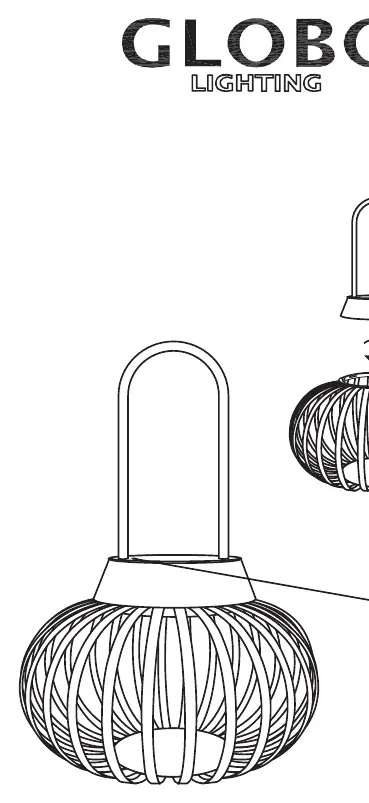
The Globo Lighting 21035S and 21035A are rechargeable LED table lamps designed for indoor use. This guide covers the basic operation, charging requirements, and technical specifications for the device.
Operation
The lamp is operated using a touch-sensitive control system located on the device:
- On/Off: Use the touch sensor to turn the lamp on and off.
- Dimming: The lamp features a touch dimmer function. Tapping the sensor cycles through the brightness levels in the following order: 100% brightness -> 40% brightness -> 10% brightness -> OFF.
Charging
The lamp is powered by an internal rechargeable battery. To charge the device:
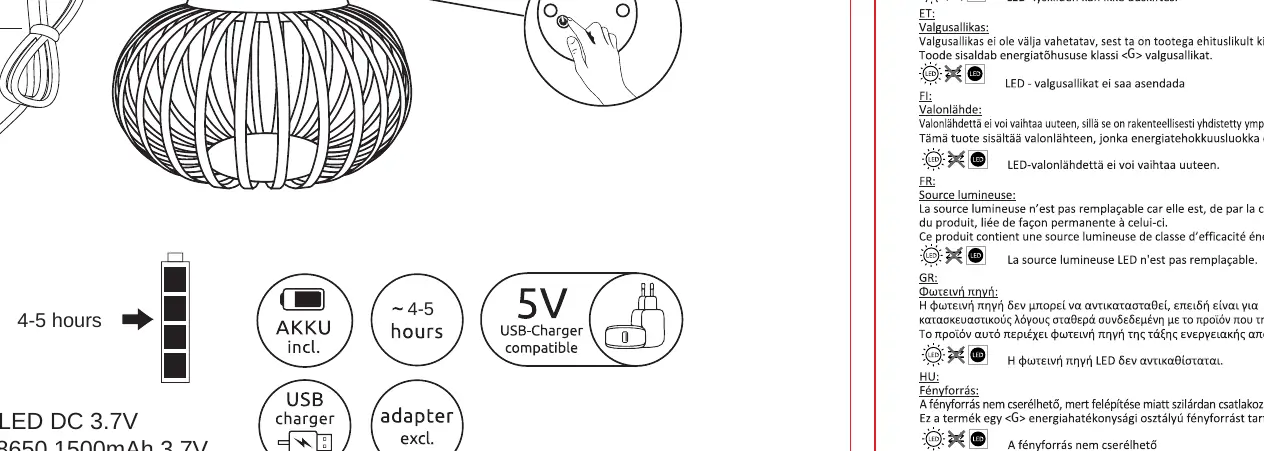
- Connect the lamp to a 5V USB charger using the provided cable.
- The required charging time is approximately 4-5 hours for a full charge.
- Ensure the charger used is compatible with 5V USB output.
Technical Specifications
- Battery Type: Li-ion 18650, 1500mAh, 3.7V.
- Light Source: 1W LED.
- Charging Time: 4-5 hours.
- Input: 5V (USB charger compatible).
Safety Information
Please note the following safety and maintenance guidelines:
- The LED light source is non-replaceable. It is fixed within the lamp structure.
- Do not attempt to disassemble the lamp or replace the LED module.
- The device is intended for indoor use only.
Manufacturer information
Globo Lighting
Practical help
Common problems
Lamp does not turn on
Ensure the battery is charged. Connect the lamp to a 5V USB power source for 4-5 hours.
Brightness does not change
Ensure you are tapping the touch sensor correctly. The cycle is 100% -> 40% -> 10% -> OFF.
Before use
- Charge the lamp fully before the first use (4-5 hours).
- Verify you have a 5V USB charger available.
- Ensure the touch sensor area is clean and free of debris.
Show more Show less
Specs in practice
- 1500mAh 3.7V
- The capacity and voltage of the internal rechargeable Li-ion battery.
Images and diagrams
- The touch sensor icon indicates where to tap for control.
- The battery icon indicates the charging port and time requirements.
Model compatibility
- Compatible with standard 5V USB chargers.

Manual page author
Emily Carter
User documentation editor