Power / Batteries & Chargers
User Manual for Hama Supreme 10HD 10000mAh Power Pack
Quick guide for the Hama Supreme 10HD 10000mAh Power Pack. Learn how to charge the power bank, connect your devices, understand LED indicators, and follow safety guidelines.
Table of contents
Quick guide from the manual
The Hama Supreme 10HD is a high-density Li-polymer power pack with a 10000 mAh capacity. It is designed to charge mobile devices such as smartphones. Before using the device for the first time, it is essential to charge the power pack fully.
Safety instructions
- Use the product only for its intended purpose.
- Protect the product from dirt, moisture, and overheating; use only in dry environments.
- Do not use the product near heaters, other heat sources, or in direct sunlight.
- Keep out of reach of children.
- Do not drop or expose the product to major shocks.
- Do not open the device or continue to operate it if damaged.
- The battery is permanently installed and cannot be removed; dispose of the product as a whole according to local regulations.
- Do not charge the power pack via a PC or notebook, as charging currents can damage the USB port.
- Do not charge and discharge the power pack at the same time.
Charging the power pack
You can charge the power pack using the included USB-A to USB-C cable or a micro-USB cable.
- Connect the cable to the USB-C input (IN 5V/2A) or the micro-USB input (IN 5V/2A) on the power pack.
- Connect the other end to a suitable USB charger.
- The charging process begins and ends automatically.
Charging devices
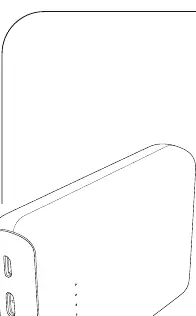
The power pack features two USB-A outputs and one USB-C output.
- Connect the included USB-A to USB-C cable to the power pack's USB output (OUT 5V/3A) and your device's USB-C port.
- If the included cable does not fit your device, use the cable that came with your device.
- The charging process starts automatically.
- To stop charging, press the button on the power pack twice.
- If no device is connected, the power pack switches off automatically.
LED indicators
The power pack features status LEDs to indicate the remaining capacity.
- Each LED corresponds to 25% of the total capacity.
- Press the button on the power pack to check the current capacity.
- If all four LEDs light up, the power pack is fully charged.
Care and maintenance
Clean the product only with a slightly damp, lint-free cloth. Do not use aggressive cleaning agents.
Technical data
- Battery type: 3.7V / Li-Po (high-density)
- Min. capacity: 10000 mAh / 37.00 Wh
- USB-C input: 5V / 2A
- Micro-USB input: 5V / 2A
- Total output: 5V / 3A (max.)
Manufacturer information
Hama GmbH & Co KG
Practical help
Common problems
Power pack not charging devices
Ensure the total current consumption of the connected device does not exceed 3000 mA.
Charging is slow
Do not charge devices simultaneously via both USB and USB-C outputs, as this significantly reduces the charging current.
Power pack does not turn on
Press the button on the power pack to check the current capacity via the LED indicators.
Before use
- Fully charge the power pack before first use.
- Check if your device is compatible with the power pack's output.
- Ensure you have the correct charging cable.
- Verify the power pack is not damaged.
Images and diagrams
- LED indicators show remaining capacity (25% per LED).
- USB-C port supports both input and output.
- USB-A ports are for output only.
Model compatibility
- Compatible with most smartphones and mobile devices.
- Not suitable for charging via PC/notebook USB ports.

Manual page author
Emily Carter
User documentation editor
Prepares concise manual descriptions and highlights the most useful setup, operation, and maintenance information for readers.