Lighting / Outdoor Landscape
User Manual for Harbor Breeze 10841 LED Path Light
Quick guide for the Harbor Breeze 10841 LED Path Light. Includes assembly instructions, battery requirements, installation tips, and troubleshooting steps.
Table of contents
Manual images
Click an image to enlargeQuick Guide from the Manual
This guide provides essential information for the Harbor Breeze 10841 LED Path Light. The product is designed for outdoor use and requires direct sunlight for optimal performance. Assembly takes approximately 3-5 minutes and requires no tools.
Package Contents
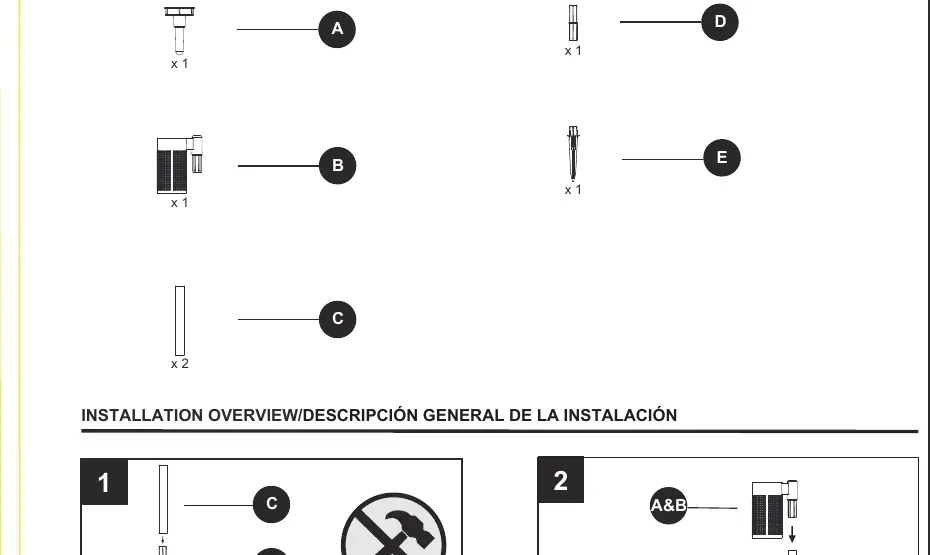
- Solar light fixture (A)
- Ground stake (B)
- Connector pieces (C, D, E)
Installation
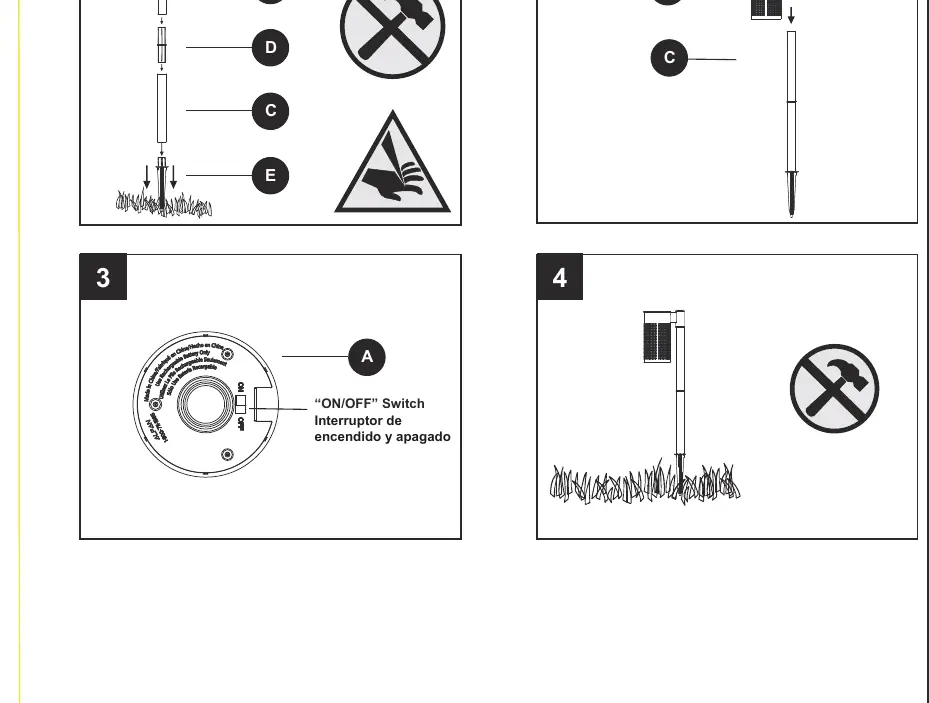
- Ensure all parts are present before beginning assembly.
- Assemble the ground stake and connector pieces as shown in the installation diagram.
- Locate the ON/OFF switch on the solar top housing and ensure it is set to the correct position.
- Insert the assembled light into the ground. Be careful with the pointed edge of the ground stake.
Choosing the Right Location
For the best performance, select a location with full, direct sunlight. Shady areas will prevent the battery from charging fully, which reduces the duration of the light at night. Ensure the light is not placed near other nighttime light sources (like street or porch lights), as this may prevent the light from turning on automatically.
Battery and Maintenance
Important: Use only AA 700mAh nickel metal hydride (Ni-MH) rechargeable batteries. Do not use alkaline, carbon-zinc, or Ni-Cd batteries.
- Cleaning: Clean the solar panel with a damp cloth. Do not use chemicals or abrasives. Keep the panel free of snow, dirt, and debris.
- Relocation: When moving the light, carefully detach it from the ground.
- Storage: Remove batteries if the light will not be used for an extended period.
Troubleshooting
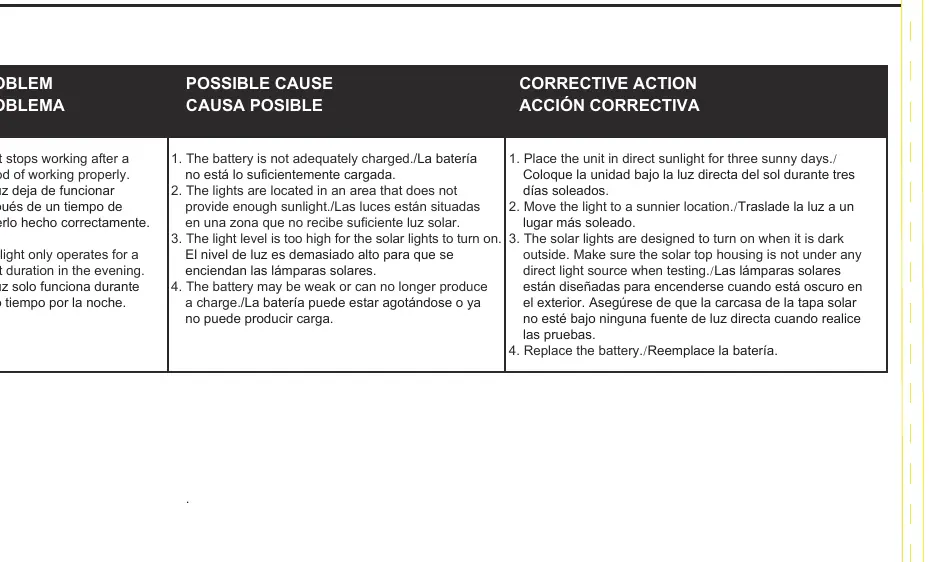
- Light stops working: The battery may not be charged. Place the unit in direct sunlight for three sunny days.
- Light operates for a short duration: The light may be in a location without enough sunlight, or the battery may be weak. Move to a sunnier location or replace the battery.
- Light does not turn on: Ensure the solar top housing is not under any direct light source during testing, as the light is designed to turn on only when it is dark.
Practical help
Common problems
Light stops working after a period of time
The battery may not be adequately charged. Place the unit in direct sunlight for three sunny days.
Light only operates for a short duration at night
The light may be in a location that does not receive enough sunlight. Move the light to a sunnier location.
Light does not turn on at night
Ensure the solar top housing is not under any direct light source (like street lights) that might prevent the sensor from detecting darkness.
Battery performance issues
Replace the battery with a new AA 700mAh Ni-MH rechargeable battery.
Before use
- Verify all parts are present according to the package contents list.
- Ensure you have the correct battery type: AA 700mAh Ni-MH rechargeable.
- Select a location with full, direct sunlight.
- Check that the ON/OFF switch is set correctly.
Specs in practice
- Battery Type
- AA 700mAh Nickel Metal Hydride (Ni-MH) rechargeable battery only.
- Assembly Time
- Estimated 3-5 minutes; no tools required.
Images and diagrams
- The installation diagram illustrates the assembly sequence of the stake and light housing.
- The ON/OFF switch is located on the underside of the solar top housing.
Model compatibility
- Do not use alkaline, standard (carbon-zinc), or Ni-Cd (nickel cadmium) batteries.
- Do not mix battery types.

Manual page author
Emily Carter
User documentation editor
Prepares concise manual descriptions and highlights the most useful setup, operation, and maintenance information for readers.