Computers / Laptops
HP Laptop 15-fc0003sa Specifications and User Guide
A quick guide to the HP Laptop 15-fc0003sa, including technical specifications, port layout, battery charging details, and key features.
Table of contents
Quick guide from the manual
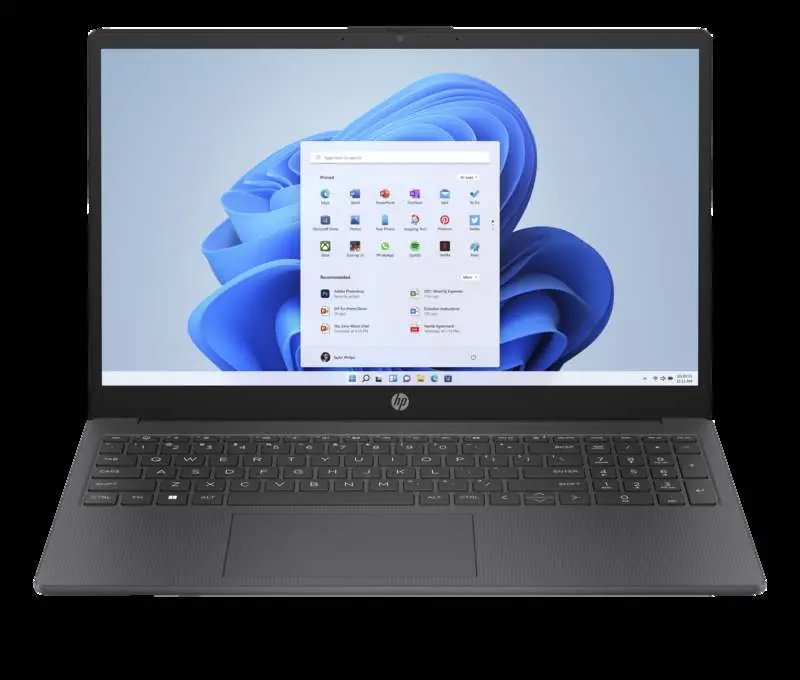
The HP Laptop 15-fc0003sa is a 15.6-inch portable computer designed for productivity. This guide provides an overview of its technical specifications, connectivity options, and key features to help you get started.
Performance and Hardware
The laptop is powered by an AMD Ryzen 3 7320U processor with 4 cores and 8 threads. It includes 4 GB of LPDDR5-5500 MHz RAM (onboard) and a 128 GB PCIe NVMe M.2 SSD for storage. The system runs on Windows 11 Home in S mode.
Connectivity and Ports
The device offers several connectivity options:
- 1 USB Type-C 5Gbps signaling rate port (Note: Supports data transfer only; does not support charging or external monitors).
- 2 USB Type-A 5Gbps signaling rate ports.
- 1 HDMI 1.4b port.
- 1 AC smart pin for power.
- 1 headphone/microphone combo jack.
- Realtek Wi-Fi 6 and Bluetooth 5.3.
Display and Design
The laptop features a 15.6-inch diagonal FHD (1920 x 1080) anti-glare display with micro-edge bezels. The keyboard is full-size with an integrated numeric keypad and 1.5mm key travel. The chassis is finished in Chalkboard gray with a textured base.
Battery and Charging
The laptop is equipped with a 3-cell, 41 Wh Li-ion polymer battery. It supports fast charging, allowing the battery to reach approximately 50% charge in 45 minutes when the system is powered down.
Security and Features
Key features include an HP True Vision 720p HD camera with temporal noise reduction and integrated dual array digital microphones. Security management includes a mic mute key, a camera privacy shutter, and Trusted Platform Module (Firmware TPM) support.
Manufacturer information
HP Inc.
Practical help
Common problems
USB-C port not charging laptop
The USB-C port on this model supports data transfer only and does not support charging or external monitors.
Cannot install non-Microsoft Store apps
The laptop comes with Windows 11 Home in S mode, which restricts app installation to the Microsoft Store. You may need to switch out of S mode to install other software.
Before use
- Ensure the laptop is charged using the provided 45W Smart AC adapter.
- Connect to a Wi-Fi network during the initial Windows setup.
- Activate Windows within 180 days of activation.
Specs in practice
- USB Type-C 5Gbps
- Data transfer port only; does not support video output or power delivery.
- 45 W Smart AC power adapter
- The required power supply for charging the device.
- 1.5mm key travel
- The distance the keys move when pressed, designed for comfortable typing.
Images and diagrams
- The laptop features a full-size keyboard with a numeric keypad.
- Ports are located on the sides of the device.
Model compatibility
- USB-C port does not support charging or external monitors.
- Windows 11 Home in S mode.

Manual page author
Emily Carter
User documentation editor
Prepares concise manual descriptions and highlights the most useful setup, operation, and maintenance information for readers.