Computers / Laptops
HP Laptop 15s-fq5030sa Datasheet
Quick guide and technical specifications for the HP 15s-fq5030sa laptop. Find details on hardware, ports, battery life, and system features.
Table of contents
Quick guide from the manual
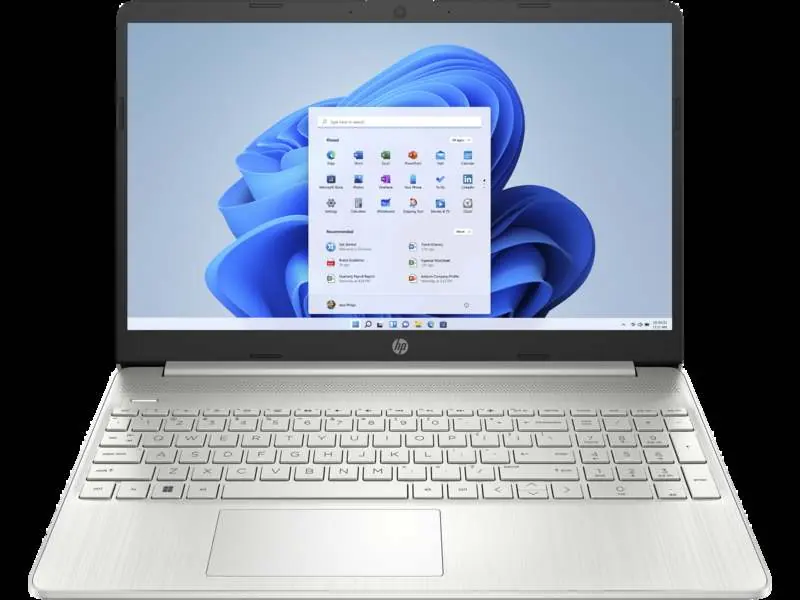
This document provides the technical specifications and feature overview for the HP 15s-fq5030sa laptop. It is designed to help users understand the hardware capabilities, connectivity options, and design features of the device.
Performance and Hardware
The laptop is powered by an Intel Core i7-1255U processor (12th Generation) with 10 cores and 12 threads. It comes equipped with 8 GB of DDR4-3200 MHz RAM and a 512 GB PCIe NVMe M.2 SSD for storage. Note that there are no user-accessible memory slots for upgrades.
Display and Graphics
The device features a 15.6-inch diagonal FHD (1920 x 1080) micro-edge, anti-glare display with 250 nits brightness and 45% NTSC color gamut. Graphics are handled by the integrated Intel Iris Xe Graphics.
Ports and Connectivity
The laptop includes the following ports:
- 1 x USB Type-C 5Gbps signaling rate (supports data transfer only; does not support charging or external monitors)
- 2 x USB Type-A 5Gbps signaling rate
- 1 x HDMI 1.4b
- 1 x Headphone/microphone combo
- 1 x Multi-format SD media card reader
Wireless connectivity is provided by a Realtek RTL8821CE-M 802.11a/b/g/n/ac (1x1) Wi-Fi and Bluetooth 4.2 card. It also supports MU-MIMO and Miracast.
Battery and Power
The laptop uses a 3-cell, 41 Wh Li-ion battery. It supports HP Fast Charge technology, which can charge the battery to approximately 50% in 45 minutes. Battery life is rated for up to 7 hours and 30 minutes, with up to 10 hours for video playback.
Design and Software
The laptop features a natural silver color with a vertical brushed in-mould roll keyboard frame. It comes with a full-size keyboard including a numeric keypad and an HP Imagepad with multi-touch gesture support. The device runs on Windows 11 Home in S mode and includes pre-installed software such as HP Support Assistant, HP QuickDrop, and a 30-day trial of McAfee LiveSafe.
Manufacturer information
HP Inc.
Practical help
Common problems
USB-C port functionality
The USB Type-C port is for data transfer only. It does not support charging the laptop or connecting to external monitors.
Memory upgrades
There are no user-accessible memory slots available on this model.
Battery charging speed
Use the provided HP adapter for optimal charging. Fast charge (50% in 45 mins) works best when the system is powered down.
Before use
- Ensure the laptop is fully charged using the included 45W Smart AC adapter.
- Complete the Windows 11 setup process.
- Activate the included 30-day McAfee LiveSafe subscription.
- Register for the included 25 GB of Dropbox cloud storage.
Model compatibility
- USB-C port does not support charging or external monitors.
- Miracast compatible.
- MU-MIMO supported for optimized network traffic.

Manual page author
David Miller
Documentation analyst
Organizes user manual content into clear summaries, with attention to model details, product context, and everyday usability.