Computers / Printers
HP Printer Setup Guide
A quick setup guide for your HP printer. This manual covers unpacking, cartridge installation, paper loading, network connection, and mobile printing setup.
Table of contents
Manual images
Click an image to enlargeQuick guide from the manual
This document provides the essential steps to set up your HP printer. Follow these procedures to unpack, install ink, load paper, and connect your device to a network.
Unpacking and Preparation
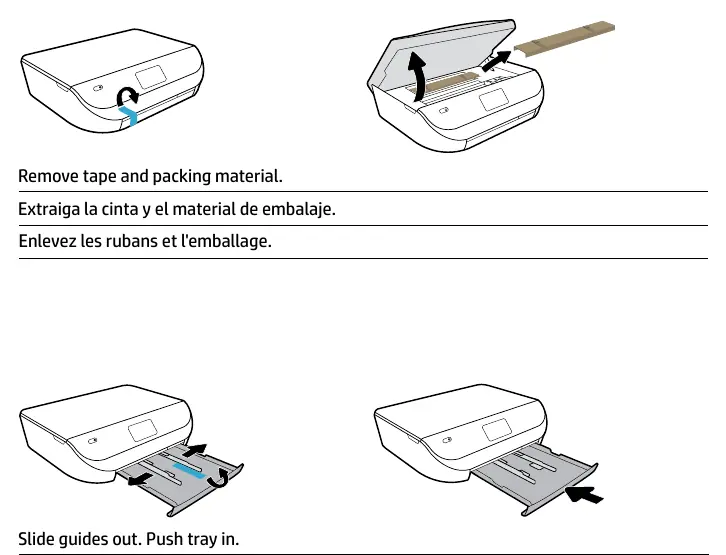
Begin by removing all tape and packing material from the printer. Ensure the paper tray is prepared by sliding the guides out and pushing the tray in. Connect the power cord and turn the printer on.
Installing Cartridges
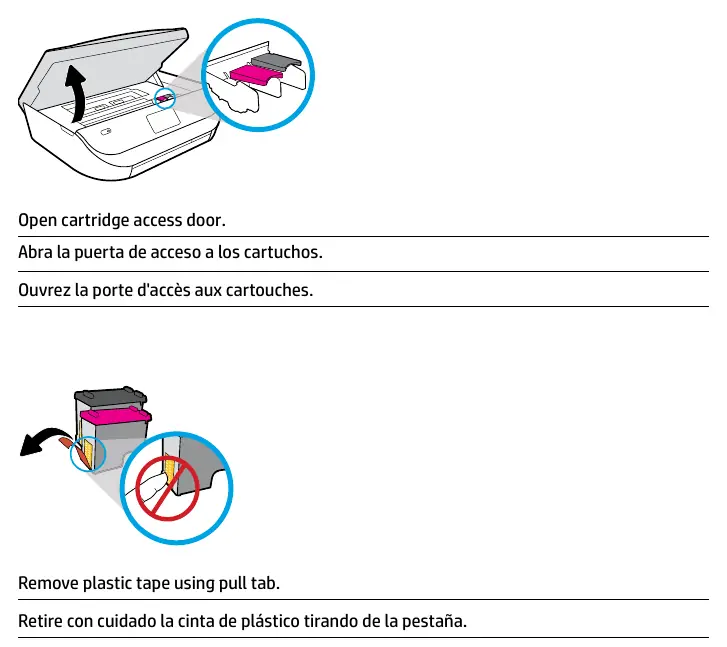

- Open the cartridge access door.
- Remove the plastic tape from the new cartridges using the pull tab.
- Open the carriage latches.
- Insert the cartridges into the carriage.
- Close the carriage latches until they click into place.
- Close the cartridge access door.
Loading Paper
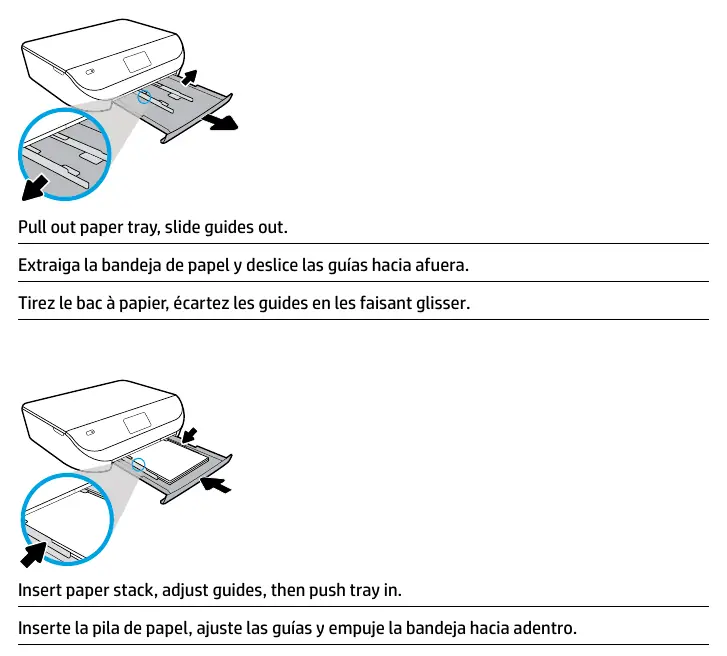
- Pull out the paper tray and slide the guides out.
- Insert a stack of plain white paper.
- Adjust the guides to fit the paper stack.
- Push the tray back into the printer.
Alignment
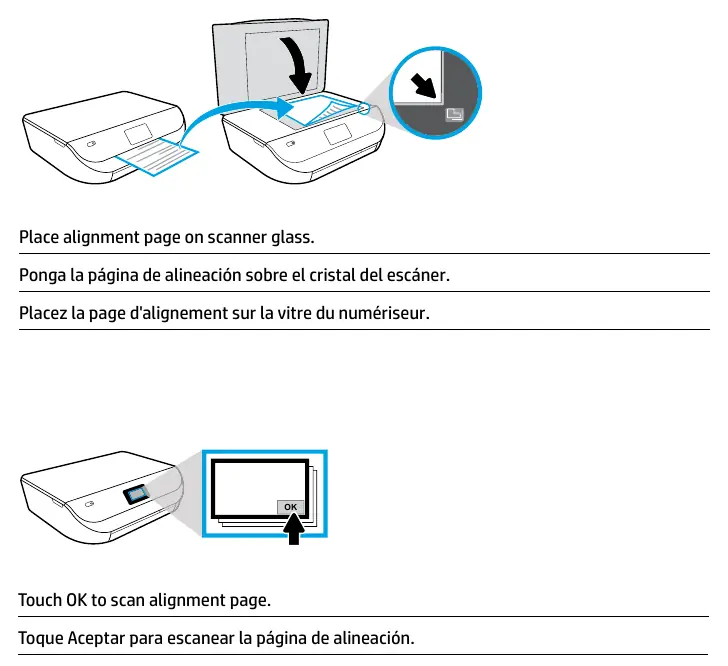
Place the alignment page on the scanner glass. Touch the OK button on the printer display to scan the alignment page.
Connecting to Your Network
Visit 123.hp.com/setup in your web browser or scan the QR code provided in the guide. Follow the on-screen instructions to download the necessary software or app for your computer or mobile device and connect the printer to your network.
Mobile Printing
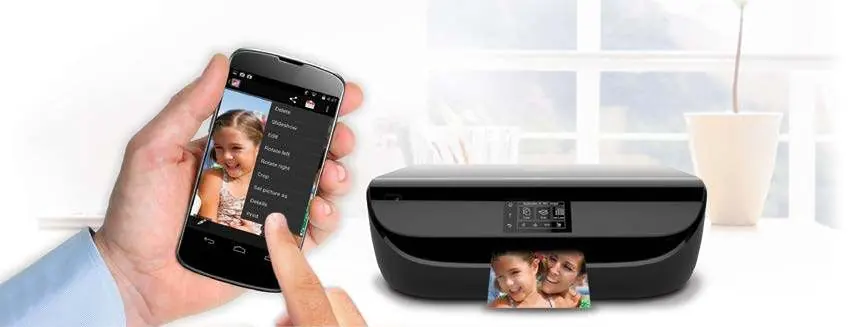
Printing is built-in on Apple and newer Android mobile devices. Ensure your printer and mobile device are on the same network. Open the content you wish to print, select the Share or Menu icon, choose Print, and select your printer.
HP Instant Ink
You can activate the HP Instant Ink service during the printer setup process. This service allows your printer to automatically order ink when levels are low. Monthly plans are based on the number of pages printed rather than cartridges used.
Official resources from the manual
Manufacturer information
HP Inc.
Practical help
Common problems
Printer not connecting to network
Ensure both the printer and your mobile device or computer are connected to the same Wi-Fi network.
Setup software not launching
Visit 123.hp.com/setup to download the latest software or app for your specific device.
Before use
- Remove all tape and packing material from the printer.
- Ensure you have plain white paper available.
- Have your network credentials (Wi-Fi name and password) ready.
- Install the HP cartridges provided with the printer.
- Ensure you have an active Internet connection.
Images and diagrams
- Cartridge installation: Open the access door, remove the plastic tape from the cartridge, and insert it into the carriage until it clicks.
- Paper loading: Pull out the tray, slide the guides outward, insert paper, adjust the guides to the paper edge, and push the tray in.
- Alignment: Place the printed alignment page face down on the scanner glass and press OK.
Model compatibility
- Requires a wireless access point and Internet connection.
- Mobile printing is built-in on Apple and newer Android devices.
- Not all Printables are compatible with all printer models.

Manual page author
David Miller
Documentation analyst
Organizes user manual content into clear summaries, with attention to model details, product context, and everyday usability.