Computers / Laptops
HP Victus Gaming Laptop 15-fb3060ca Specification Sheet
Quick guide and technical specifications for the HP Victus Gaming Laptop 15-fb3060ca. Learn about hardware, display, ports, and battery performance.
Table of contents
Overview
The HP Victus Gaming Laptop 15-fb3060ca is designed for high-performance gaming on the go. It features an AMD Ryzen AI 7 processor, NVIDIA GeForce RTX 5060 graphics, and a 144Hz FHD anti-glare display. The system is built with updated thermal management and a webcam with Temporal Noise Reduction.
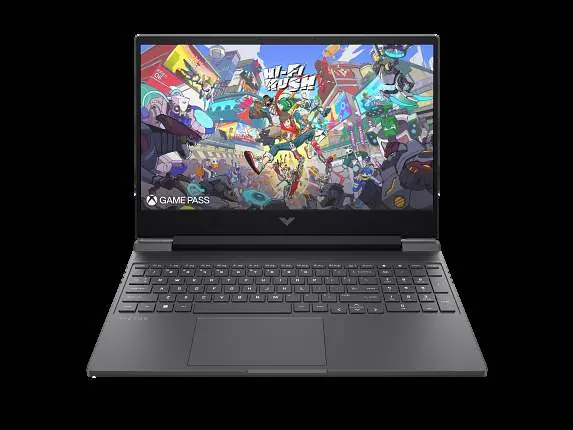
Key Features
- Display: 15.6-inch FHD (1920 x 1080) IPS, 144Hz refresh rate, anti-glare, 300 nits, 62.5% sRGB.
- Performance: Powered by AMD Ryzen AI 7 350 processor and NVIDIA GeForce RTX 5060 Laptop GPU (8 GB GDDR6 dedicated).
- Memory & Storage: 16 GB DDR5-5600 MT/s RAM and 1 TB PCIe Gen4 NVMe M.2 SSD.
- Visuals: Micro-edge bezel design and flicker-free DC Dimming technology for comfortable viewing.
Connectivity and Ports
The laptop is equipped with a variety of ports for peripherals and external displays:
- 1 x USB Type-C 5Gbps (supports USB Power Delivery 3.1, DisplayPort 2.1, and HP Sleep and Charge)
- 2 x USB Type-A 5Gbps (one supports HP Sleep and Charge)
- 1 x HDMI 2.1
- 1 x RJ-45 (Ethernet)
- 1 x Headphone/microphone combo
- 1 x AC smart pin
Battery and Power
The device uses a 4-cell, 70 Wh Li-ion polymer battery. It supports fast charging, capable of reaching approximately 50% charge in 30 minutes when the system is shut down using the included 200W Smart AC power adapter. Note that optimal performance and battery chargeability while gaming require the included power adapter; Type-C charging is intended for light loading tasks.
Technical Specifications
- Wireless: Realtek Wi-Fi 6 (2x2) and Bluetooth 5.4.
- Audio: DTS:X Ultra, dual speakers, HP Audio Boost.
- Camera: HP True Vision 1080p FHD IR camera with temporal noise reduction and integrated dual array digital microphones.
- Expansion: 2 M.2 SSD slots (second SSD limited to PCIe Gen 4x2 speed).
- Security: Trusted Platform Module (Firmware TPM) support.
Manufacturer information
HP Inc.
Practical help
Common problems
Slow battery charging
Ensure the laptop is in 'shut down' mode to utilize the fast charge feature (50% in 30 minutes). Charging speed returns to normal after 50% capacity.
USB-C charging not providing enough power
The 100W/20V Type-C adapter is only sufficient for light loading tasks. Use the included 200W Smart AC adapter for optimal performance and battery chargeability while gaming or rendering.
Before use
- Verify the power adapter is the included 200W Smart AC adapter for gaming.
- Ensure the laptop is shut down to utilize the fast charge feature.
- Check for available M.2 slots if planning to add a second SSD.
- Confirm the USB-C port is being used with a compatible charging protocol cable for best results.
Specs in practice
- 144Hz Display
- High refresh rate display that reduces lag and image ghosting for smoother gameplay.
- PCIe Gen4 NVMe SSD
- High-speed storage interface that significantly improves system boot times and application loading.
- USB-C Power Delivery 3.1
- Allows the port to handle high-speed data, video output (DisplayPort 2.1), and power delivery.
Model compatibility
- Second SSD is limited to PCIe Gen 4x2 speed.
- System-off charging is only supported on 20V Type-C adapter or power bank.
- Colors may vary by region.

Manual page author
David Miller
Documentation analyst
Organizes user manual content into clear summaries, with attention to model details, product context, and everyday usability.