Electronics / Headphones Earbuds
JBL Soundgear Sense True Wireless Open-Ear Headphones User Guide
Quick start guide for JBL Soundgear Sense open-ear headphones. Learn how to wear, connect, use touch controls, reset, and understand LED indicators.
Table of contents
Manual images
Click an image to enlargeQuick guide from the manual
The JBL Soundgear Sense are true wireless open-ear headphones featuring OpenSound technology. This guide provides essential instructions for initial setup, wearing, connecting, and controlling your device. For advanced features and customization, download the My JBL Headphones app.
Placement and wearing
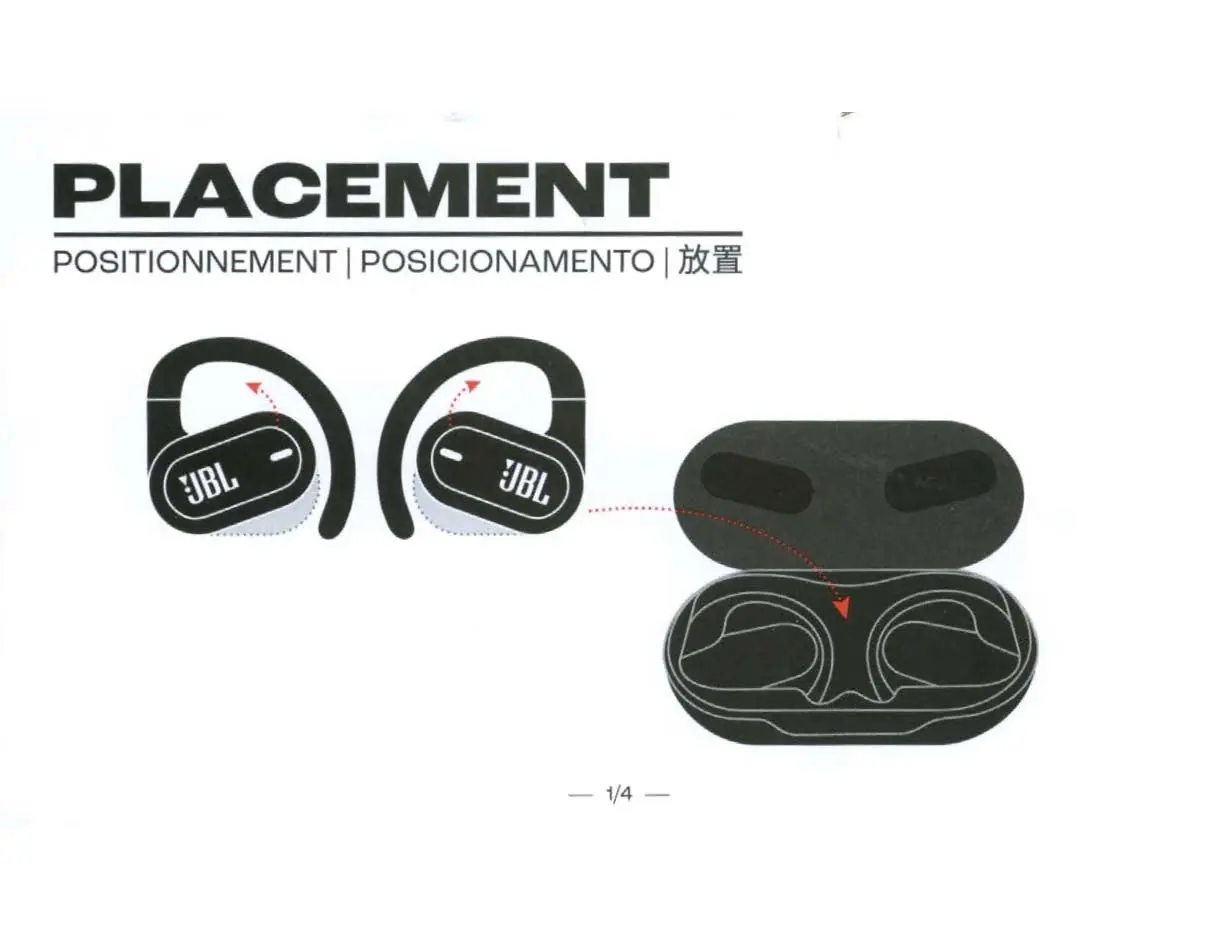
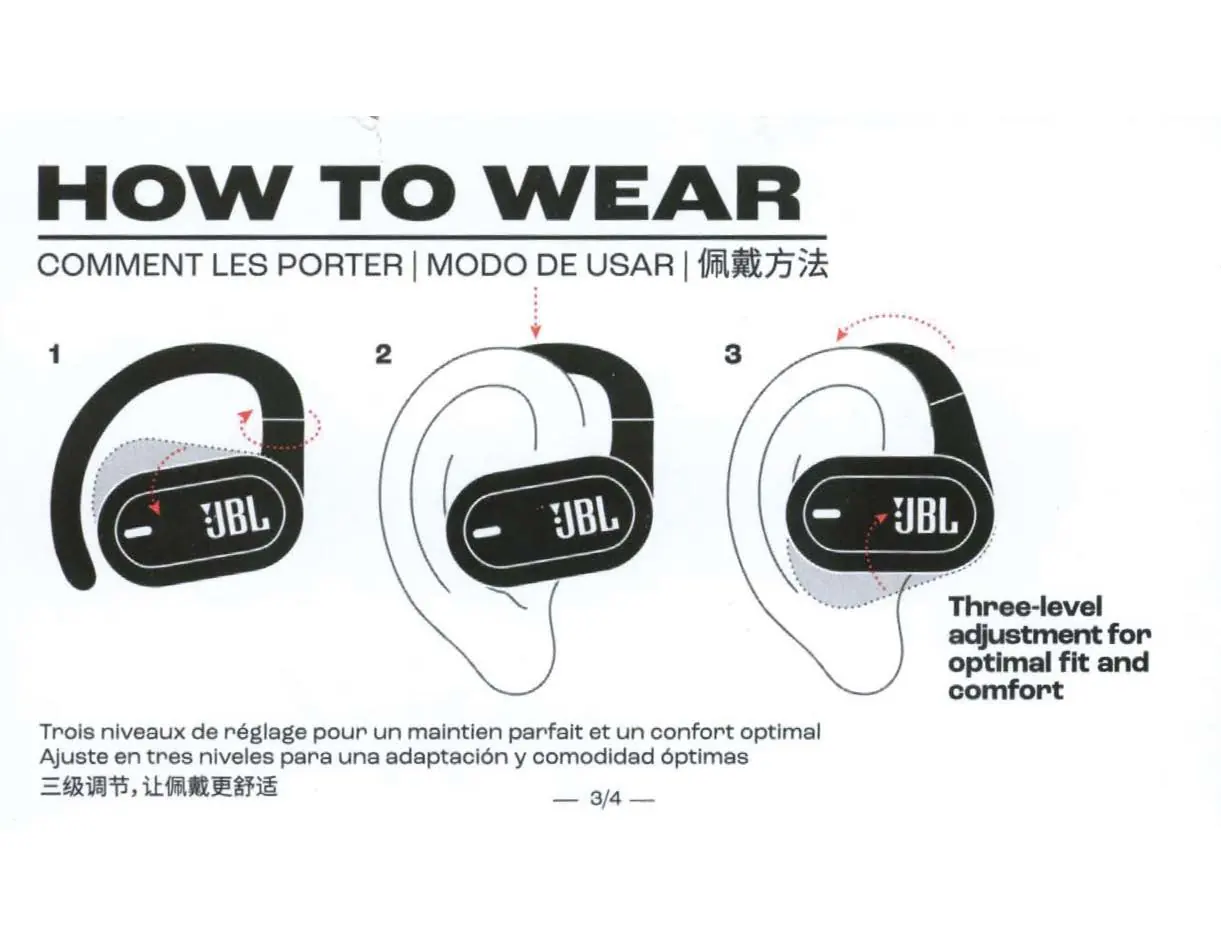
The headphones are designed to rest on the curve of your ears without obstructing the ear canal. Place the earhooks over your ears. For a more secure fit, especially during workouts, you can attach the included neckband.
Power on and connection
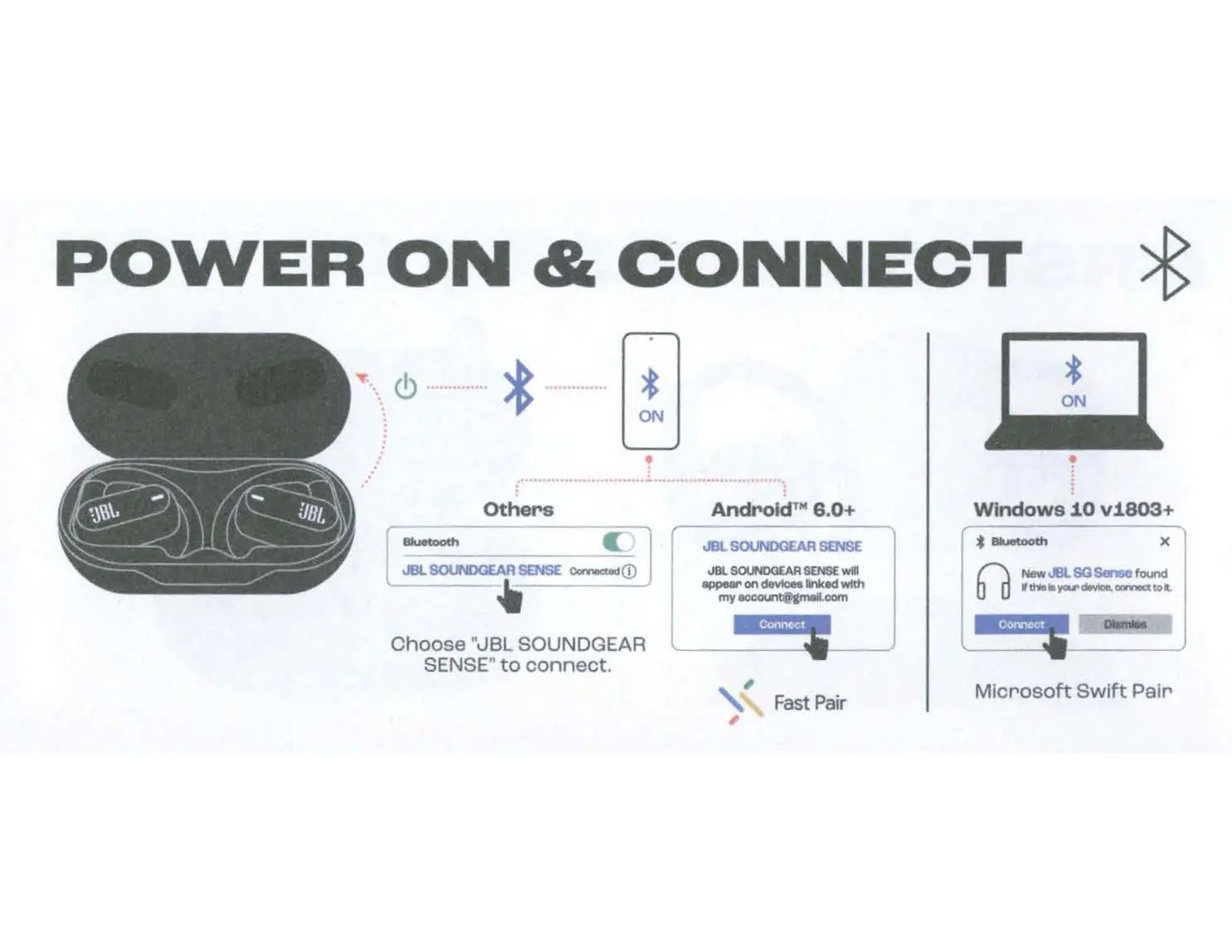
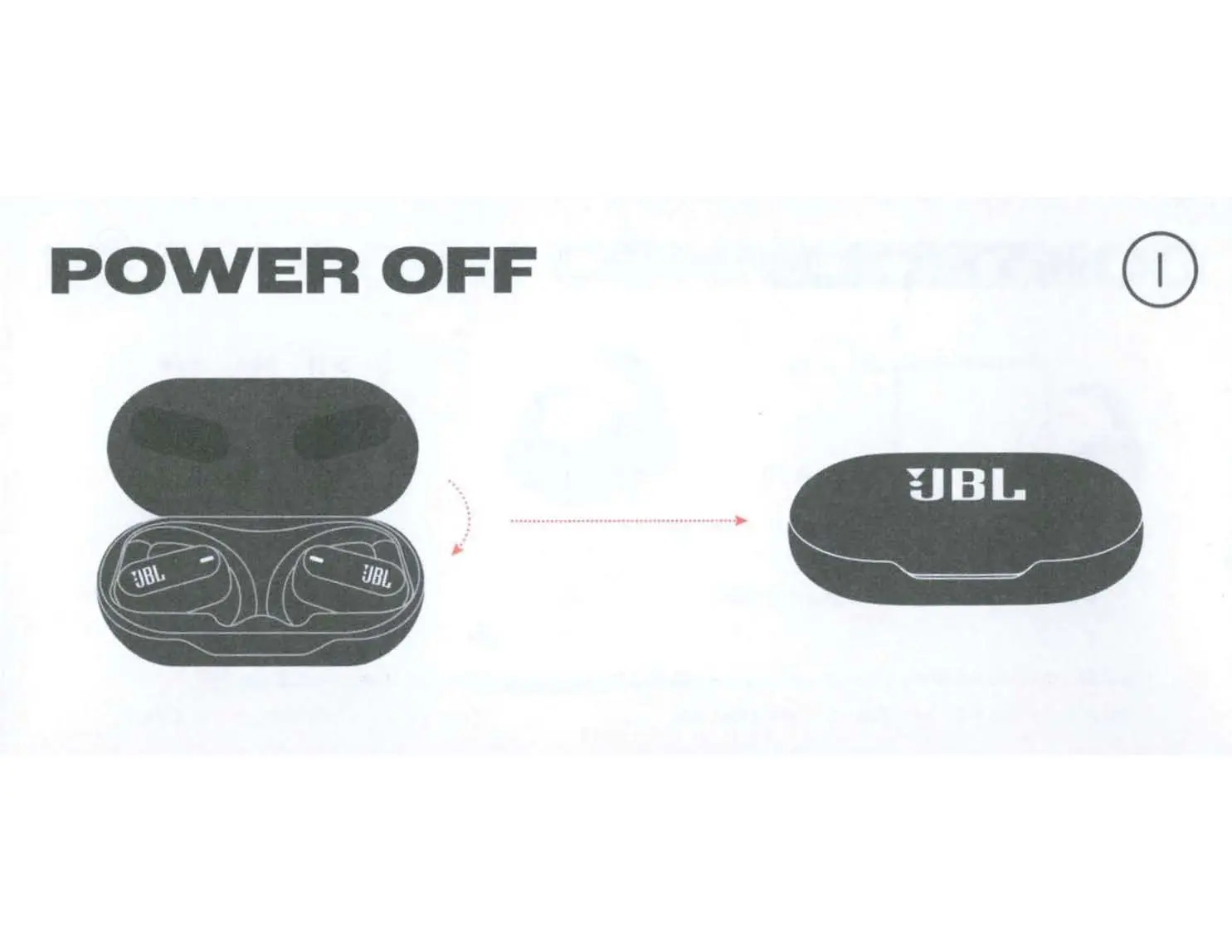
To power on and connect, open the charging case. The earbuds will enter pairing mode. On your device, select "JBL SOUNDGEAR SENSE" from the Bluetooth menu. The device supports Fast Pair for Android 6.0+ and Microsoft Swift Pair for Windows 10 v1803+.
Controls
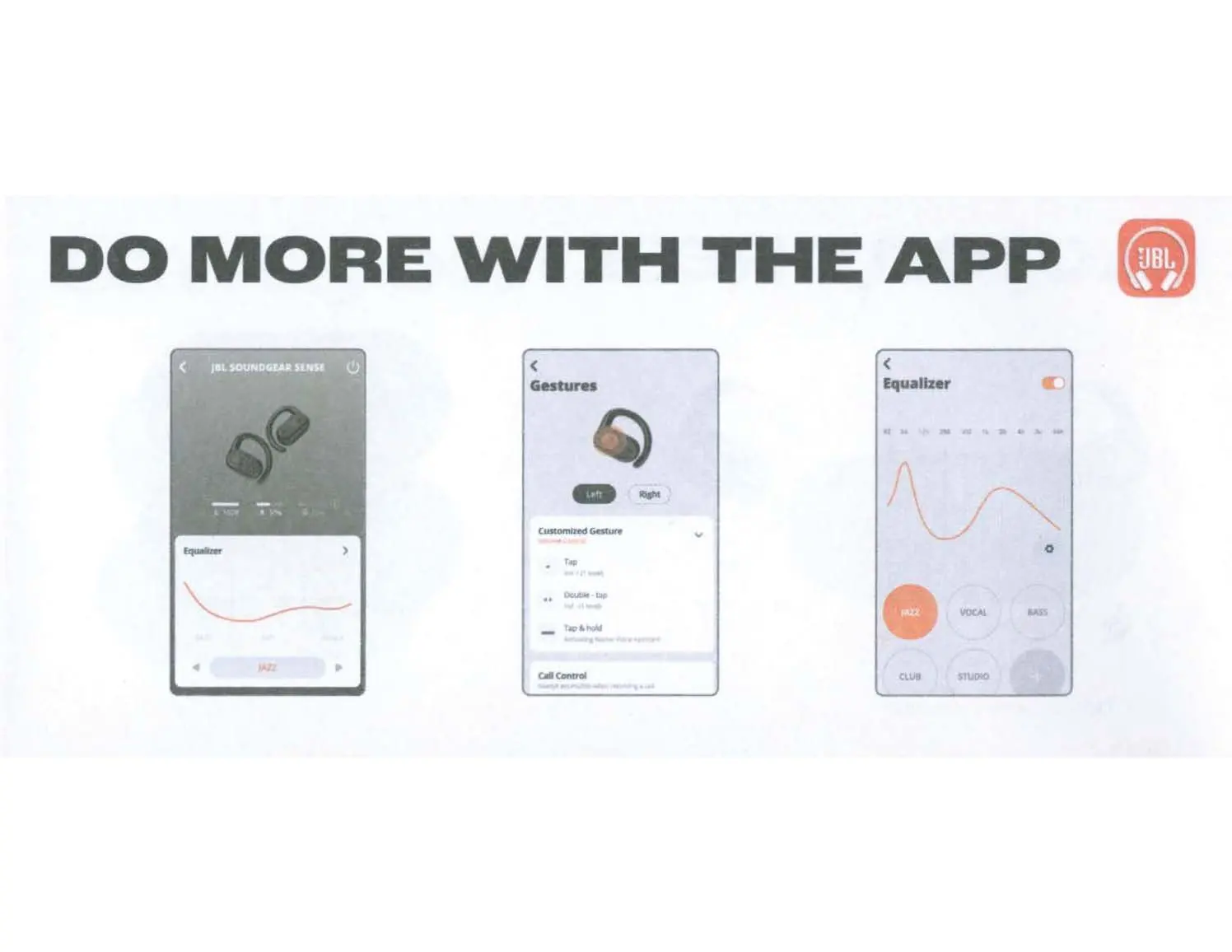
The earbuds feature touch controls on each side. Use single, double, or triple taps, or hold gestures to manage music playback, volume, and voice assistants. You can customize these gestures using the My JBL Headphones app.
Charging and LED behaviors
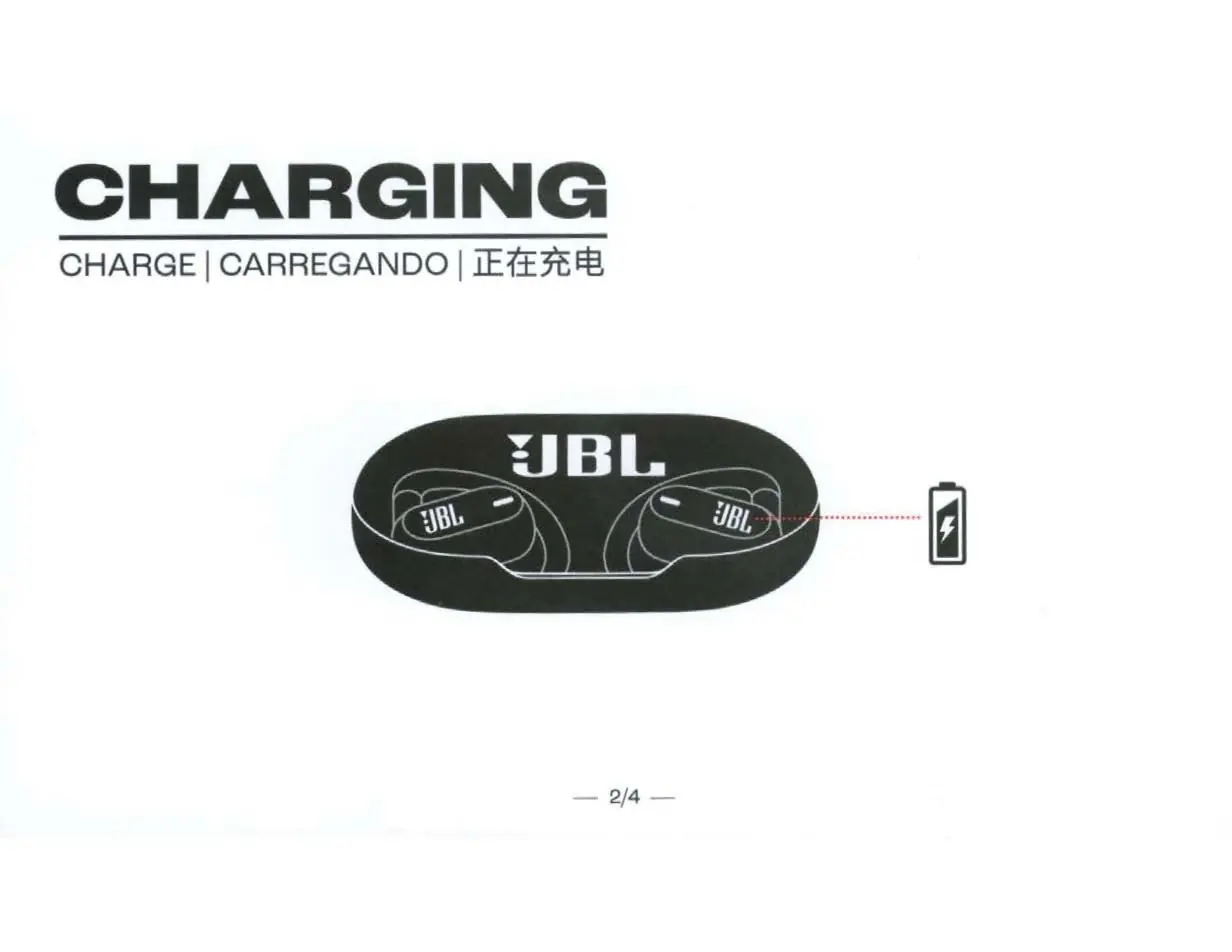
Charge the earbuds by placing them in the charging case. A 15-minute charge provides up to 4 hours of music playback. The LED indicators on the earbuds and case show connection status and battery levels. A blinking light indicates Bluetooth connecting, while a solid light indicates connected status. The case LED indicates low battery, charging, or fully charged status.
App and features
Use the My JBL Headphones app to get more control and personalization. Features include equalizer settings, gesture customization, finding your earbuds, and Smart Audio & Video modes.
Technical specifications
The headphones feature 16.2mm dynamic drivers, Bluetooth 5.3, and an IP54 rating for splash and dust resistance. Battery life is up to 6 hours for the earbuds, with an additional 18 hours provided by the charging case.
Safety and maintenance
To prolong battery lifespan, fully charge the device at least once every 3 months. Do not expose the device to extreme temperatures or moisture. If the battery is replaced incorrectly, there is a risk of explosion. Dispose of used batteries according to local instructions.
Manufacturer information
JBL
Practical help
Common problems
Earbuds not connecting
Perform a factory reset by holding the touch controls on both earbuds while they are in the case.
Low battery
Charge the case using the provided USB-C cable. A 15-minute charge provides 4 hours of playback.
Before use
- Fully charge the earbuds and case
- Download the My JBL Headphones app
- Ensure Bluetooth is enabled on your device
Specs in practice
- Bluetooth version
- 5.3 for stable connectivity
- Battery life
- Up to 6 hours (earbuds) + 18 hours (case)
Images and diagrams
- Placement: Shows how to position the earhooks on the ears.
- Controls: Illustrates tap and hold gestures for music and calls.
- Multi-point: Shows connection to two devices.
Model compatibility
- Compatible with Android 6.0+ (Fast Pair)
- Compatible with Windows 10 v1803+ (Microsoft Swift Pair)

Manual page author
Emily Carter
User documentation editor
Prepares concise manual descriptions and highlights the most useful setup, operation, and maintenance information for readers.