Electronics / Headphones Earbuds
User Manual for JBL TUNE 125TWS True Wireless Headphones
Get to know your JBL TUNE 125TWS true wireless headphones. This guide covers technical specifications, features, what's included in the box, and usage highlights like Dual Connect and Fast Pair.
Table of contents
Quick Guide
The JBL TUNE 125TWS are true wireless in-ear headphones designed for music and calls. They feature a charging case, Dual Connect technology, and Fast Pair for Android devices. Ensure you charge the device fully before the first use. The total charging time from empty is less than 2 hours.
Product Overview
The JBL TUNE 125TWS system consists of two wireless earbuds and a dedicated charging case. The earbuds are designed to provide a comfortable fit and feature JBL Pure Bass sound. The system is completely wireless, eliminating the need for cords.
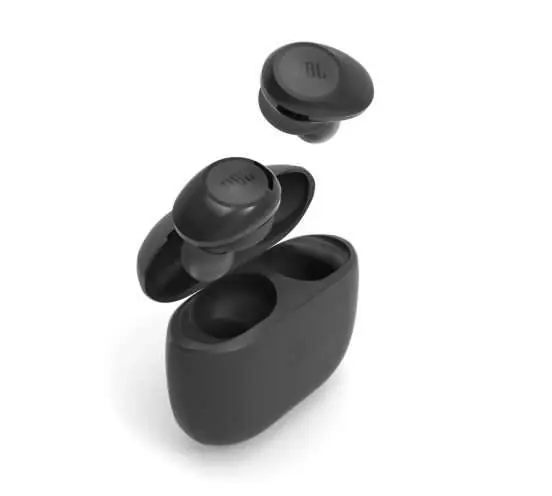
What's in the Box
- JBL TUNE 125TWS earbuds
- Charging case
- 3 sizes of eartips (S, M, L)
- Type-C USB charging cable
- Warranty / Warning documentation
- Quick Start Guide / Safety Sheet
Usage Highlights
Dual Connect: This feature allows you to use either the left earbud, the right earbud, or both simultaneously. You can keep one earbud charging in the case while using the other for music or calls.
Fast Pair: Designed for Android devices, the earbuds pair automatically as soon as they are taken out of the case. After the initial pairing, other devices can be detected even when not currently paired.
Technical Specifications
- Driver size: 5.8mm Dynamic driver
- Frequency response: 20Hz – 20kHz
- Sensitivity: 96dB SPL @ 1kHz 1mW
- Impedance: 14 ohm
- Bluetooth version: 5.0
- Bluetooth profiles: A2DP 1.3, AVRCP 1.5, HFP V1.7
- Battery life: Up to 8 hours of music playtime (earbuds)
- Charging time: Less than 2 hours from empty
- Power supply: 5V 1.0A
- Weight: 73g
Manufacturer information
JBL
Practical help
Common problems
Headphones not pairing with device
Ensure the earbuds are taken out of the charging case. For Android devices, utilize the Fast Pair feature for immediate connection.
Battery life seems short
Ensure the earbuds and case are fully charged. Charging time from empty is less than 2 hours.
Before use
- Check the box contents to ensure all items are present
- Select the appropriate eartip size (S, M, or L) for a secure and comfortable fit
- Charge the charging case and earbuds fully before the first use
- Ensure your playback device has Bluetooth enabled
Specs in practice
- Driver size (5.8mm)
- The size of the speaker component inside the earbud, affecting sound output quality.
- Bluetooth 5.0
- The wireless communication standard used for stable connectivity with your device.
- Charging time (< 2 hrs)
- The maximum time required to charge both the headset and the case from 0% to 100%.
Images and diagrams
- The product includes a charging case that houses and charges the earbuds.
- The system uses a Type-C USB cable for charging the case.
Model compatibility
- Fast Pair feature is optimized for Android devices.
- Supports Bluetooth profiles A2DP 1.3, AVRCP 1.5, and HFP V1.7.

Manual page author
David Miller
Documentation analyst
Organizes user manual content into clear summaries, with attention to model details, product context, and everyday usability.